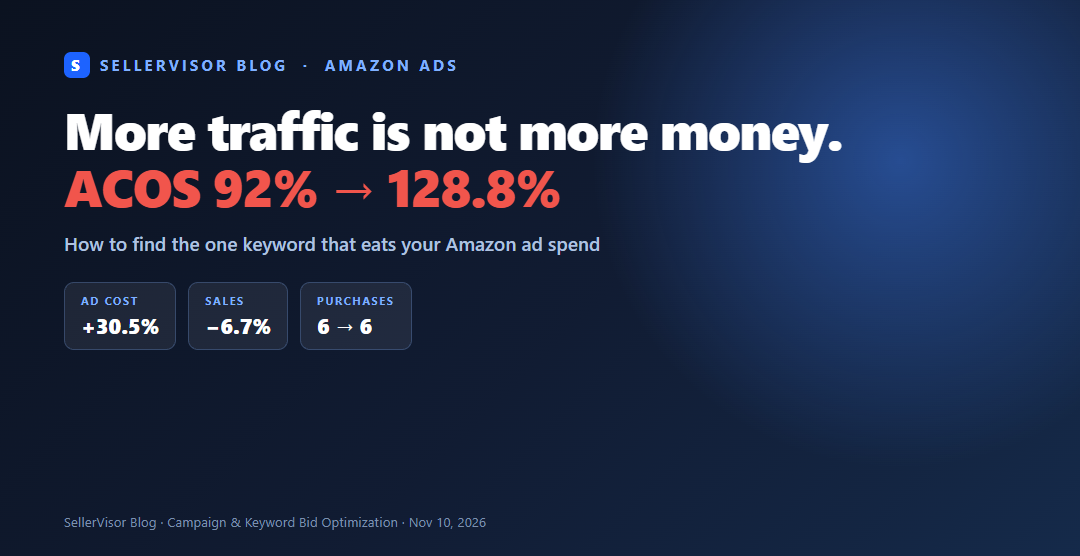
1. If ad spend increased but sales decreased
When managing Amazon ads, this scenario often repeats. Impressions and clicks increase, but the number of orders remains the same. The problem is usually not the budget, but the bid price. If the set value for how much to pay per click remains the same but competition increases, the quality of clicks purchased with the same money decreases.
SellerVisor's Campaign & Keyword Bid Optimization screen first shows this change with a period comparison, then allows you to drill down to the keywords that caused it and adjust bids.
2. Access Path
SellerVisor Login → Left menu Ads Management → Campaign & Keyword Bid Optimization. At the top, select the marketplace (United States / Canada) and ad channel (Sponsored Products / Sponsored Brands), and for the period, view by dividing into “Now” and “Previous” in Period comparison.
3. Four Numbers to Check First in Period Comparison
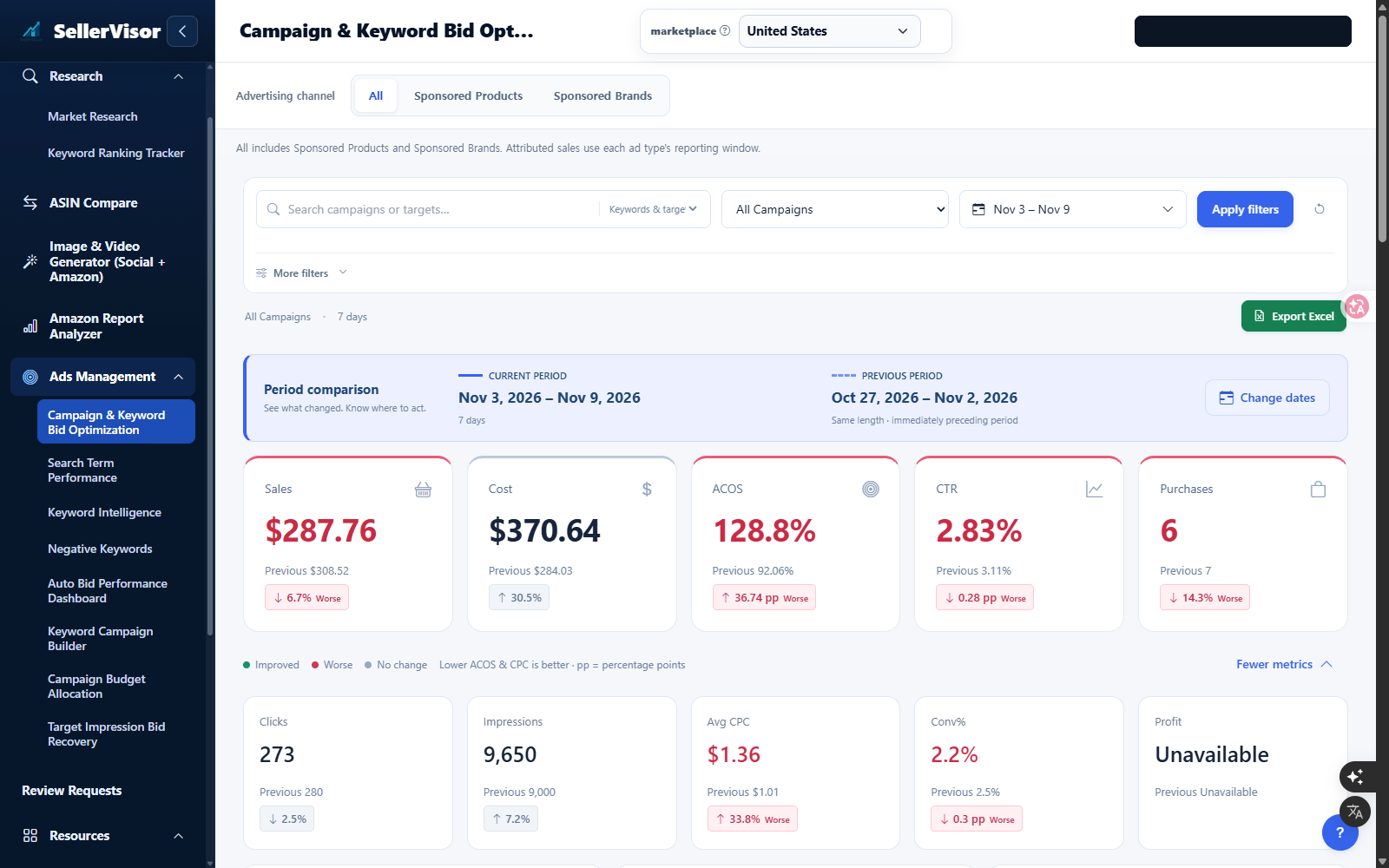
The cards at the top of the screen display the current period and the previous period of the same length side by side. Just by reading these four: Sales, Cost, ACOS, and Purchases, the diagnosis is complete. If sales decreased but ad spend increased, ACOS will inevitably rise. This is because ACOS = Ad Spend ÷ Sales.
4. 7-Day Comparison of an Actual Account (2026-11-03 ~ 11-09 vs 10-27 ~ 11-02)
This is the same screen for a US seller account. Sales decreased by 6.7% from $308.52 to $287.76, while ad spend increased by 30.5% from $284.03 to $370.64. As a result, ACOS went from 92.06% to 128.8%, and purchases decreased by one, from 7 to 6.
5. Narrowing Down to Campaign Level
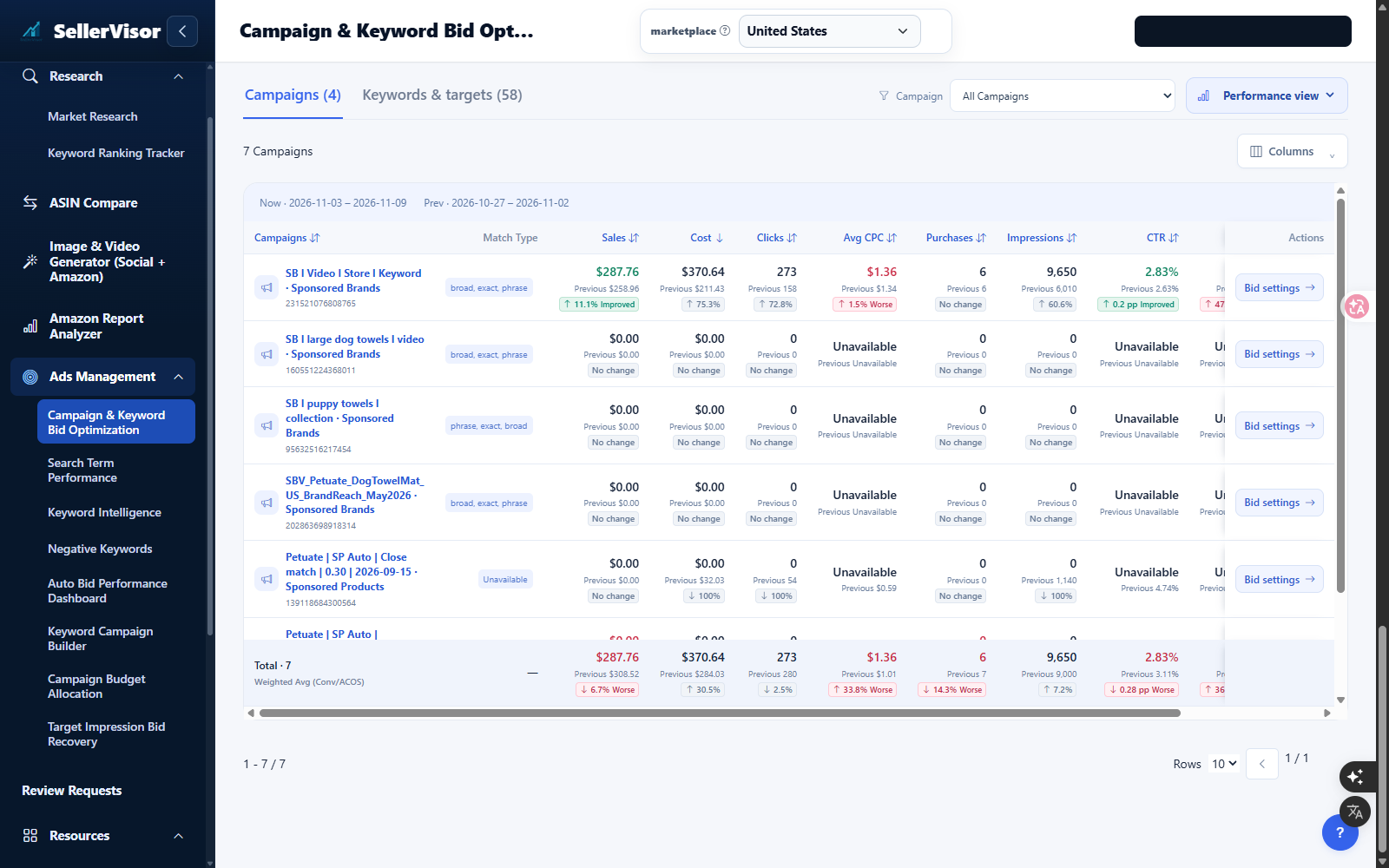
In the Campaigns tab, check which campaign caused this change. In this account, one Sponsored Brands campaign generated impressions from 6,010 to 9,650 (60.6% increase), clicks from 158 to 273 (72.8% increase), and ad spend from $211.43 to $370.64 (75.3% increase). However, purchases remained at 6, with no change.
In other words, more traffic was purchased to get the same number of orders. If the budget is increased in this state, losses will only increase proportionally.
6. Drilling Down to Keywords to Adjust Bids
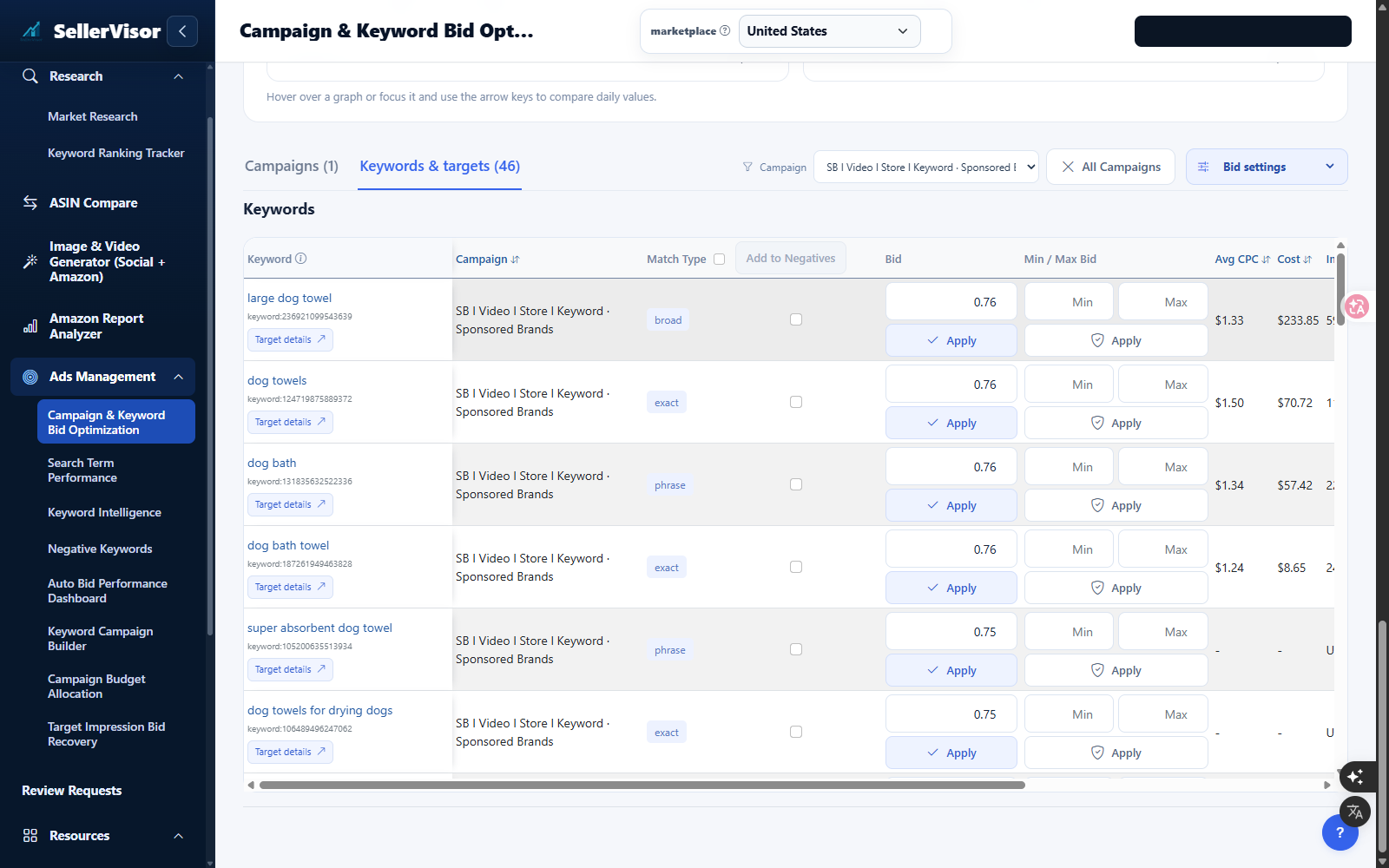
Go to the Keywords & targets tab and sort the Cost column. In this account, one keyword was spending $8.65 without generating any sales. You just need to lower the bid value for that keyword and click Apply. Conversely, leave keywords with good conversion rates as they are, or slightly increase their bids.
7. What to Check After Adjustment
The week after changing bids, reopen the same screen and check just three things: ① Has ad spend decreased? ② Is the number of purchases maintained? ③ Has ACOS decreased? If impressions decrease but sales are maintained, that's not a loss, but a recovery.
8. Three Things to Do Every Monday
Check the ACOS trend with a period comparison, find keywords that spent money without generating sales, and adjust only the bids for those keywords. The purpose of SellerVisor's Bid Optimization screen is to complete these three steps within 5 minutes.