 SellerVisor
Tracked ASIN Settings
Keep automation focused on the right products
Open Automation & Keyword Tracking ASIN Settings from your account menu and select the marketplace.
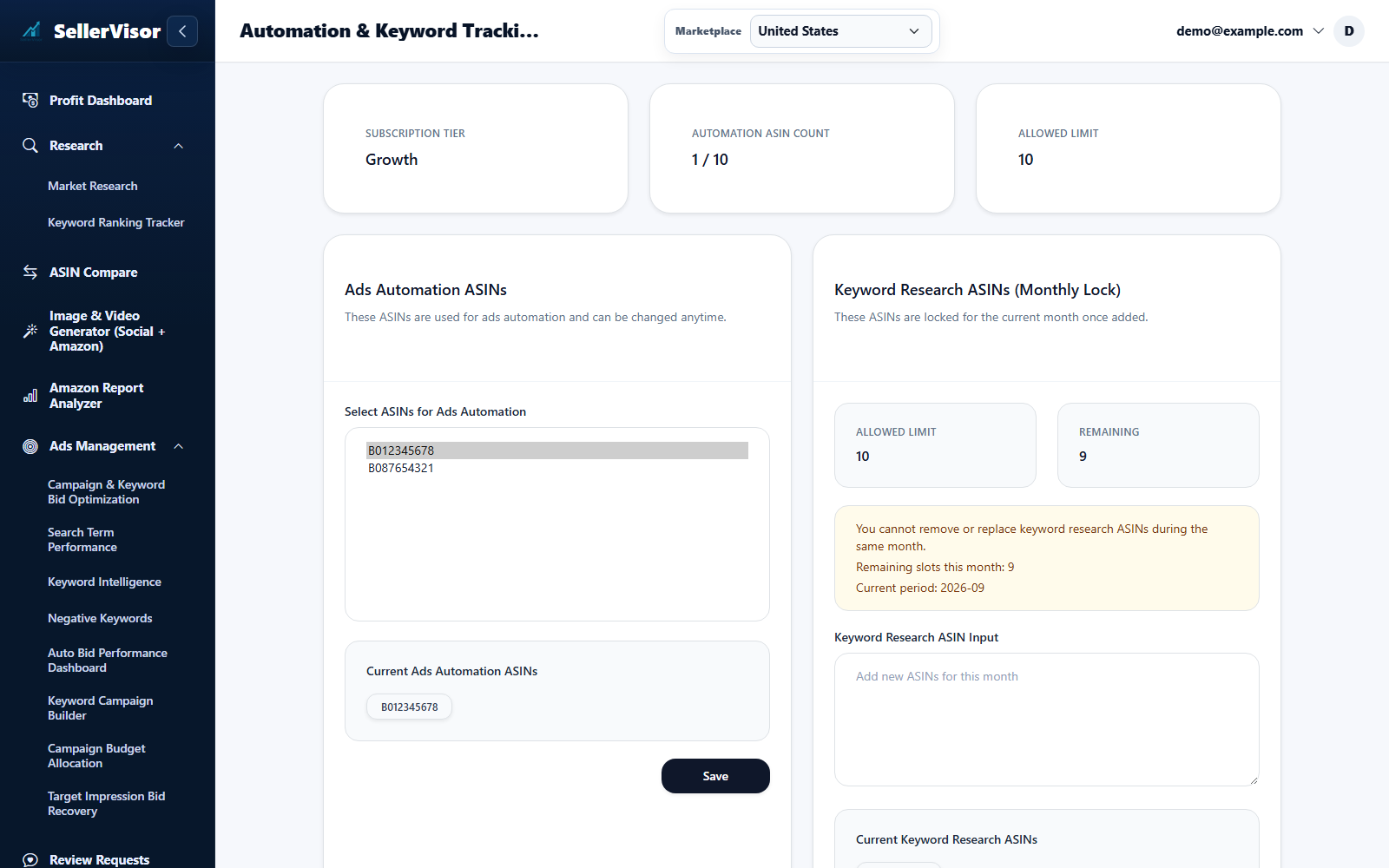
Settings are scoped to the selected marketplace. Check the limits and save each section you change.
1
Seller tools
Tracked ASIN Settings
- Open Automation & Keyword Tracking ASIN Settings from your account menu and select the marketplace.
- Choose the ASINs used for automation from the available products, check your allowance, and save that section.
- Review the separate keyword research ASIN section and its monthly slots before adding products. These selections do not replace the keyword groups in Ranking Tracker.
Screenshots are in English and may contain sample data. Available features depend on your plan, connections, and data.