 SellerVisor
Campaign & keyword bids
Optimize bids by campaign and keyword with clear targets
Review performance by campaign and keyword, then apply smart bid rules so your ads spend stays aligned with your Target ACOS.
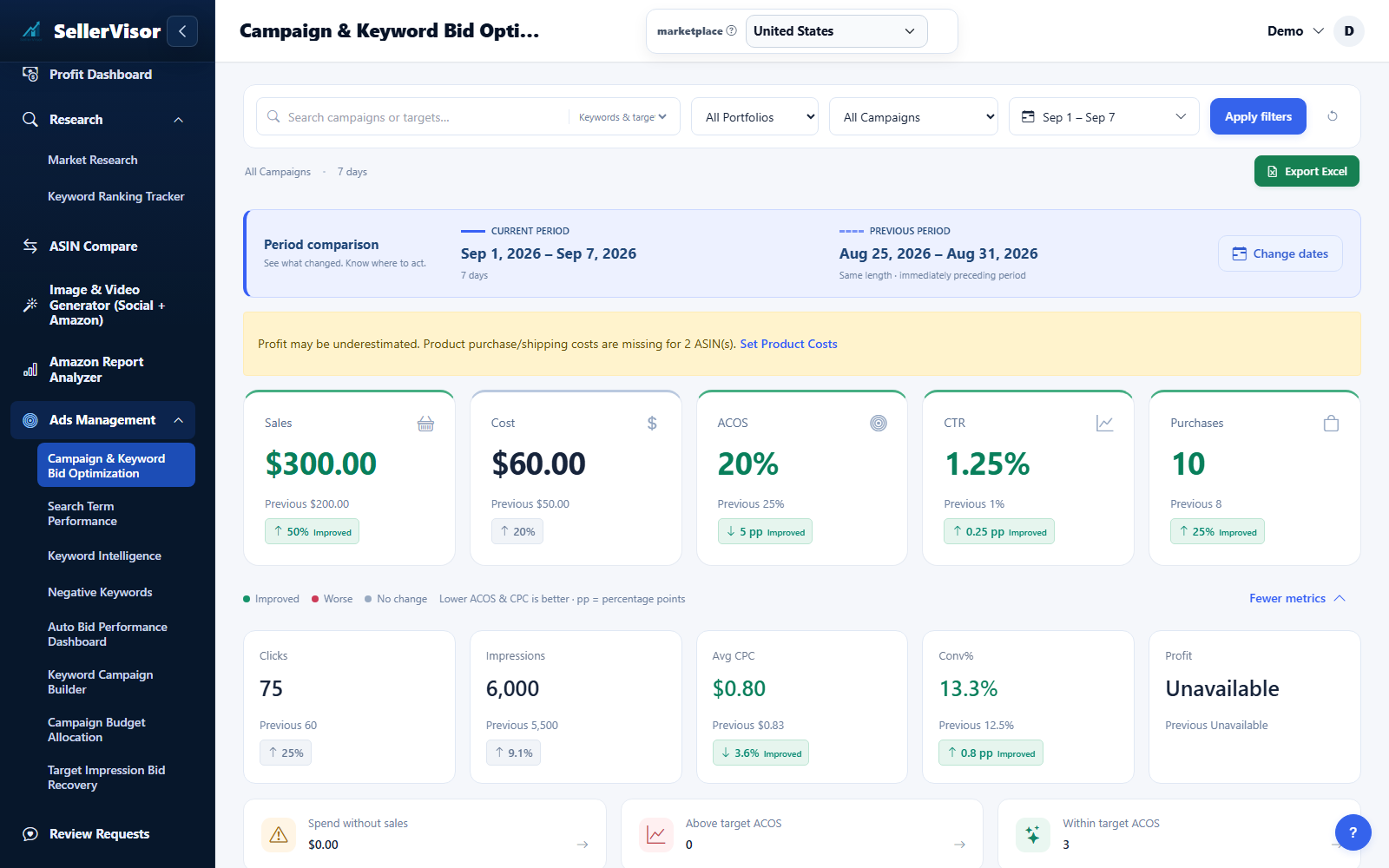
Filter by marketplace and date range before reviewing changes. Check campaign goals and the scope of each action before submitting bids, negatives, budgets, or automation settings.
1
Ads management
See cost, sales, and efficiency by date in one chart
- Start with the summary chart view, where you can switch between 1, 7, and 30-day ranges to see how Cost, Sales, Clicks, Purchases, Impressions, ACOS, and Conversion Rate move over time.
- Toggle individual metrics on or off to isolate what matters most right now, such as focusing only on ACOS and Sales when you are validating a new bid strategy.
- Use these charts as your before/after baseline: when you change bids or enable automation, you can visually confirm whether performance is improving by date.
2
Ads management
Adjust keyword bids, set max bid, and manage negatives in one place
- Drill down into the keyword view to see each keyword’s bids, clicks, sales, ACOS, and bid history, so you understand how changes impacted performance over time.
- Set a max bid for automation per keyword to prevent overbidding, while still allowing the system to raise or lower bids intelligently based on your Target ACOS rules.
- Send negative keywords directly to your ads account to block wasteful search terms, reduce spend on non-converting traffic, and protect your overall ACOS.
3
Ads management
Set Target ACOS and control bid automation per campaign
- In the campaign summary table, search by campaign name or keyword and filter by date range to see clicks, spend, sales, ACOS, and Conversion Rate in one row.
- Define a Target ACOS per campaign and enable or disable automation with a simple toggle; the system will adjust bids within your rules to move toward that target.
- Use this view to quickly spot campaigns that overspend, pause automation where manual control is needed, and double down on high-performing campaigns.
4
Ads management
Direct Bid Adjustments (Sync to Amazon Ads)
Update keyword bids inside SellerVisor and apply changes directly to Amazon Ads without switching screens.
- Adjust bids quickly with the right context (Avg CPC, Cost, Sales, ACOS).
- Prevent wasted spend by reacting faster to performance shifts.
- Reduce “opportunity cost” by reallocating budget to winners sooner.
Screenshots are in English and may contain sample data. Available features depend on your plan, connections, and data.