 SellerVisor
Payment Dashboard Report
See true net profit for every SKU, payout, and time period
Turn Amazon settlement files into a clean, interactive dashboard that shows real profit after product cost, shipping, ads, and refunds.
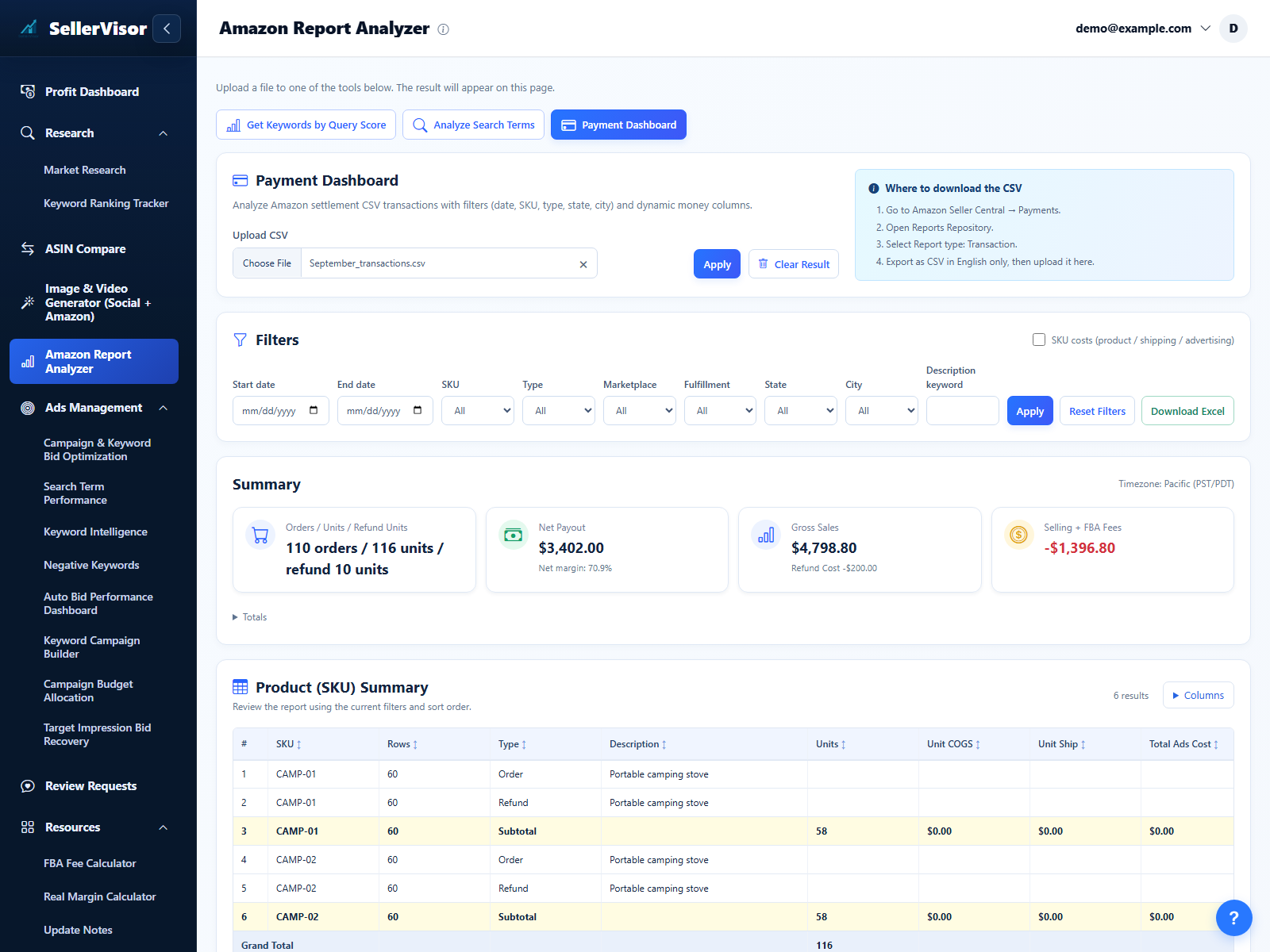
1
Reports & profit
Filter the table and enter product, shipping, and ads cost per SKU
- Use the main payment table to slice everything by date range, SKU, marketplace, fulfillment type, or order type so you can zoom into exactly the period you care about.
- Enable SKU costs and enter product and shipping cost per unit, plus total advertising cost for each SKU. Click Apply to recalculate.
- Switch between views (by order, by SKU, by time) to understand which products are truly profitable once all real-world costs are included.
2
Reports & profit
See total sales, fees, refunds, and net profit in clear summary cards
- Above the table, view clean summary tiles for gross sales, refunds, Amazon fees, product cost, shipping cost, ads cost, and final net payout.
- Click Apply after changing filters to update the tables and summary. Download Excel to export the current selection.
- Use these summaries to answer questions like “How much did I really make this month?” or “Which SKUs are driving most of my refunds and fees?”.
3
Reports & profit
Compare sales and refunds by state
- Compare units sold, gross sales, and refunds by state using the current report filters.
- Identify regions with more sales or refunds, then review their transaction details.
- Combine this with your logistics and marketing strategy to decide where to focus inventory, pricing tests, or localized campaigns.
4
Reports & profit
See when customers actually buy with a weekday and hour heatmap
- The order heatmap shows how many orders and how much revenue you receive for each combination of weekday and hour of day.
- Use it to find your strongest time slots, identify slow periods, and better align campaign budgets, lightning deals, and price tests.
- Filter by SKU or marketplace to see how buying patterns change between products or regions, instead of relying on guesswork.
Screenshots are in English and may contain sample data. Available features depend on your plan, connections, and data.