 SellerVisor
Protected Keywords
Keep important keywords visible in your automation rules
Open Protected Keyword Registration and select the marketplace and product ASIN. Review the recommended terms.
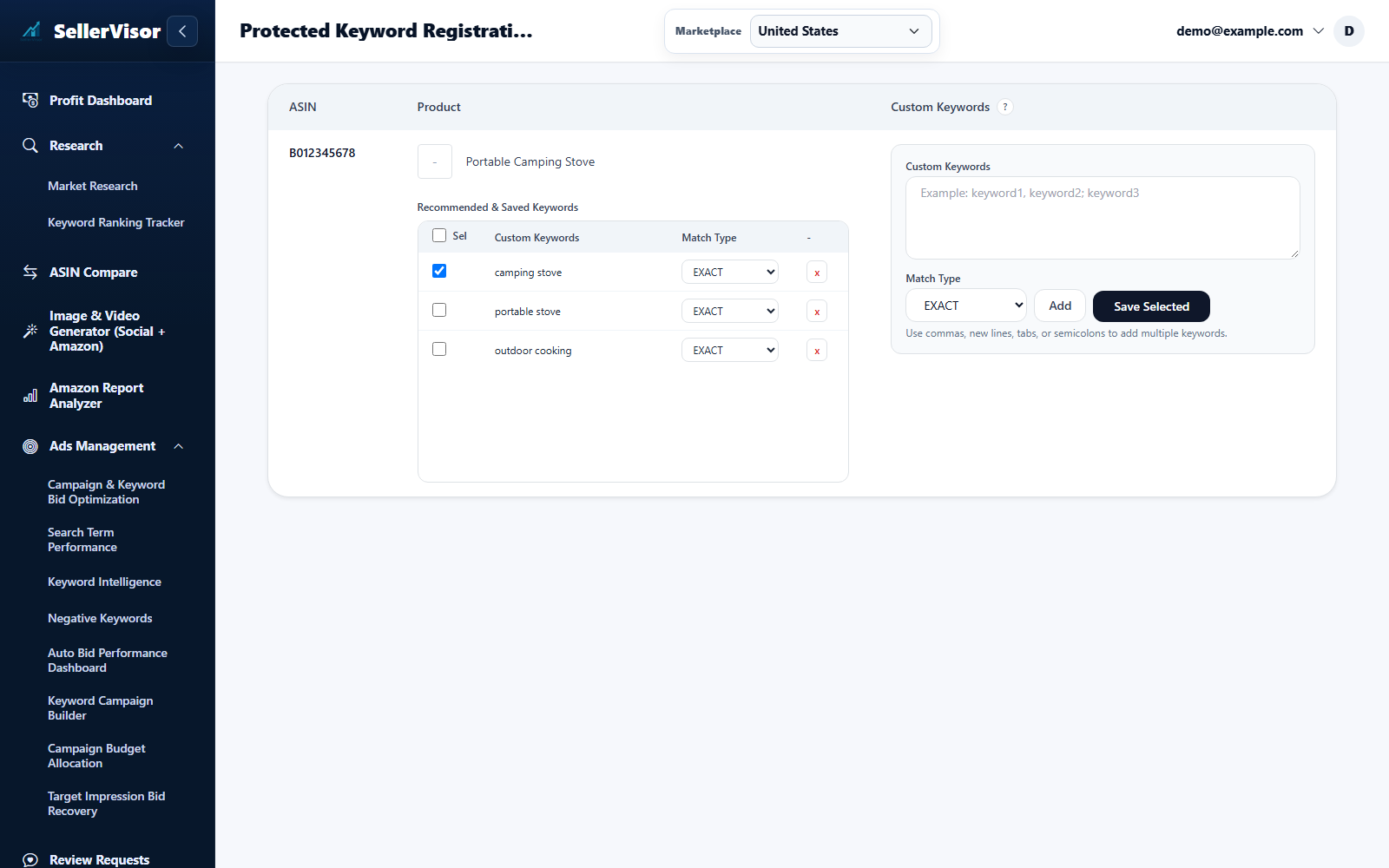
Settings are scoped to the selected marketplace. Check the limits and save each section you change.
1
Seller tools
Protected Keywords
- Open Protected Keyword Registration and select the marketplace and product ASIN. Review the recommended terms.
- Select terms to protect or enter custom keywords. Choose Exact or Phrase to match the scope you intend, then save.
- Review Saved Keywords and remove protection when it no longer applies. Protection guides automation; it does not create an ad target or change a bid by itself.
Screenshots are in English and may contain sample data. Available features depend on your plan, connections, and data.