 SellerVisor
Connect performance, decisions, and ad actions
Review campaign performance, manage bids and negatives, and monitor automation from one workspace.
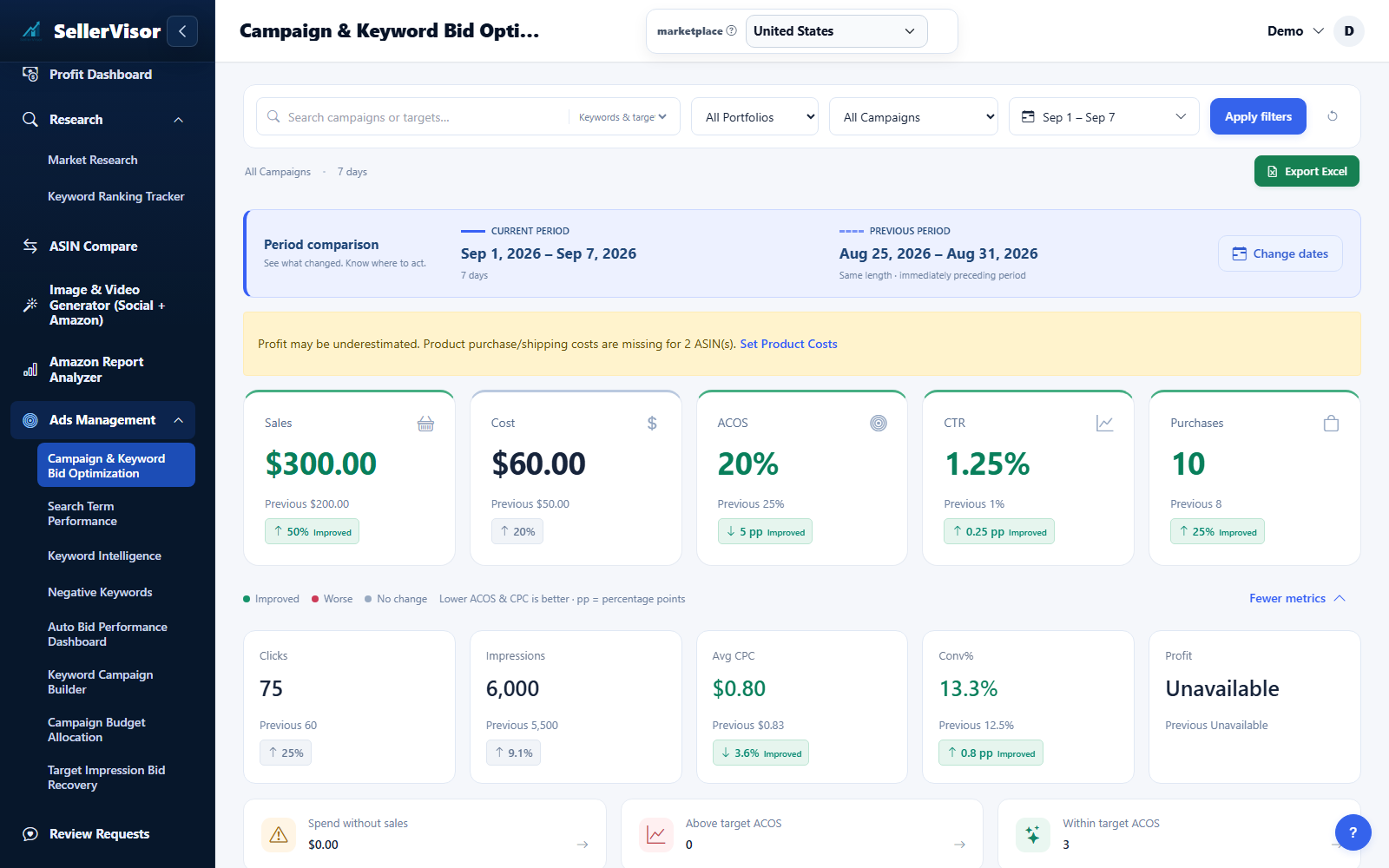
Filter by marketplace and date range before reviewing changes. Check campaign goals and the scope of each action before submitting bids, negatives, budgets, or automation settings.
Ads management
Set Up Ads Management (Beta)
Connect the Amazon Advertising API in Settings to enable Ads Management features.
- Open Settings from your account menu, then select Connect Advertising API in the left menu.
- Click Connect Advertising API and complete the Amazon authorization flow. Return to check the connection status and sync information.
- After connection, the system begins the first sync (this can take time).
- Ads Management menus become available once the data sync is complete.
Ads management
Bid Automation Settings
Choose what to include, set a base ACOS target, and define the evaluation period used to calculate Avg Cost, Clicks, and RPC for automatic bid adjustments.
- Select Bid Automation Settings in the left menu. Choose the marketplace scope, review the preset and bid limits, then save this section.
- Include Auto Campaign Keywords (e.g., close-match, complements).
- Include ASIN Target Keywords (e.g., asin-expanded=...).
- Default ACOS Target (%).
- Sets a base ACOS target used when no manual campaign-level value is defined.
- Evaluation Period (Days): uses ad data from the selected period to evaluate bids using Avg Cost, Clicks, and RPC. Recommended: 30 days. Maximum: 60 days.
- Based on your Target ACOS, the system calculates Avg Cost, Clicks, and RPC to evaluate performance and automatically adjust bids.
- Review related controls in the product, performance, budget, and campaign panels. Expand advanced options when needed, use the information icons for help, and save with the button that stays visible as you scroll.
Ads management
Campaign & keyword bids
Review performance by campaign and keyword, filter by dates, and manage bid automation per campaign.
- Search campaigns by name/keyword and filter by date range (1 / 7 / 30 days).
- Toggle chart metrics (Cost, Sales, Clicks, Purchases, Impressions, ACOS, Conversion Rate).
- Set Target ACOS and enable/disable automation per campaign.
- Click a keyword to view bid history and understand changes over time.
Ads management
Campaign budgets
Open Campaign Budget to review spend and budget recommendations. Filter the campaigns, inspect the proposed amounts, and confirm only the budget changes you intend to apply.
Ads management
Recover target impressions
Use Target Impressions to find targets that need attention. Inspect the campaign, current bid, delivery, and suggested adjustment before selecting and applying a recovery action.
Screenshots are in English and may contain sample data. Available features depend on your plan, connections, and data.