🖼️ Improved Zoom Modal Navigation & Thumbnail Preview
The zoom experience has been upgraded to make browsing images much faster and more intuitive.
Now, when you click the magnifier icon on any style card, the zoom modal opens immediately with all related images displayed as thumbnails at the bottom.
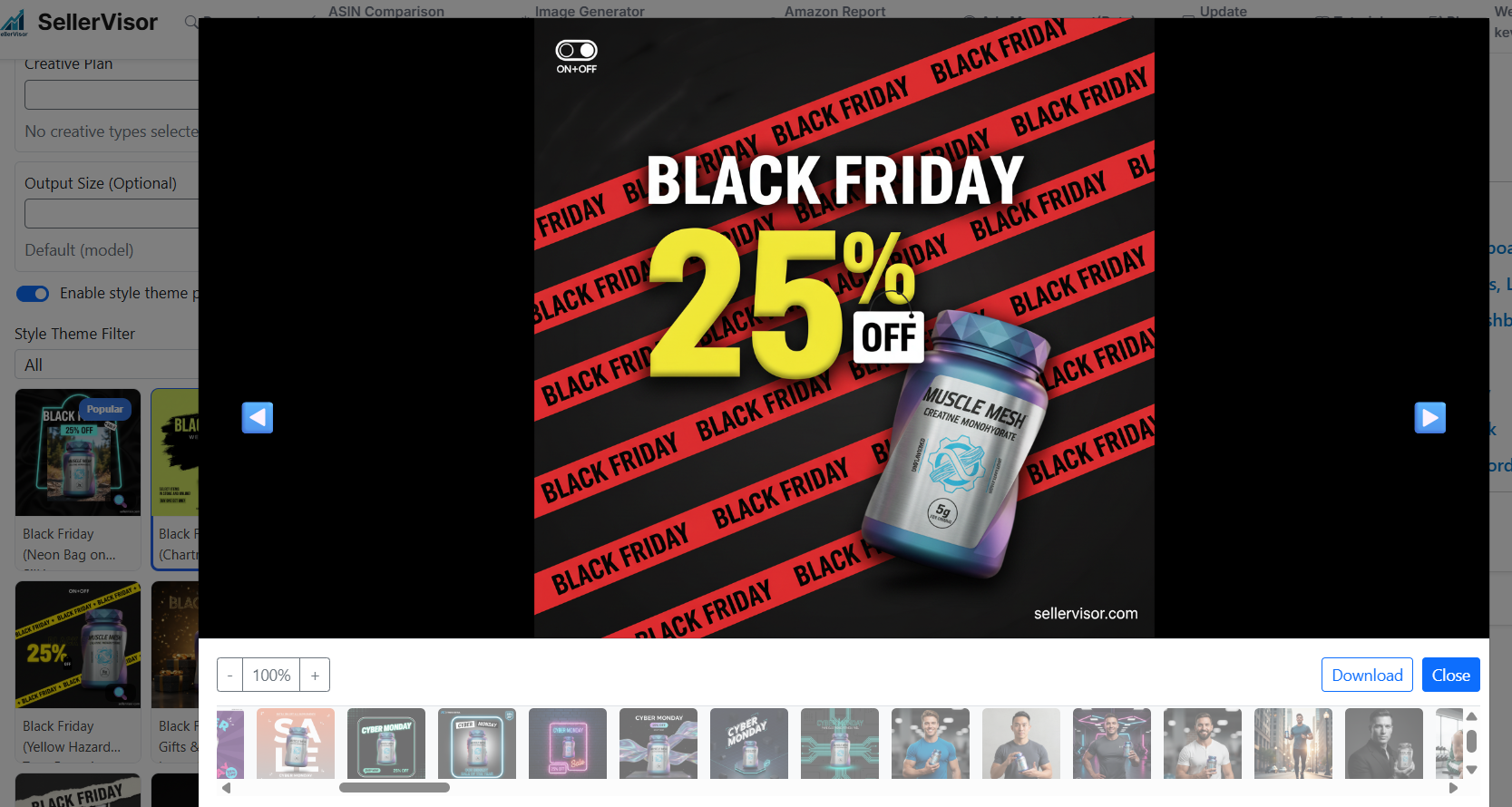
This means:
-
✅ You no longer need to click each image one by one to load it.
-
✅ All images for that style are instantly available inside the modal.
-
✅ You can quickly jump to any image by selecting its thumbnail.
In addition to thumbnails, navigation inside the modal is now much easier:
-
Keyboard navigation:
Use the left ← and right → arrow keys to move between images without touching the mouse. -
On-screen navigation buttons:
Click the left or right arrow buttons inside the modal to cycle through the gallery.
Overall, this update makes previewing and comparing style variations smoother, faster, and more user-friendly.