When using the Clone Images feature, you can select multiple reference images at once and generate several variations in a single run. This allows you to quickly produce multiple creative outputs without repeating the same steps for each image.
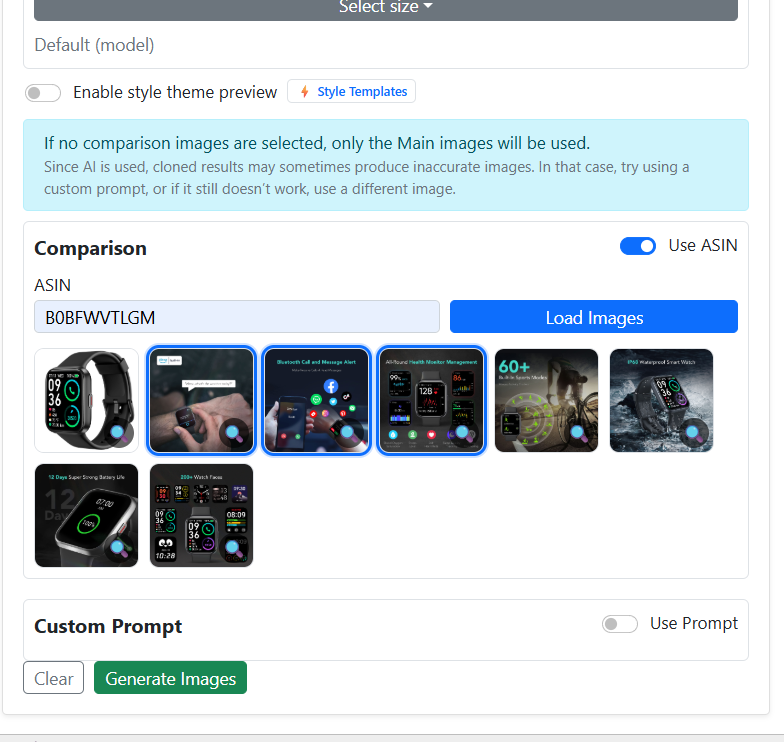
If you choose to generate images using Style Themes, there is no need to manually select individual creative templates. Style Themes already bundle creative direction, lighting, mood, and composition, enabling you to multi-select styles and generate images in parallel instead of one by one.


Additionally, new Baby Model Style Themes have been added. These themes are designed to create more diverse, natural, and lifestyle-oriented baby visuals, giving you a wider range of outputs from a single generation request.
Key benefits:
-
Multi-select images when using Clone mode
-
Generate multiple outputs in one action
-
Skip manual template selection when using Style Themes
-
Faster workflow with parallel image generation
-
More variety with newly added Baby Model Style Themes
This streamlined approach helps you create richer creative sets with less manual effort and significantly improved efficiency.