Hello. Thank you to all customers using SellerVisor.
When multiple campaigns and automations simultaneously handle the same product, "keywords that must never be lost for this ASIN" get scattered across campaign names and notes. SellerVisor's Protected Keyword Registration is a screen that keeps that list in one place per ASIN.
1. Questions this screen answers
There is only one question: "What keywords must I protect for this product?" Even if campaign structures change and automation settings are altered, the list registered per ASIN remains. Therefore, you can use this screen as a baseline before creating new campaigns or revising automation.
2. Screen Composition
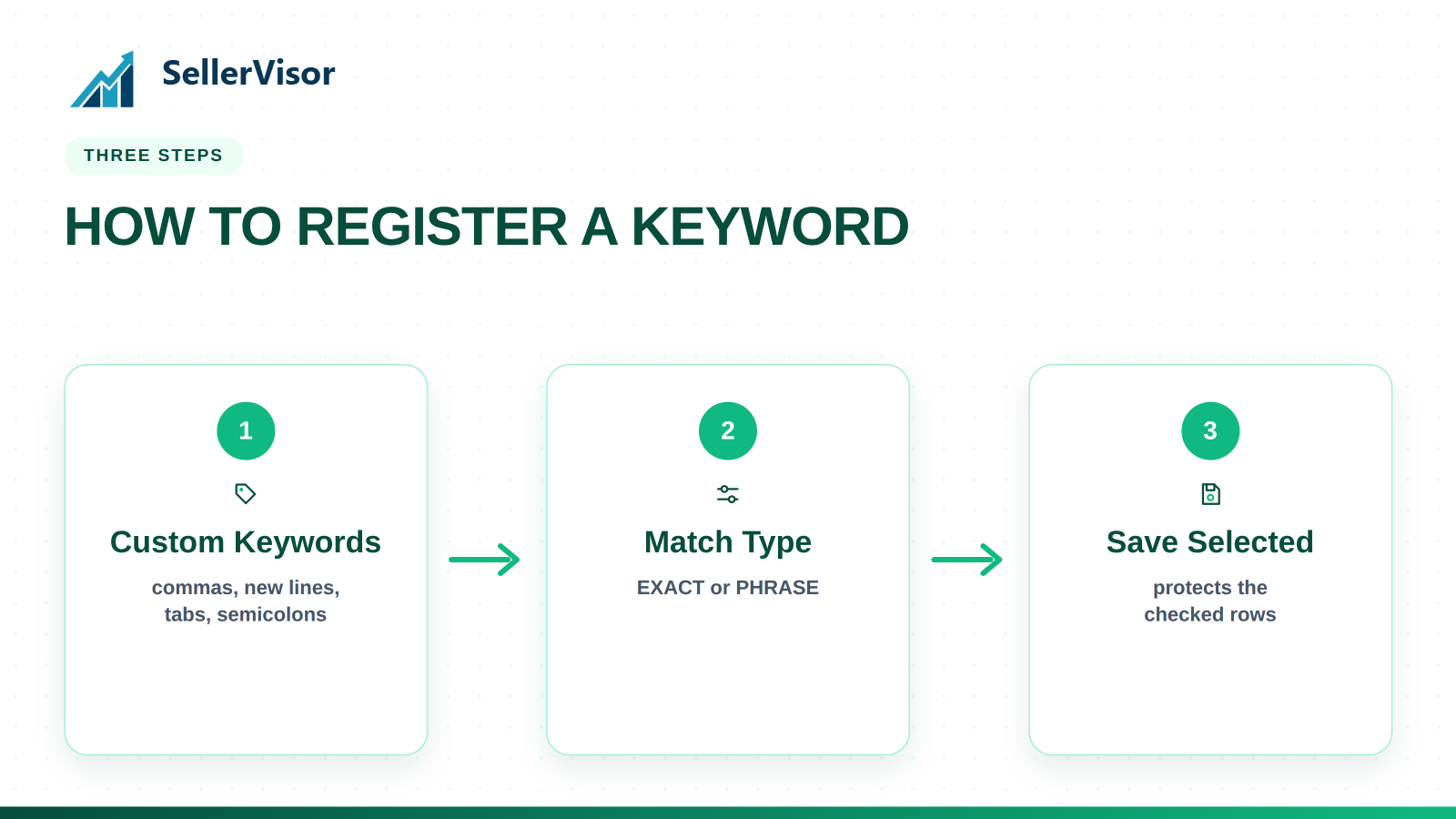
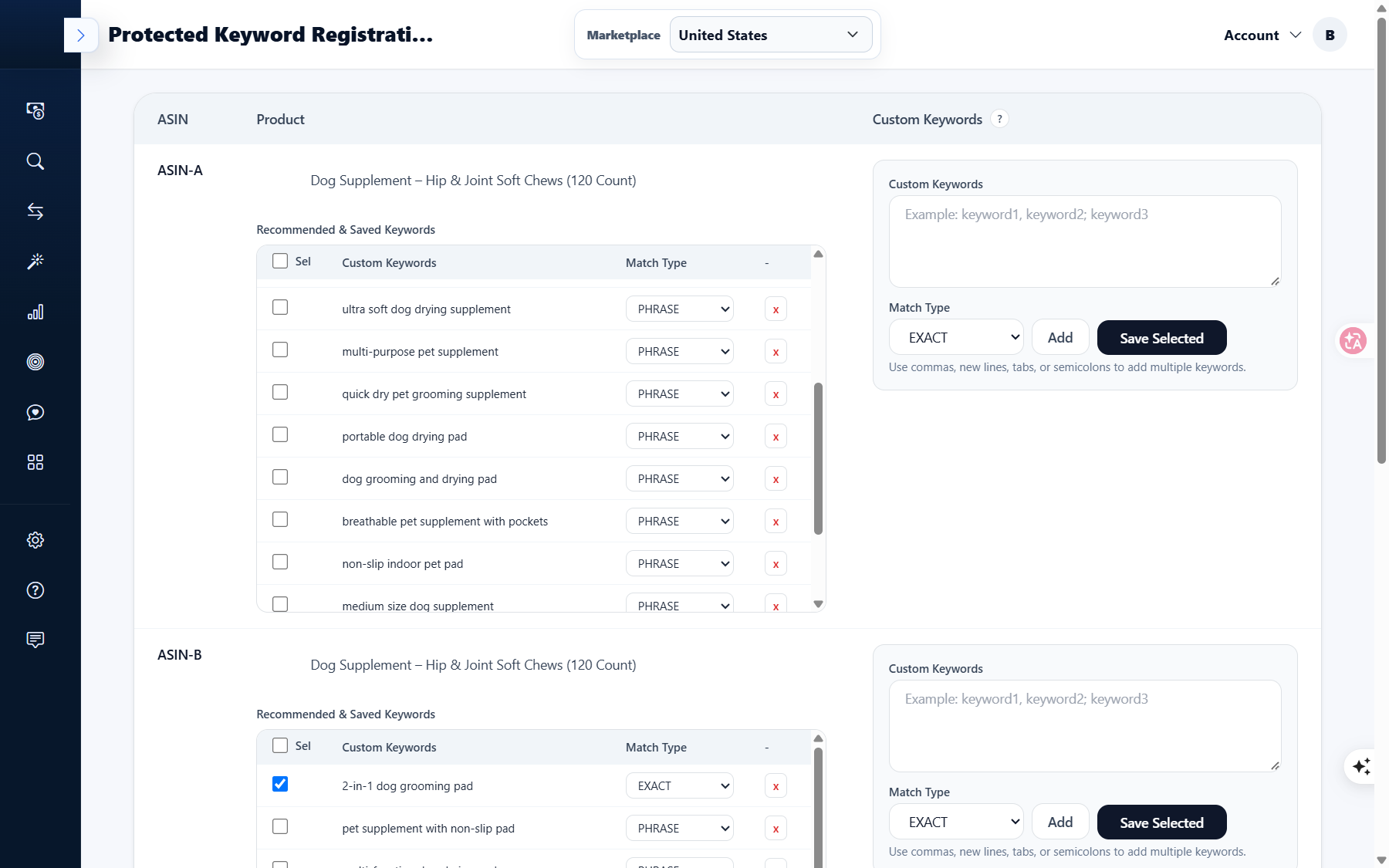
The page is divided into ASIN-unit blocks. The table at the top has ASIN / Product / Custom Keywords columns, and each product has a Recommended & Saved Keywords list attached. The list has three columns.
- Sel - Checkbox for keywords to save
- Custom Keywords - Keyword body
- Match Type - EXACT or PHRASE
3. How to Register Keywords
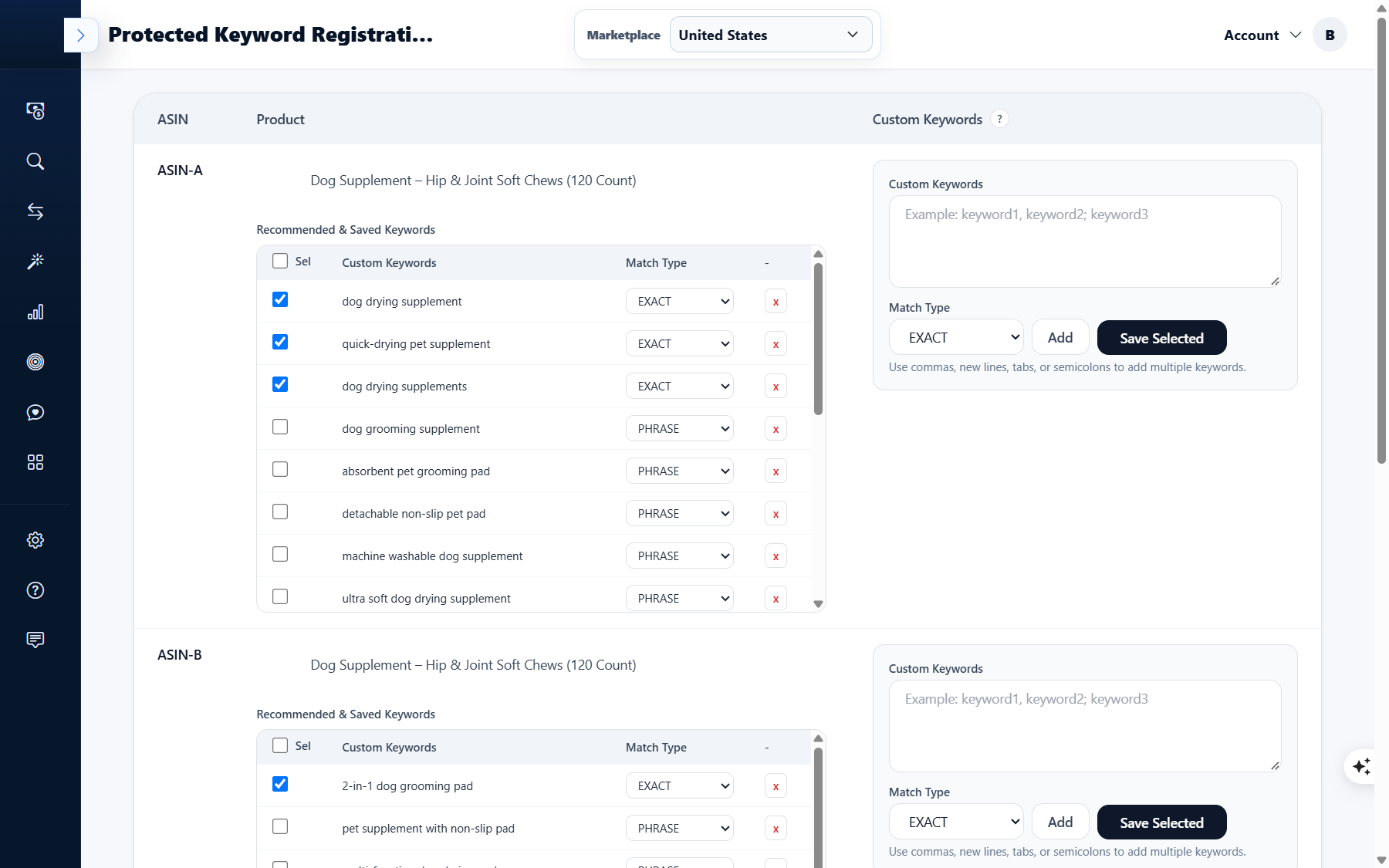
To the right of the list is the registration panel. There are three steps.
- Step 1. Enter keywords in Custom Keywords. When entering multiple at once, you can separate them with commas, line breaks, tabs, or semicolons.
- Step 2. Select EXACT or PHRASE for Match Type.
- Step 3. Click Add to add them to the list for that ASIN.
4. Saving from Recommended Keywords
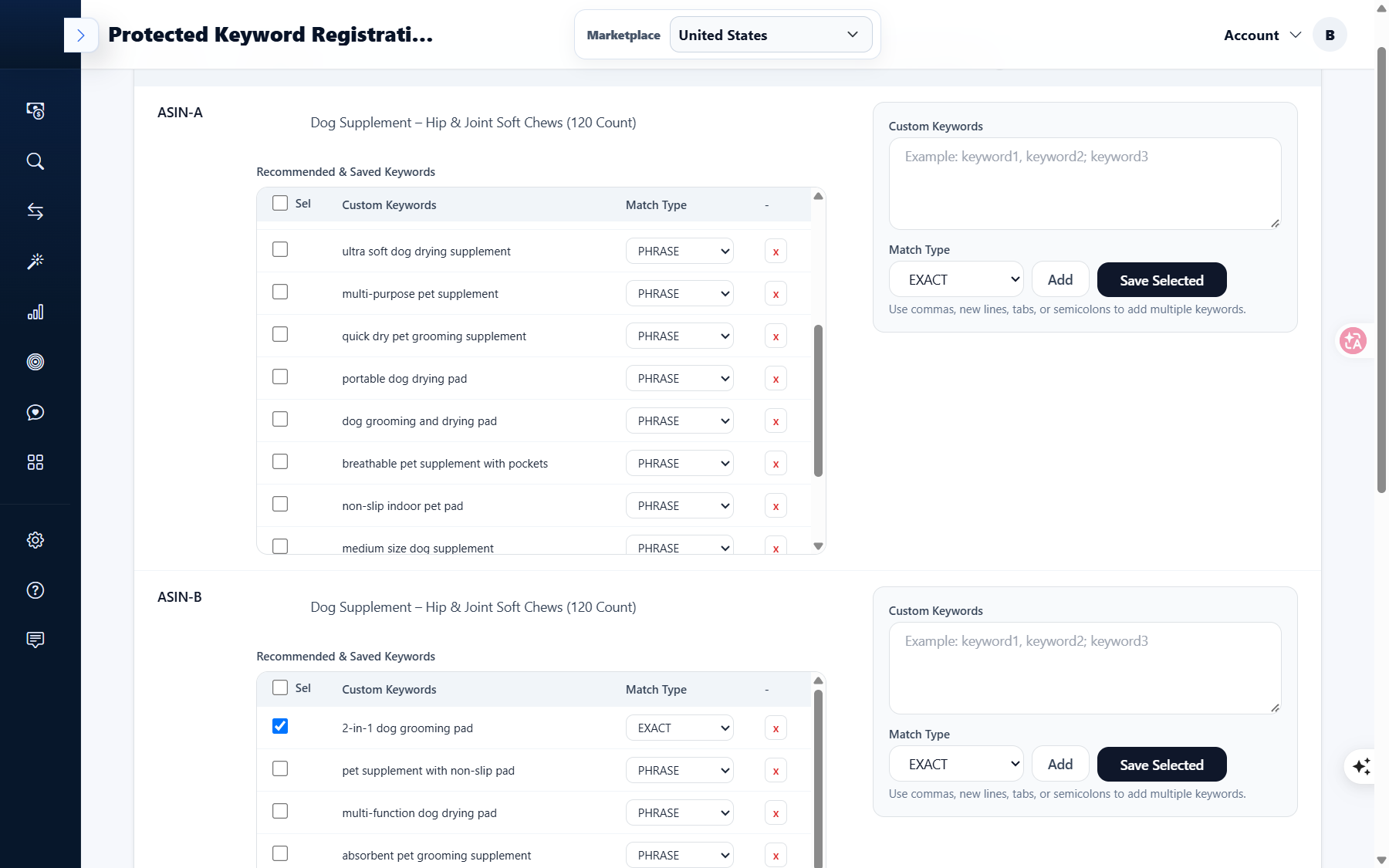
For recommended keywords already in the list, you just need to check them. The on-screen guide also describes this action as is.
"Check keywords, then click Save Selected to add them as protected keywords."
That is, ⑴ check Sel for the row to save, and ⑵ click Save Selected to register them as protected keywords. Since EXACT and PHRASE can be specified separately for each keyword, you can differentiate them by setting long-tail keywords with narrow search volumes to PHRASE, and core keywords that must match exactly to EXACT.
5. Actual Screen of Our Account
It's not helpful to just write a guide and hide our account. The marketplace is United States, and the screen displays multiple ASIN-unit blocks, with recommended and saved keywords in each block. For example, the first block contains keywords like dog drying supplement, quick-drying pet supplement, dog grooming supplement, machine washable dog supplement, non-slip indoor pet pad, mixed with EXACT and PHRASE.
The product name and ASIN of the operational account have been masked in this article, and the product is labeled based on "강아지 영양제 (dog supplement)".
6. Frequently Asked Questions
Q. Where are protected keywords used?
They are used to gather the list of keywords to maintain per ASIN on one screen. You can use them as a reference list before changing campaign structures or automation settings.
They are used to gather the list of keywords to maintain per ASIN on one screen. You can use them as a reference list before changing campaign structures or automation settings.
Q. How are EXACT and PHRASE different?
EXACT refers to searches that exactly match the keyword, while PHRASE refers to searches that include that phrase. You can specify them separately for each keyword in the list.
EXACT refers to searches that exactly match the keyword, while PHRASE refers to searches that include that phrase. You can specify them separately for each keyword in the list.
Q. Can I enter multiple keywords at once?
Yes, you can. Separate them with commas, line breaks, tabs, or semicolons, then click Add.
Yes, you can. Separate them with commas, line breaks, tabs, or semicolons, then click Add.
Q. Are recommended keywords registered automatically?
No. You must check them in the list and then click Save Selected to add them as protected keywords.
No. You must check them in the list and then click Save Selected to add them as protected keywords.
Q. How do I manage multiple products?
ASIN blocks are separated by product, so you can manage each product's list separately.
ASIN blocks are separated by product, so you can manage each product's list separately.
7. Notes
- This screen operates on a marketplace unit. Please first check the marketplace, such as United States, at the top.
- Registered keywords can be deleted row by row from the list (x).
- It is advisable to also review the protected keyword list when a product's targeting or campaign structure changes.
Conclusion
Protected Keyword Registration is not a grand feature, but rather a task of fixing easily scattered criteria onto the screen. Once you organize the list per ASIN, you won't have to rethink "what to protect" when creating your next campaign. We recommend you choose just one product from your account today and organize its list.
To see Protected Keyword Registration for yourself, you can request a demo. After creating an account at sellervisor.com, you can immediately view the Protected Keyword Registration screen.