Hello. Thank you to all customers who use SellerVisor.
If you turn on bid automation and open the performance screen, and you only see Ad spend $0.00, Attributed sales $0.00, it feels like the automation is broken. In reality, it's often an optical illusion caused by misunderstanding the scope aggregated by the screen. We will read SellerVisor's Auto Bid Performance(자동 입찰 성과) screen line by line with a real operating account.
1. The Questions This Screen Answers
Auto Bid Performance is a screen that shows the performance of campaigns enrolled in automation. It is most important to note that it is not a screen for viewing overall ad performance. The page guidance also states this:
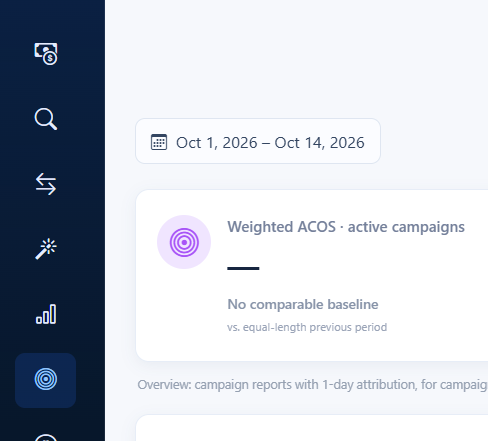
Overview: campaign reports with 1-day attribution, for campaigns currently enrolled in automation. Portfolio and campaign filters apply; keyword, table search and status filters affect the lists below.
This means ⑴ only campaigns enrolled in automation are targeted, ⑵ it's based on 1-day attribution, and ⑶ filters applied to the table below (keyword, status, search terms) affect the lists. Knowing these three things makes the numbers much less confusing.
2. Screen Composition and Reading Order
The actual usage order goes from top to bottom.
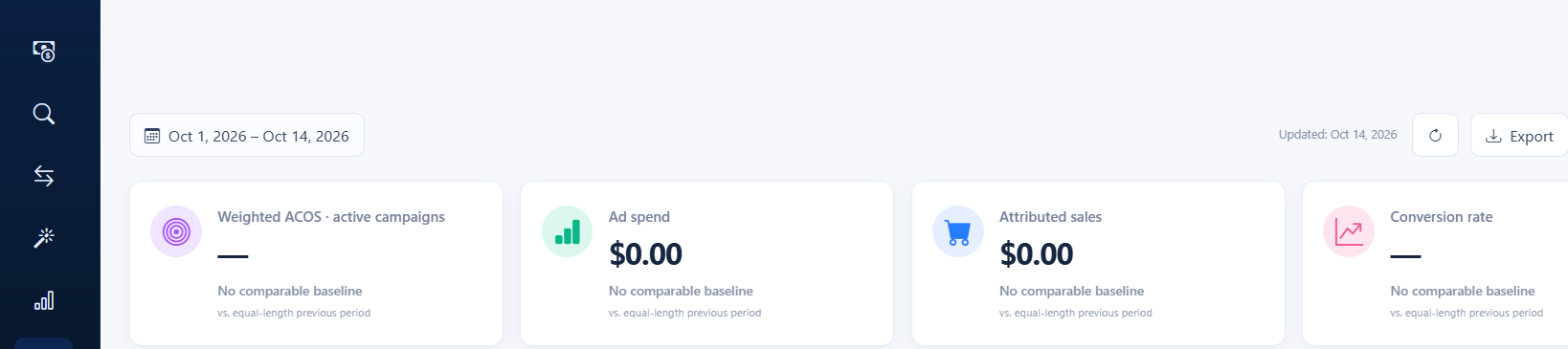
- Period and Top KPIs - Weighted ACOS · Ad spend · Attributed sales · Conversion rate
- ACOS Trend Chart - Target line and actual performance based on active campaigns
- AI insights - Status summary against targets
- Campaign performance / Keyword performance tabs - Campaign-specific and keyword-specific details and daily data
2-1. Top KPIs are based on "active campaigns"
The values for the same period in our account are Weighted ACOS —, Ad spend $0.00, Attributed sales $0.00, Conversion rate —, and all four cards are displayed as No comparable baseline / vs. equal-length previous period. If you stop here, it's easy to conclude that "automation didn't do anything," but in reality, the summary card is calculated as 0 because there are no currently active campaigns. This screen shows "the performance of automation currently running," not "total ad spend."
2-2. ACOS Trend where Target Line and Actual Performance Overlap
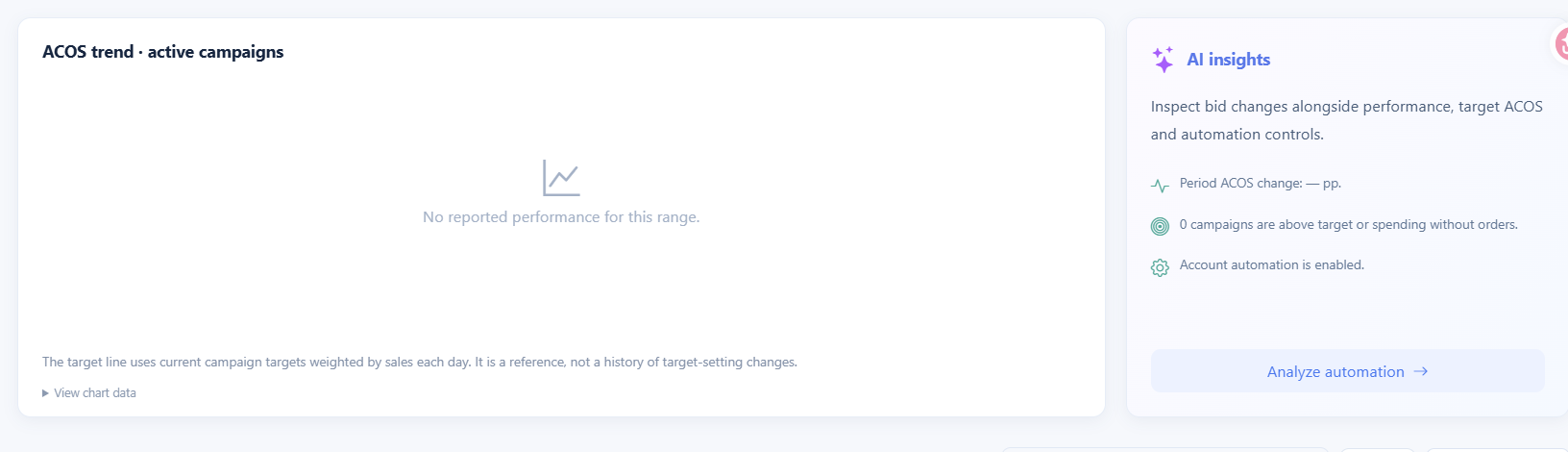
The chart shows the target line and actual performance together. As stated in the chart caption, The target line uses current campaign targets weighted by sales each day. It is a reference, not a history of target-setting changes., the target line is a reference that converts "current settings" into a sales-weighted value each day, not a history of target changes. If there are no active campaigns, the chart only displays No reported performance for this range.
3. Numbers Come from Campaign Details
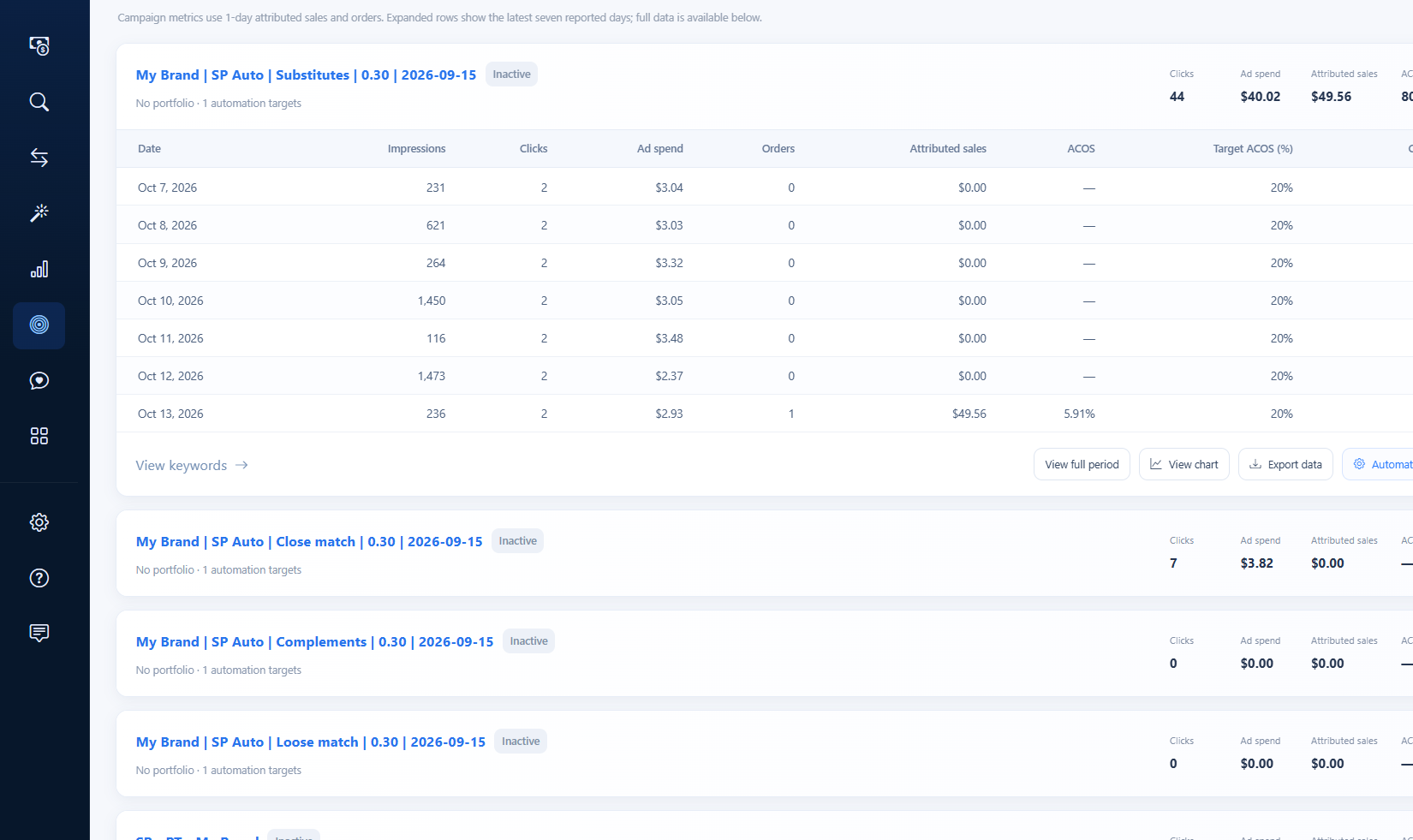
Even if the summary is 0, the campaign table still contains actual spend and sales. In our account, only one campaign, Substitutes, had movement of money.
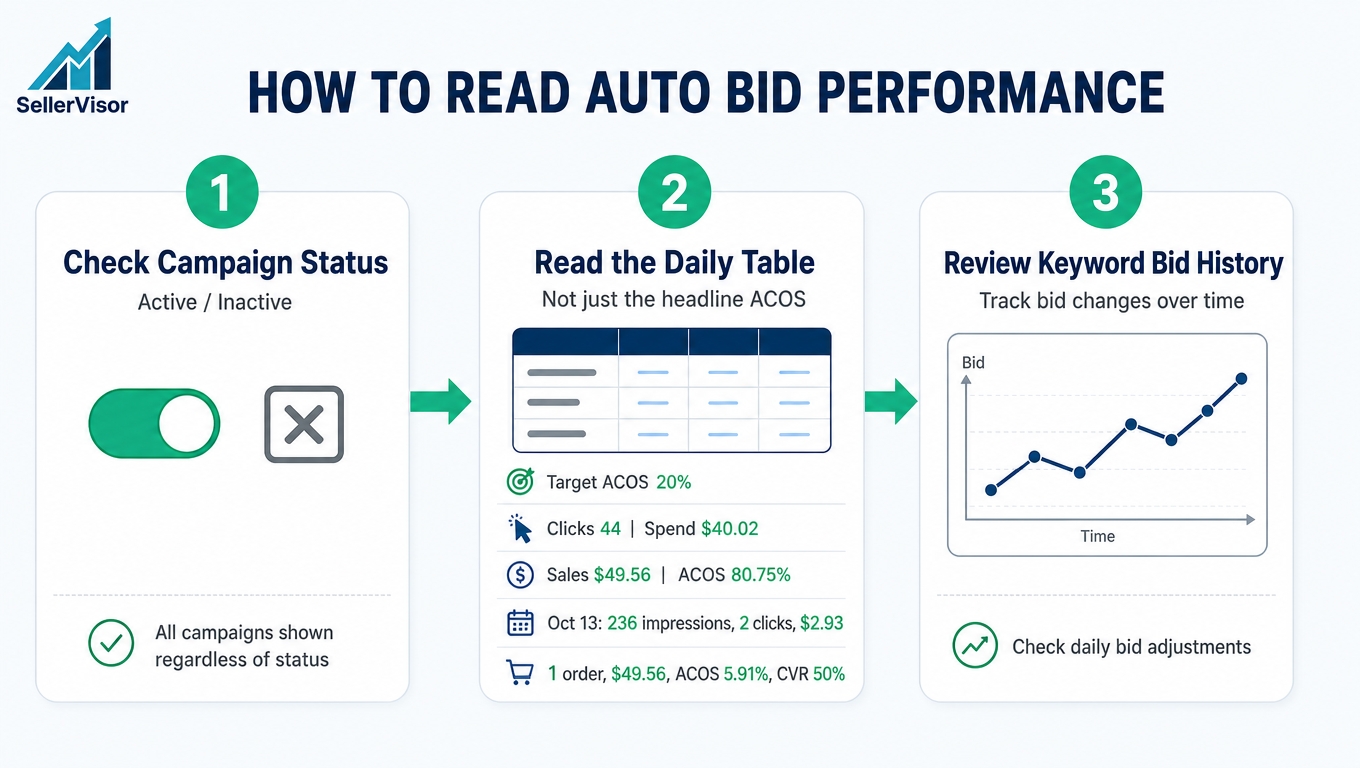
- Clicks 44 · Ad spend $40.02 · Attributed sales $49.56 · ACOS 80.75%
- Status is Inactive, Target ACOS is 20%
ACOS 80.75% is four times the target of 20%. This means that while this campaign doesn't have zero sales, it needs improvement according to its target.

3-1. A Day Revealed by Looking at the Daily Table
Expanding the campaign row shows the last 7 days of data. What stands out here is October 13th.
- Oct 7 - Impressions 231 · Clicks 2 · $3.04 · Orders 0
- Oct 8 - 621 · 2 · $3.03 · 0
- Oct 9 - 264 · 2 · $3.32 · 0
- Oct 10 - 1,450 · 2 · $3.05 · 0
- Oct 11 - 116 · 2 · $3.48 · 0
- Oct 12 - 1,473 · 2 · $2.37 · 0
- Oct 13 - 236 · 2 · $2.93 · Orders 1 · Sales $49.56 · ACOS 5.91% · Conversion rate 50%
For 6 days, 2 clicks were spent daily with no orders, but on the 7th day, $49.56 in sales occurred in a single day. This is why the period ACOS dropped to 80.75%, and without this one day, the ACOS would have remained infinite (uncalculable). For smaller campaigns, the "daily table" is more useful for judgment than the "period summary."
4. Information on Which Campaigns Are Stalled
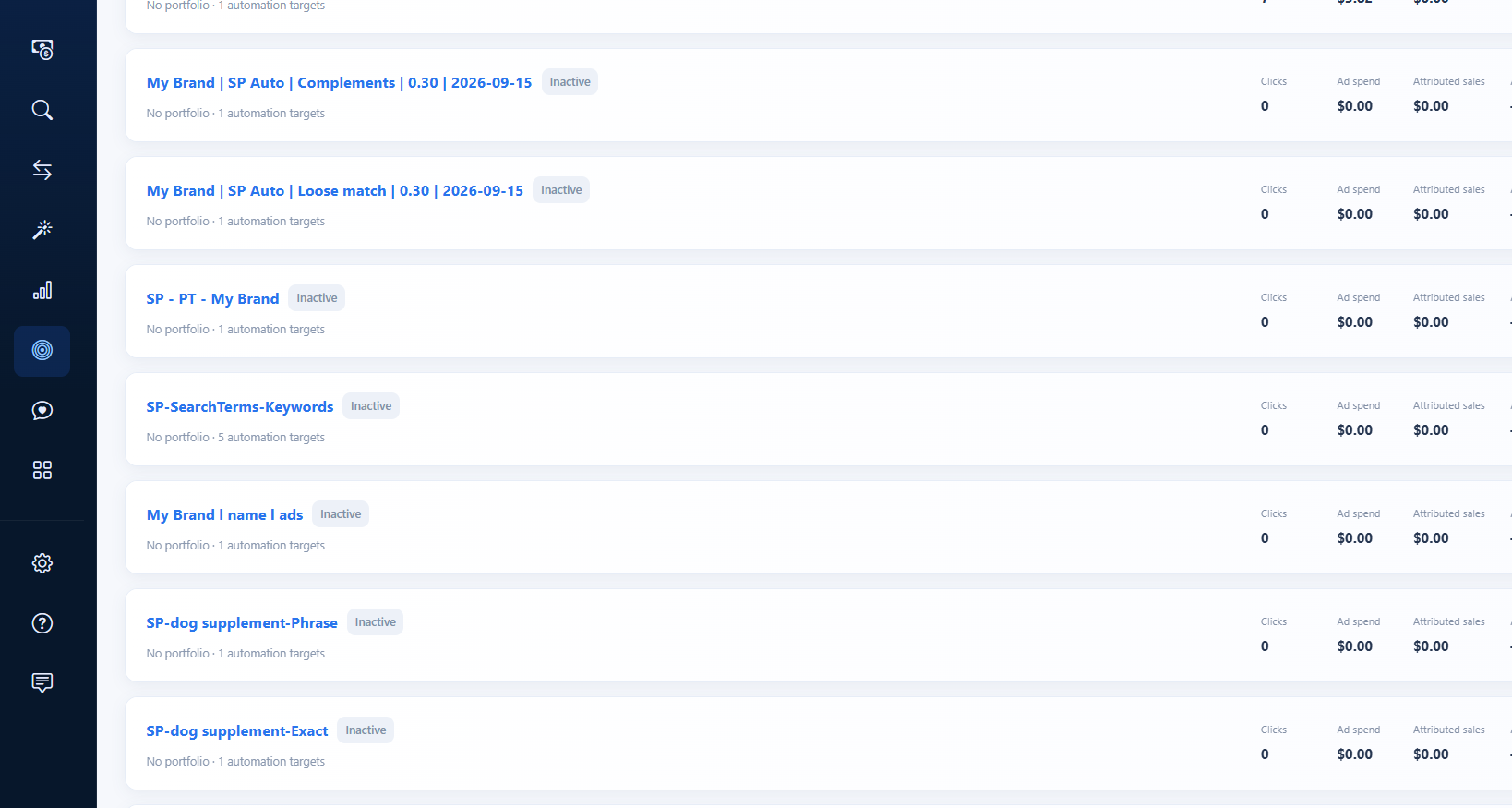
If you scroll down the list with the status filter in the same tab, most campaigns are Inactive and remain in a state of 0 clicks · $0.00. This means that what is needed now is not "to achieve more performance," but to organize the stalled automation.
4-1. Check Keyword Bid History
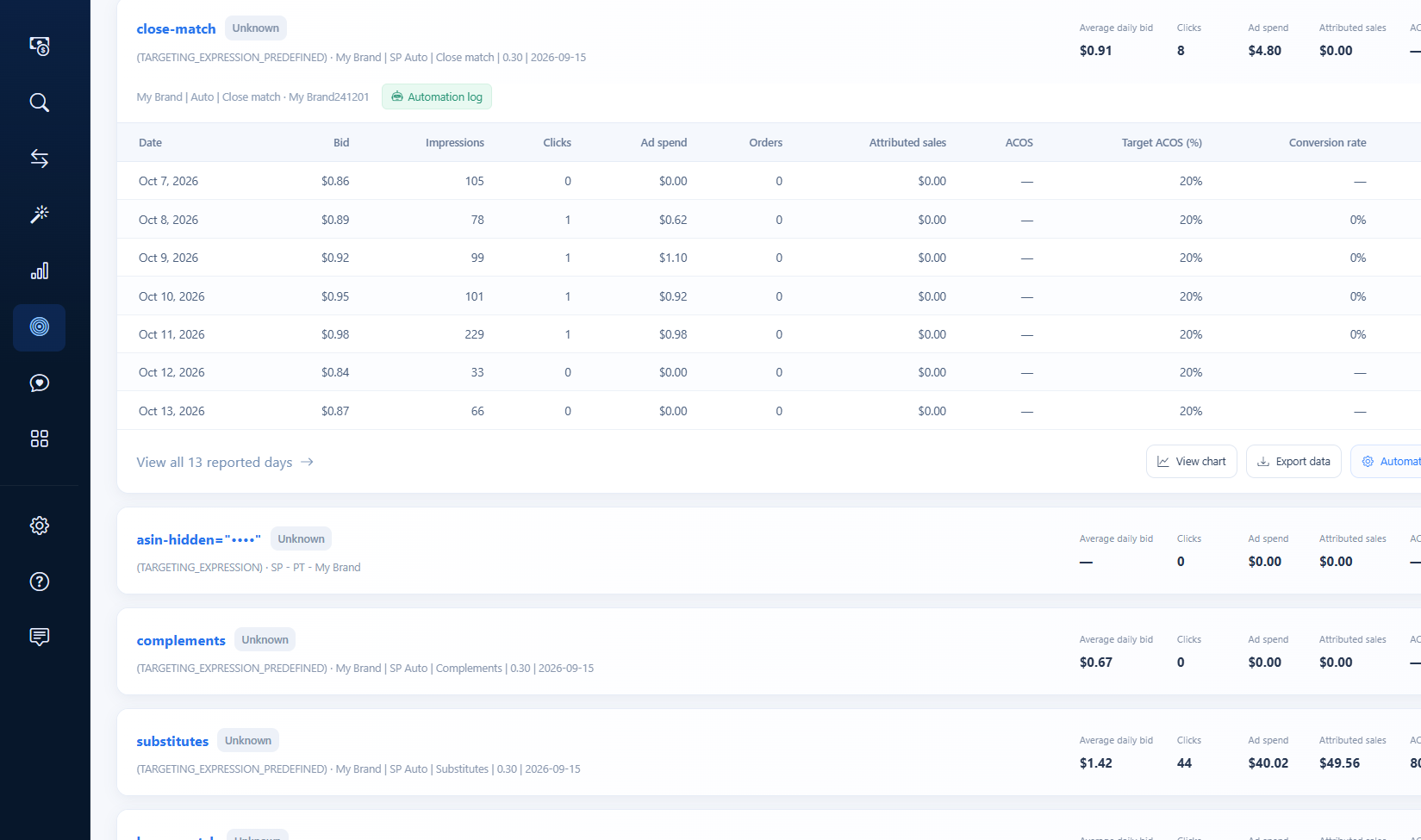
In the Keyword performance tab, we view the average bid price per keyword and the daily bid history. The close-match keyword had an average bid price of $0.91, 8 clicks, $4.80 in spend, and $0.00 in sales, and its bid price moved between $0.86 → $0.98 → $0.87 over the week.

5. Summary of Actual Numbers for Our Account
An article that only provides a guide and hides our account is not helpful. As of October 14, 2026, the values are as follows:
- Period: Oct 1, 2026 – Oct 14, 2026 (Updated: Oct 14, 2026)
- Weighted ACOS — · Ad spend $0.00 · Attributed sales $0.00 · Conversion rate — (all No comparable baseline)
- Campaign performance 16 · Keyword performance 21
- Account automation is enabled · 0 campaigns are above target or spending without orders
- Substitutes: Clicks 44 · Ad spend $40.02 · Attributed sales $49.56 · ACOS 80.75% (target 20%)
- close-match keyword: Average bid price $0.91 · Clicks 8 · $4.80 · Sales $0.00
6. Frequently Asked Questions
Q. Why are KPIs $0.00 even though automation is on?
The top KPIs only aggregate "currently active campaigns." If all registered campaigns are Inactive, the summary will show 0. The campaign table still contains actual spend and sales, so please refer to that as well.
The top KPIs only aggregate "currently active campaigns." If all registered campaigns are Inactive, the summary will show 0. The campaign table still contains actual spend and sales, so please refer to that as well.
Q. Does Inactive mean automation is off?
The screen shows Account automation is enabled. This means the status at the campaign level is Inactive, and should be distinguished from the automation itself being stopped.
The screen shows Account automation is enabled. This means the status at the campaign level is Inactive, and should be distinguished from the automation itself being stopped.
Q. Why is ACOS displayed as "—"?
This occurs when there are no sales during the period, making ACOS uncalculable. The value will be automatically filled when sales occur (e.g., 5.91% after Oct 13).
This occurs when there are no sales during the period, making ACOS uncalculable. The value will be automatically filled when sales occur (e.g., 5.91% after Oct 13).
Q. What does No comparable baseline mean?
It means there is no data to compare with the previous equivalent period. You can understand it as not generating a growth rate when there's no baseline for comparison.
It means there is no data to compare with the previous equivalent period. You can understand it as not generating a growth rate when there's no baseline for comparison.
Q. Where is the status filter used?
You can divide the list by Active / Paused / Inactive / Unknown. We recommend using it first to check which campaigns are actually running.
You can divide the list by Active / Paused / Inactive / Unknown. We recommend using it first to check which campaigns are actually running.
Q. Why does the daily table only show 7 days?
Expanding a row shows the last 7 days as a summary, and full period data can be checked in View full period.
Expanding a row shows the last 7 days as a summary, and full period data can be checked in View full period.
7. Points to Note When Reading
- The criteria for summary KPIs and campaign tables are different. The summary is for active campaigns, and the table is for all registered campaigns. It is normal for the two numbers to appear different.
- If the period is short and the number of clicks is small, ACOS fluctuations are large. Summary metrics can fluctuate significantly with a difference of just a few clicks.
- The target line is a reference based on current settings and is not a history of target changes.
- Automation performance varies depending on registration status (ASIN · campaign), so it's necessary to develop a habit of checking with status filters.
Conclusion
The Auto Bid Performance screen is a tool to check "how far automation is working," rather than "how much has been earned." Even if the summary card is 0, looking at the campaign table and daily table reveals the actual flow, and also shows which campaigns need to be organized. If the performance is not significant, like in our account today, I believe it's better to leave it as is and look for areas for improvement.
If you want to check SellerVisor's Auto Bid Performance yourself, you can request a demo. Create an account at sellervisor.com and go to Ads > Auto Bid Performance to view it immediately.