Hello. Thank you to all customers who use SellerVisor.
Ad spend leakage usually happens not in large campaigns, but in a single search term. SellerVisor's Negative Keywords collects search terms that had clicks but no orders, showing exclusion candidates along with their expenditure.
1. This 30-Day Summary
As of October 27, 2026, based on the Sponsored Products channel.
- Period: 2026-09-27 ~ 2026-10-26
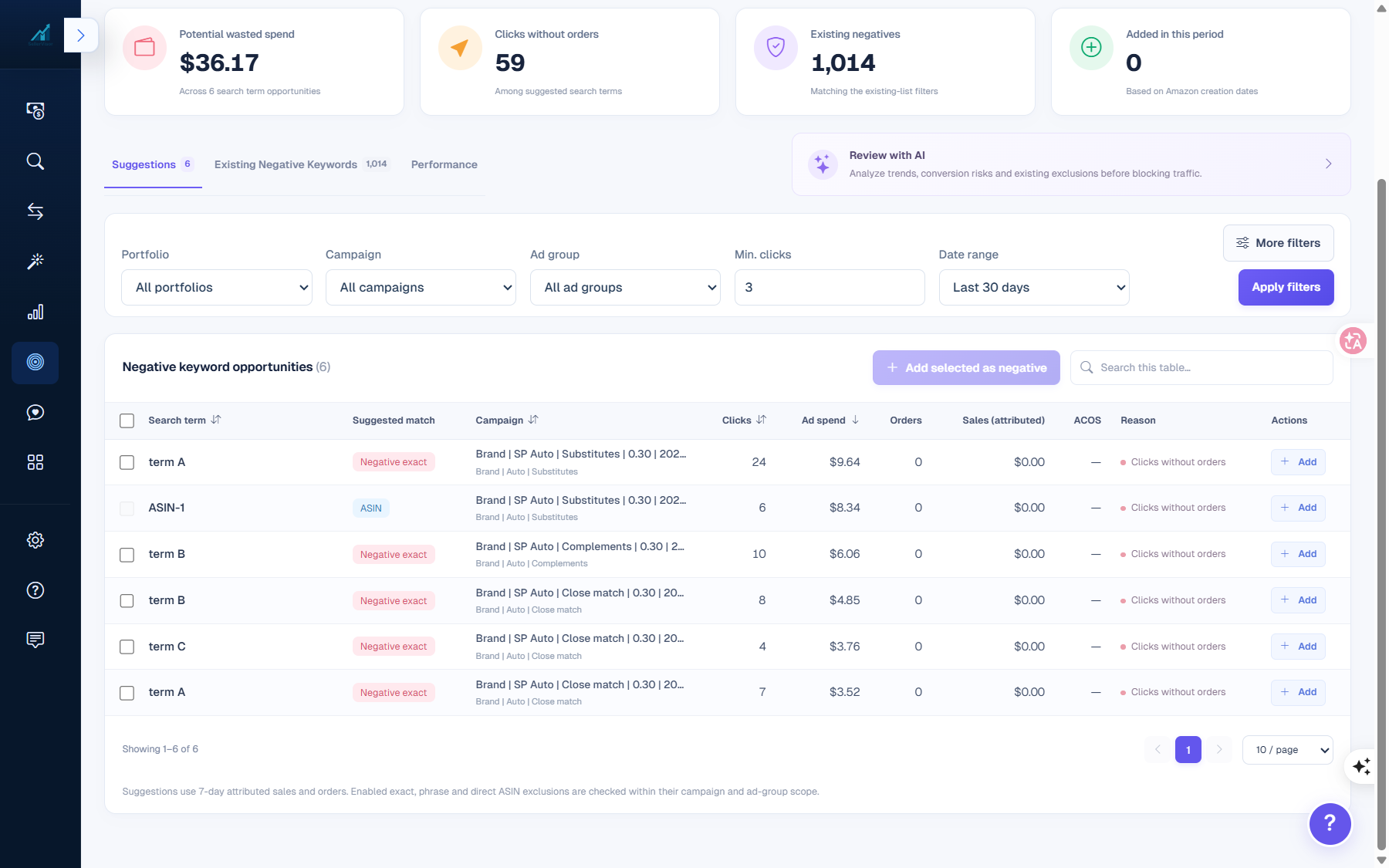
- Potential wasted spend: $36.17 (6 search term opportunities)
- Clicks without orders: 59
- Existing negatives: 1,014
- Added in this period: 0
- Suggestions: 6
2. Breakdown of 6 Suggestions
All six cases have the same reason, "Clicks without orders," with 0 orders and $0.00 attributed sales.
- 24 clicks · $9.64
- 6 clicks · $8.34 (ASIN exclusion)
- 10 clicks · $6.06
- 8 clicks · $4.85
- 4 clicks · $3.76
- 7 clicks · $3.52
Total: 59 clicks, $36.17. While each case may seem small individually, together they represent a chunk of a month's ad spend.
3. Points to Note When Reading the Numbers
The criteria are written at the bottom of the screen. "Suggestions use 7-day attributed sales and orders." That is, they are judged based on 7-day attributed sales and orders. Additionally, already registered exact, phrase, and ASIN exclusions are checked within the campaign and ad group scope.
Therefore, "0 orders" is not a permanent judgment, but rather an observation result for that period. The same search term might convert next month depending on seasonality or inventory status.
4. What 0 out of 1,014 Means
This account already has 1,014 negative keywords. However, 0 were added in this period. This means there's a list, but no management routine.
- It's not a tool problem, but a habit problem.
- Even opening it once a month will catch new candidates.
- You can check actual application via the Added counter.
5. Application Order
- Check the search terms. See if they are variations of your product.
- Look at the suggested match type. Negative exact cuts the narrowest.
- Select only the targets and click Add selected as negative.
- Check if the Added counter has moved from 0 in the next period.
6. Frequently Asked Questions
Q. What is the minimum click threshold?
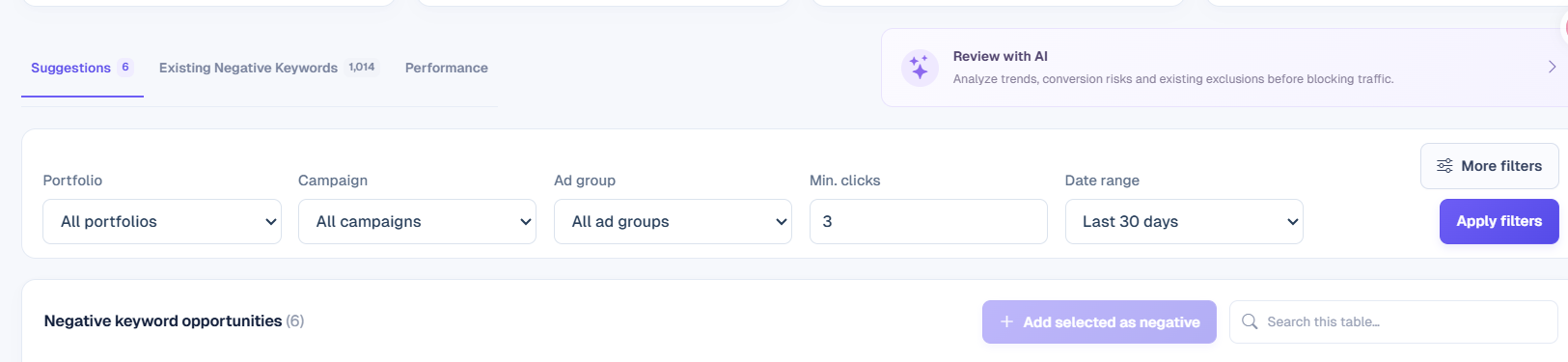
The default screen filter value is 3. Increase the value for a more conservative view.
The default screen filter value is 3. Increase the value for a more conservative view.
Q. Can ASINs also be excluded?
Yes, it's possible. One of the current suggestions was an ASIN exclusion.
Yes, it's possible. One of the current suggestions was an ASIN exclusion.
Q. Isn't a 7-day period short?
It is short. Therefore, it's safer to view it as a candidate rather than a judgment and recheck it in the next period.
It is short. Therefore, it's safer to view it as a candidate rather than a judgment and recheck it in the next period.
Q. Does it overlap with already registered exclusions?
Existing exact, phrase, and ASIN exclusions are checked within the campaign and ad group scope.
Existing exact, phrase, and ASIN exclusions are checked within the campaign and ad group scope.
Q. How often should I check it?
Once a month is sufficient. If there are 0 cases for 30 days like in this account, it's a sign that the cycle was empty.
Once a month is sufficient. If there are 0 cases for 30 days like in this account, it's a sign that the cycle was empty.
7. Reference
- Figures vary depending on the lookup time, period, and channel.
- Suggestions are based on 7-day attributed sales and orders.
- The values in the body are the Sponsored Products results as of October 27, 2026, for the period 2026-09-27 ~ 2026-10-26.
Conclusion
Negative keywords are not a one-and-done list. If you do just one thing this week, open this screen and review the 6 suggestions. Even if $36.17 seems small, if it recurs every month, it quietly drains your ad budget.
To check Negative Keywords yourself, you can create an account at sellervisor.com and open it from the Ads menu.