Hello. Thank you to all customers using SellerVisor.
Most of the newsletters received weekly are similar. They talk about the entire market and are not connected to my account. SellerVisor's Weekly Insights are different. They read recent conversations and account performance data and send only what is needed for that week.
1. Composed of Five Sections
- Amazon Key Events Calendar — Upcoming Amazon events and dates
- Economic & Trend News — News with analysis from a seller's perspective
- Weekly AI Insights — Content extracted from recent SellerVisor conversations
- Weekly Brand Insights — Summary by brand unit
- Weekly Amazon Ads Insights — Search terms and keywords, with a specified reference period
The first two sections provide context, and the latter three sections contain my data. They are divided so that you can read them once and view the context and numbers together.
2. Event Calendar Comes First
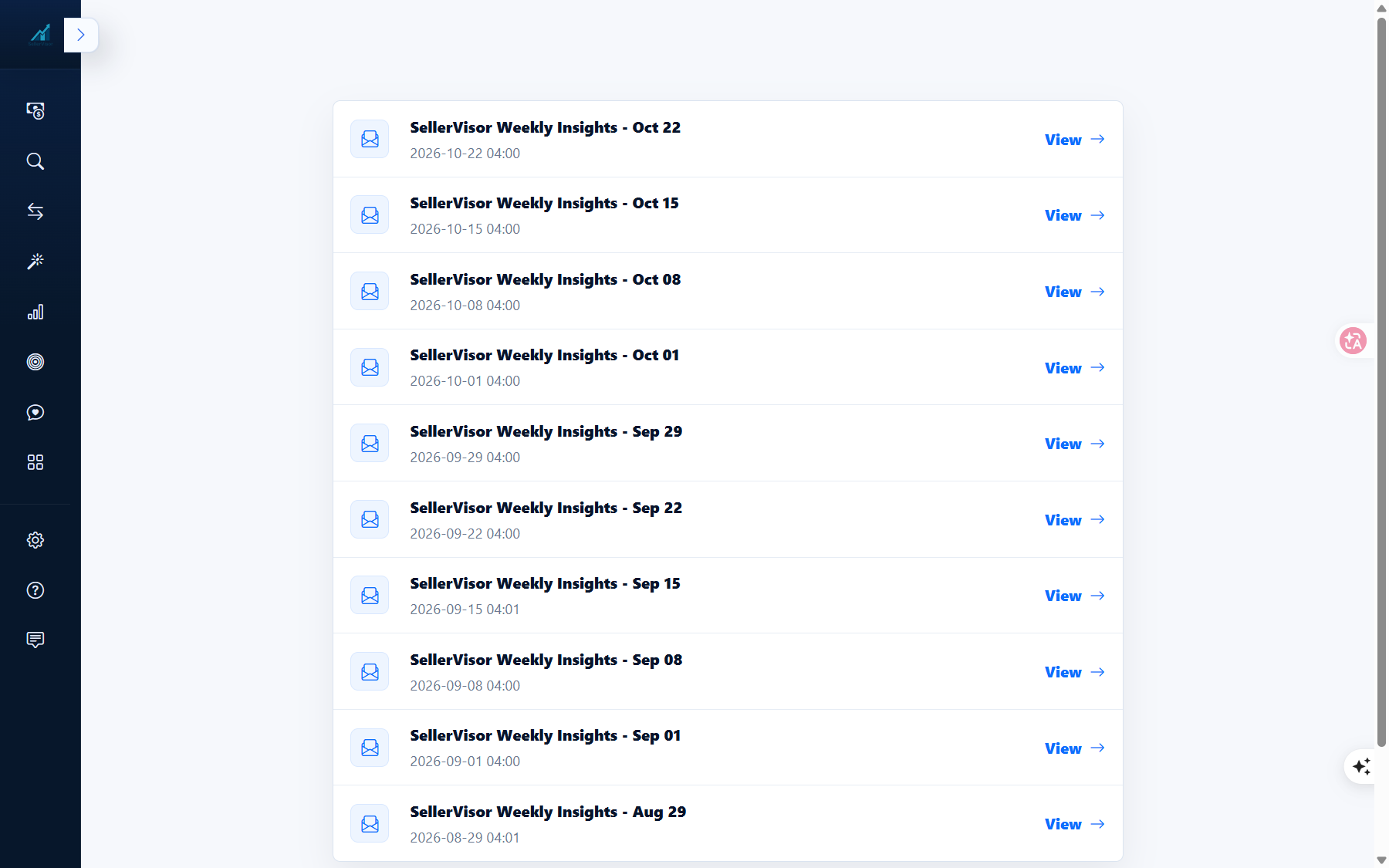
The October 22nd issue contained 10 schedules. From Halloween (10/31) to New Year's Eve (12/31).
- Halloween — 2026-10-31
- Thanksgiving (US) — 2026-11-26
- Black Friday — 2026-11-27
- Cyber Monday — 2026-11-30
- Green Monday — 2026-12-14
- Last Ship Dates for Christmas — 2026-12-20
- Christmas Eve 12-24 · Christmas Day 12-25 · Boxing Day 12-26 · New Year's Eve 12-31
It doesn't just show the calendar and end. A sentence like "Check if this event can affect sales and re-examine your inventory and advertising plans" is attached along with it.
3. News Comes With Seller-Perspective Analysis and Sources
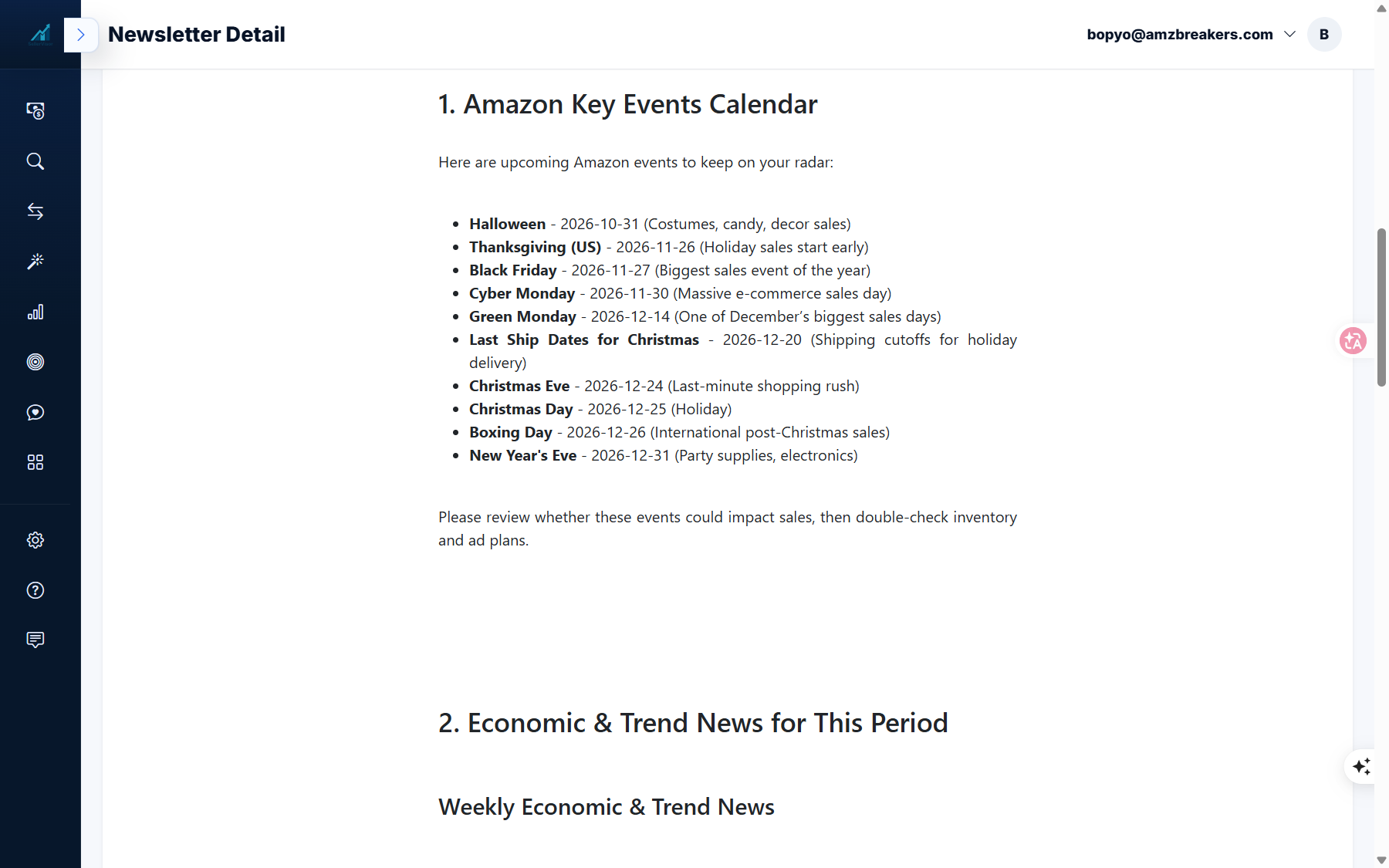
The second section of the same issue included three items.
- Amazon to hire 300,000 seasonal workers for year-end — Analysis that logistics capacity increases but congestion remains, so secure inbound schedules early.
- US importers sue Canada over 50% tariff — Analysis that sellers using Canadian parts/packaging should secure alternative supply lines.
- Black Friday Deal Submission Deadline (10/20) — Analysis that peak FBA fees continue until January 14, so recalculate margins.
Each item ends with a headline, Analysis for Sellers, a Source link, and finally Next steps. Instead of just reading the news, there are tasks for that week.
4. The Ads Section is Calculated with My Data
The fifth section uses Amazon Ads data from the account. The reference period for the October 15th issue was 2026-10-07 ~ 2026-10-13, and it was divided into four tables.
- Search terms worth adding as keywords — Clicks · Purchases · Sales · ACOS
- Search terms with high spend but no purchases
- Well-performing keywords — Targets to maintain rank
- Keywords with many clicks but no purchases — Targets to address first
During that period, the 2nd and 4th tables were marked as "None". When there is no data, it doesn't force an empty table but states it. Regardless of which table you view, the reference period is always listed, so you can confirm the interval before immediately acting on the numbers.
5. Past Issues are Accumulated in History
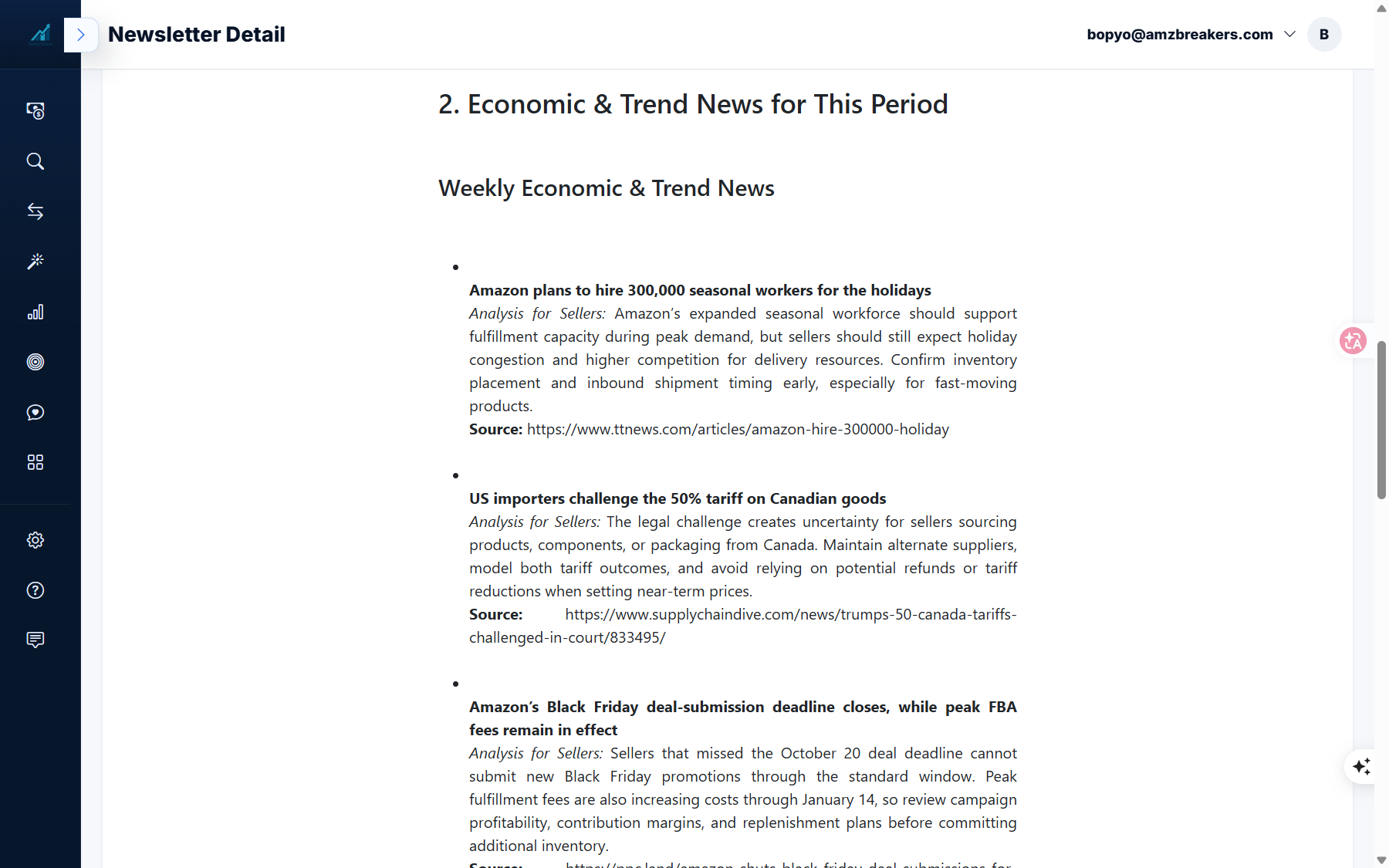
Newsletters are sent out every week at the same time (04:00), and past issues can be reopened from Newsletter History. Issues from August 29th to October 22nd remain in the list. If you missed a week, you can review what events and news occurred that week.
6. When Data is Empty
If there is no chat history for the past 7 days, the AI Insights section displays "No recent chat history was found for the last 7 days, but we still prepared key news, calendar, and ads insights for you." Brand Insights also informs you in the same way if data is insufficient, and the remaining sections are sent as is.
7. Frequently Asked Questions
Q. When does it arrive?
It is sent out once a week at 04:00. Issues confirmed in the list are 10/22, 10/15, 10/08, 10/01.
It is sent out once a week at 04:00. Issues confirmed in the list are 10/22, 10/15, 10/08, 10/01.
Q. Where can I view it again?
You can view issues by unit in SellerVisor's Newsletter History.
You can view issues by unit in SellerVisor's Newsletter History.
Q. What is the period for ad data?
It varies by issue, but the period is indicated in the main body. For the October 15th issue, it was 2026-10-07 ~ 2026-10-13.
It varies by issue, but the period is indicated in the main body. For the October 15th issue, it was 2026-10-07 ~ 2026-10-13.
Q. If there's no chat history, will the content be empty?
No. Only the AI and Brand sections will be replaced with guidance messages, and the Calendar, News, and Ads sections will still be provided.
No. Only the AI and Brand sections will be replaced with guidance messages, and the Calendar, News, and Ads sections will still be provided.
Q. How should I use the ad section?
"Search terms to add" should be considered promotion candidates, and "High spend, no purchases" should be considered candidates for discontinuation. Check the reference period before applying.
"Search terms to add" should be considered promotion candidates, and "High spend, no purchases" should be considered candidates for discontinuation. Check the reference period before applying.
8. Note
- Event dates and news are based on the dispatch time, so please check the original source before actual execution.
- The figures in the ad tables vary depending on the account and period.
- The values displayed in the main text are based on the 2026-10-22 and 2026-10-15 issues.
Conclusion
The value of the weekly newsletter is not "what happened," but "what to look at first in my account." It's enough if you check just one line of the event calendar and one line of the ad table in this week's issue.
To receive Weekly Insights directly, create an account at sellervisor.com and check past issues in the Newsletter menu.