Hello.
I am Bopyo, Co-Founder of SellerVisor.
Some of our customers who have been using SellerVisor have requested marketplace expansion. Until now we only supported the U.S., so sellers who sell on Amazon Japan had limited access. Reflecting these customer requests, the global marketplace support expansion update was released today.
Since SellerVisor previously provided features centered on the U.S. marketplace, sellers who sell or run ads in markets outside the U.S. had limitations in using some features.
With this update, SellerVisor has been expanded so that major features can be used in marketplaces outside the U.S. as well.
Now sellers who sell on multiple Amazon markets can check data by each market, analyze competing products, and manage ad operations more systematically.
This update is especially important for the following people.
- Sellers who sell in marketplaces outside the U.S.
- Sellers preparing to expand into North American markets such as Canada and Mexico
- Sellers who are running or planning to run ads in multiple countries
- Sellers who want to check competitor products and keyword trends separately by market
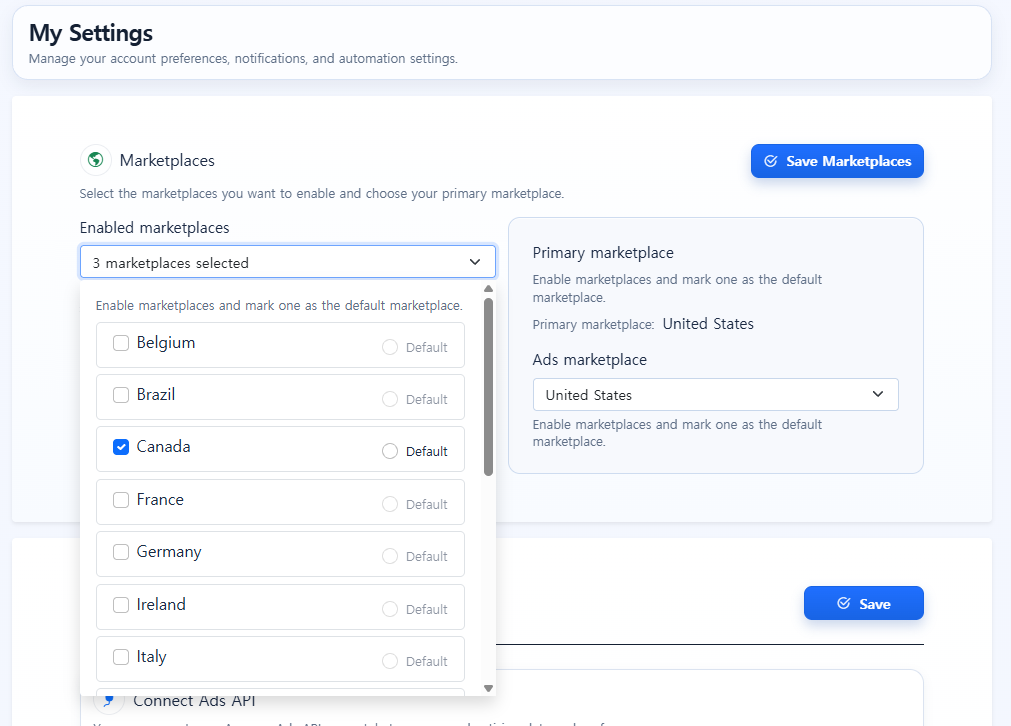
What was updated?
The range of marketplaces you can use in SellerVisor has been expanded.
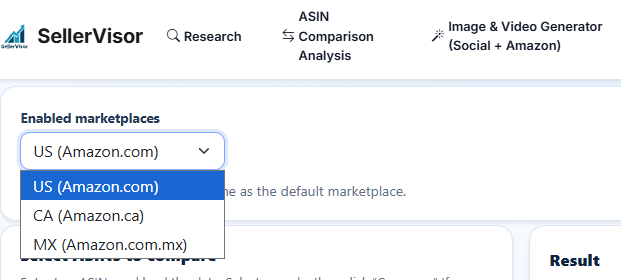
Users can select the marketplace they want to analyze in SellerVisor's Settings / My Settings area.
For example, if you set the marketplaces you sell in or want to analyze, such as the U.S., Canada, Mexico, you can check data based on those markets in supported features.
However, additional settings are required if you use advertising features.
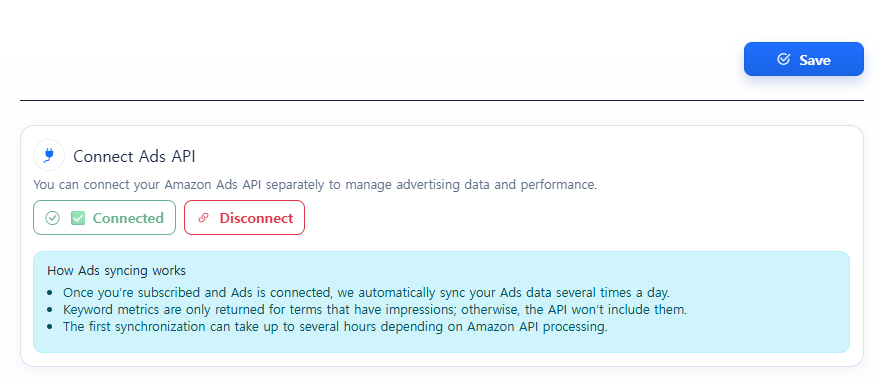
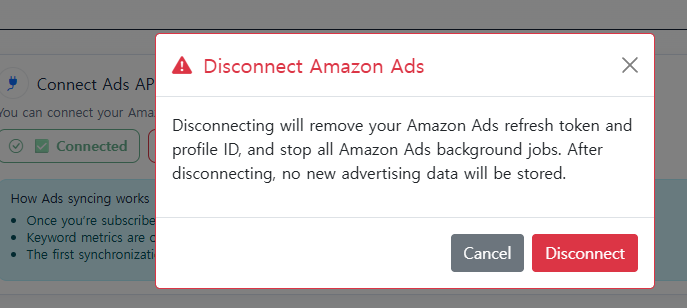
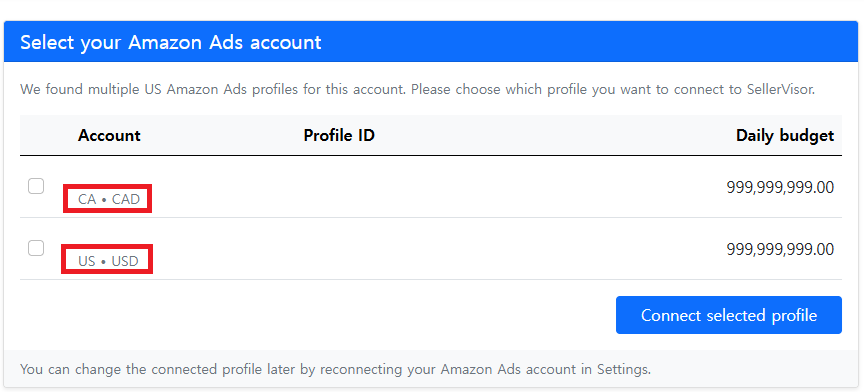
Advertising feature users must reconnect the Advertising API
If you use the Ads Management feature in SellerVisor and want to see ad data from marketplaces outside the U.S., you need to disconnect the existing Amazon Advertising API connection once and then reconnect it.
The procedure is as follows.
- Disconnect the existing Advertising API connection
- Reconnect the Advertising API
- Select the marketplaces to use during the connection process
- If you are actually running ads in the selected marketplaces, the data will be available after synchronization
Important: adding a marketplace in SellerVisor settings does not automatically display ad data for all marketplaces.
Ad data is directly linked to the Amazon Advertising API connection, so to view ad data from marketplaces outside the U.S., you must select those marketplaces during the ad connection process.
Also, ads must actually be running in the selected marketplaces for data to be displayed.
Major supported features
With this update, the following major features can utilize marketplace settings.
Market Research
You can check keywords, search volume, competing products, and market trends based on the selected marketplace.
Product Research
Through market-specific product research, you can check the potential and competitive situation of a particular product category.
ASIN Comparison Analysis
You can compare your product with competing products based on the selected marketplace.
Ads Management
You can view ad data by marketplace and use Search Term Performance, Negative Keyword management, and Bid Optimization features.
Note: The advertising feature must have the Advertising API reconnected and the marketplaces to be used selected.
Image Generator / Video Generator
The AI image and video creation features can be used as before and can be used together for market-specific content creation or ad creative preparation.
Currently excluded features
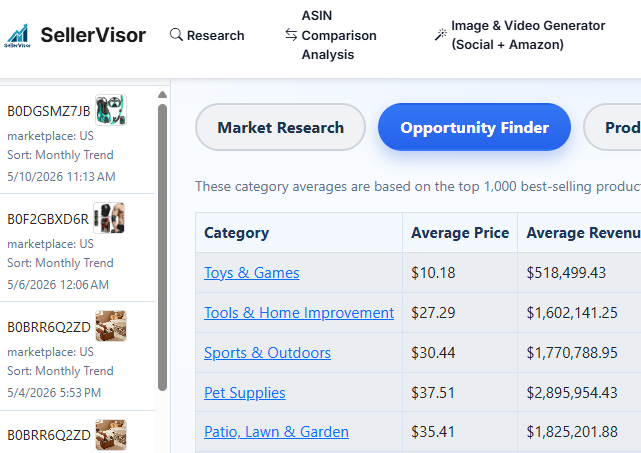
As of now, Opportunity Finder is excluded from this marketplace expansion support.
Therefore, you can understand this update as follows.
Major supported features:
- Market Research
- Product Research
- ASIN Comparison Analysis
- Ads Management
- Image Generator / Video Generator
Currently excluded features:
- Opportunity Finder
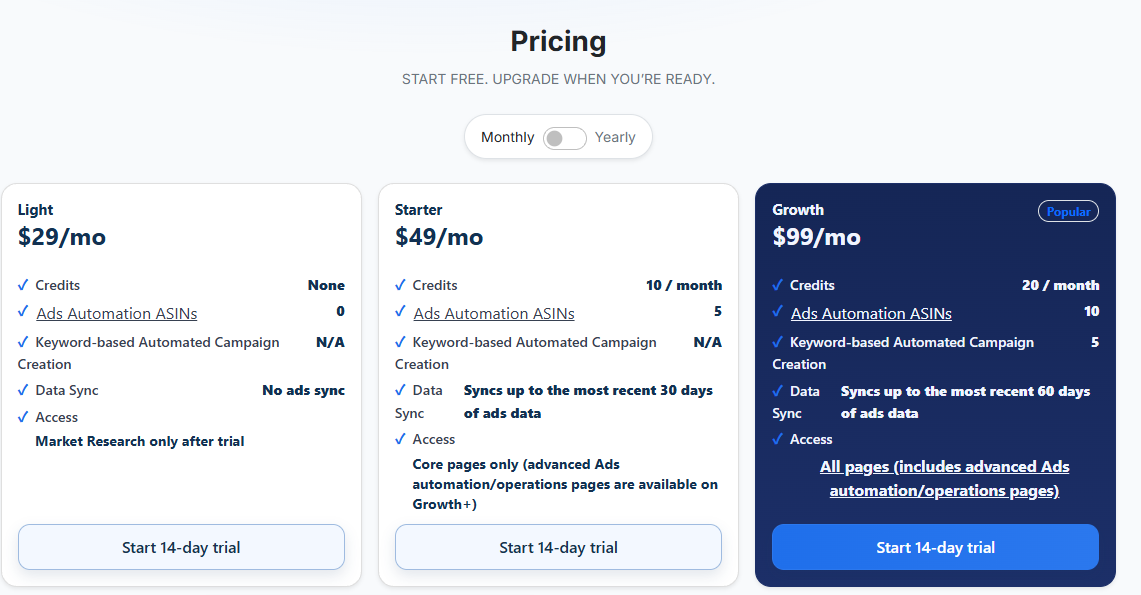
Please check differences by plan
This marketplace update works a bit differently depending on the plan.
Starter plan
The Starter plan is structured to be used centered on one primary marketplace setting.
If necessary, you need to change the saved marketplace in settings as you use it.
It is suitable for sellers who use SellerVisor centered on one main market rather than actively managing multiple markets at the same time.
Growth plan and above
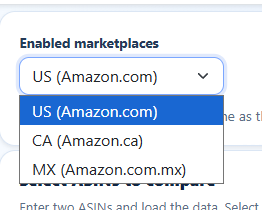
(You can change the marketplace with a dropdown to check data)
The Growth plan and above have greater utilization of marketplace-specific settings.
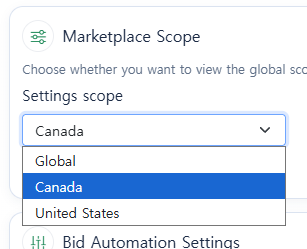
In particular, you can manage ad automation settings separately by marketplace, and the ad automation ASIN settings and protected keyword registration pages can also be registered and managed by marketplace.
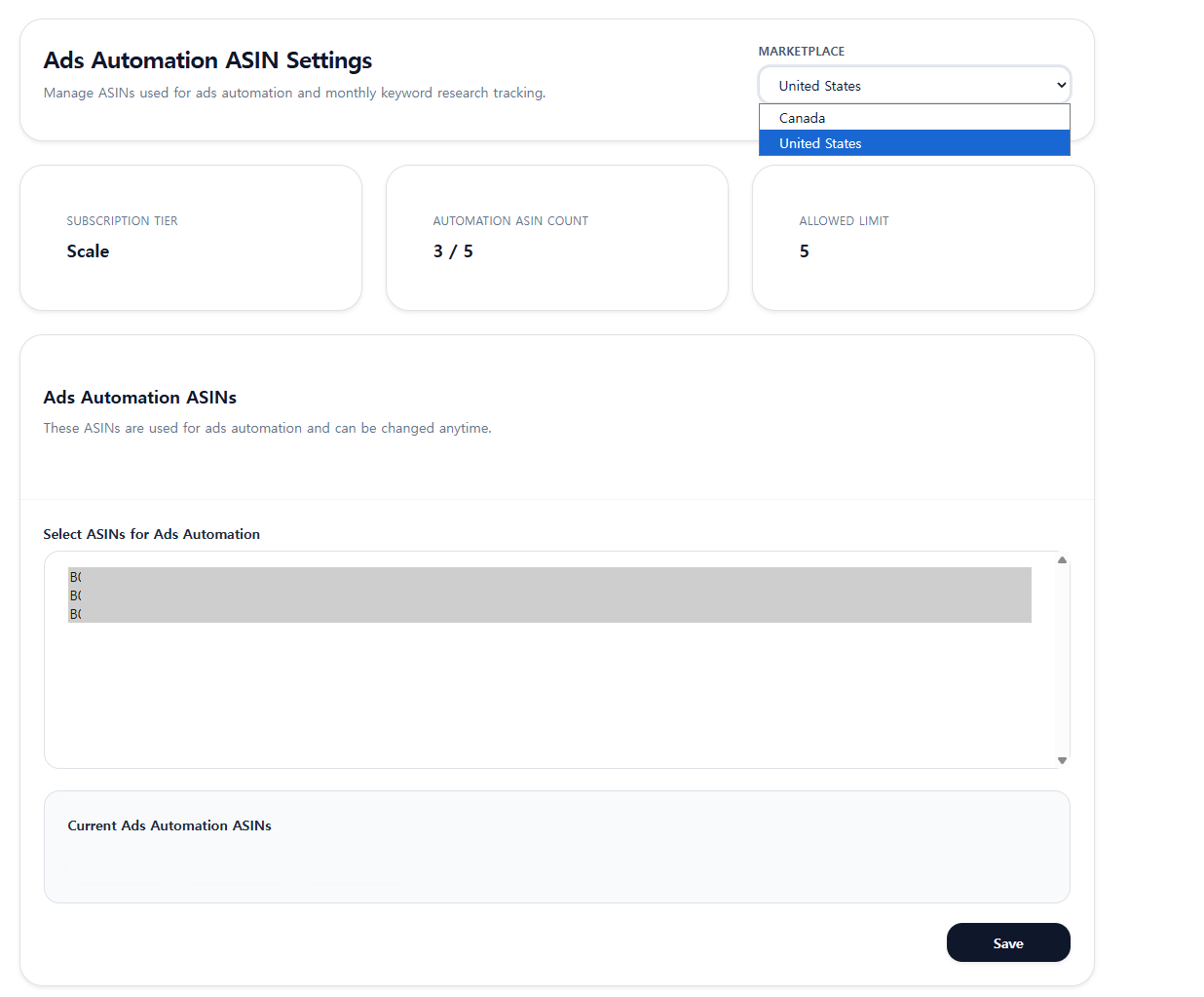
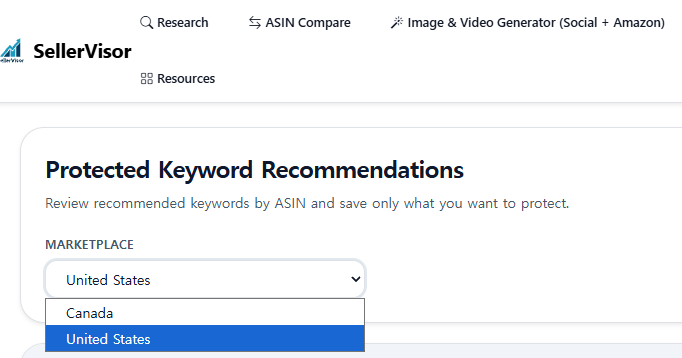
If you run ads in multiple countries or want to apply different ad strategies by market, the Growth plan or higher is more suitable.
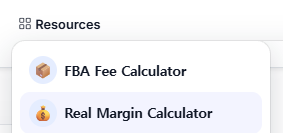
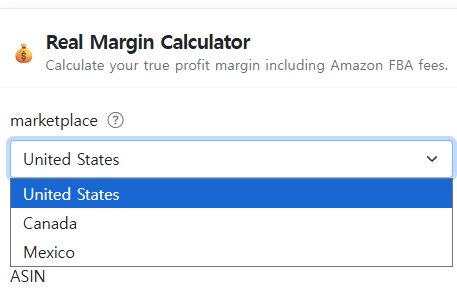
Additionally, the FBA Fee Calculator and Real Margin Calculator provided in Resources are supported to fetch data by marketplace.
700-member sign-up commemorative discount coupon
Along with this global marketplace update, we are also running a discount event to celebrate 700 SellerVisor sign-ups.
The event ends on the 24th at 11:59 PM Eastern Time.
For those trying SellerVisor paid for the first time
SELLERVISOR50
50% off monthly plan
Applies to:
Non-subscribers or new users starting from the Starter plan
Non-subscribers or new users starting from the Starter plan
Recommended for:
Those who want to try SellerVisor paid for the first time
Those who want to try SellerVisor paid for the first time
For those already using and wanting to upgrade to a higher plan
SELLERVISOR40
40% off monthly plan
Applies to:
Existing subscribers who want to tier up to Growth, Pro, or Scale plans
Existing subscribers who want to tier up to Growth, Pro, or Scale plans
Recommended for:
Those who want to upgrade to a higher plan than their current one
Those who want to upgrade to a higher plan than their current one
Important: this coupon is not applied to the next month's payment while keeping the existing plan; it is a coupon to be used when upgrading to a higher plan.
For those planning to use SellerVisor long-term
SELLERVISOR30
30% off annual plan
Applies to:
Non-subscribers, existing subscribers, Starter, Growth, Pro, Scale plan users
Non-subscribers, existing subscribers, Starter, Growth, Pro, Scale plan users
Recommended for:
Those who plan to use SellerVisor long-term
Those who plan to use SellerVisor long-term
Annual plans already offer savings compared to monthly payments. With this additional 30% discount, it is most suitable for those who will use it long-term.
Coupon summary
- If you are trying SellerVisor paid for the first time
- SELLERVISOR50
- If you are already using and want to upgrade to a higher plan
- SELLERVISOR40
- If you plan to use it long-term
- SELLERVISOR30
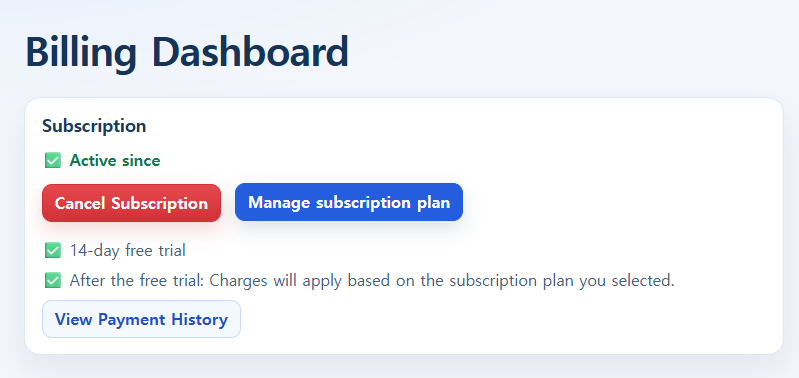
If you want to update your plan, you must go to the Billing Dashboard and click Manage subscription plan to proceed.
Closing
With this global marketplace update, SellerVisor is expanding beyond the U.S.-centered market to a direction where you can view and act on data across multiple Amazon marketplaces.
If you are selling in markets outside the U.S. or planning to expand to other markets such as Canada and Mexico, please check this update.
Also, the SellerVisor 700-member sign-up discount coupons are available for a limited time.
Log in to SellerVisor now to check your marketplace settings and apply the coupon that suits you.
👉 Go to SellerVisor now
https://sellervisor.com/?source=sellervisor&medium=blog
https://sellervisor.com/?source=sellervisor&medium=blog
If the marketplace listing you want is not available, please contact our support team.