 SellerVisor
Product Cost Settings
Give profit analysis the costs it needs
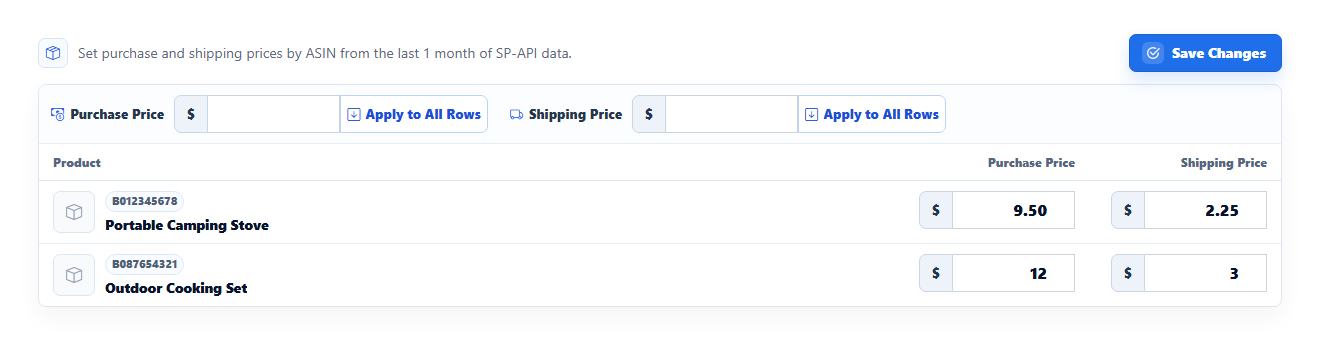
Enter purchase cost and shipping cost for each product. Use Apply All only when the same amount should apply across the displayed products.
1
Seller tools
Product Cost Settings
- Open Product Cost Settings from your account menu. The screenshot shows the existing Razor editor with sample products.
- Enter purchase cost and shipping cost for each product. Use Apply All only when the same amount should apply across the displayed products.
- Review the values and save. Return to Profit Dashboard to interpret profitability with the costs you entered.
2
Seller tools
Profit Dashboard
Review revenue, costs, advertising, and net profit by marketplace and date. Compare periods and inspect the products and changes behind the totals.
Screenshots are in English and may contain sample data. Available features depend on your plan, connections, and data.