Amazon Review Request Automation
Send compliant Amazon review requests without babysitting every order.
SellerVisor gives you a focused review request workspace for settings, ASIN-level automation, and order-level sending.
Check real-time usage, skip returned or refunded orders, and set delay days after buyers receive products.
Control time zones, product-level timing, and manual sends from one clean dashboard.
What the page helps you manage
- Order sync
- 5-30 day window
- ASIN rules
- Return exclusions
- Bulk sends
- Activity reporting
- Review Intelligence
Settings and usage
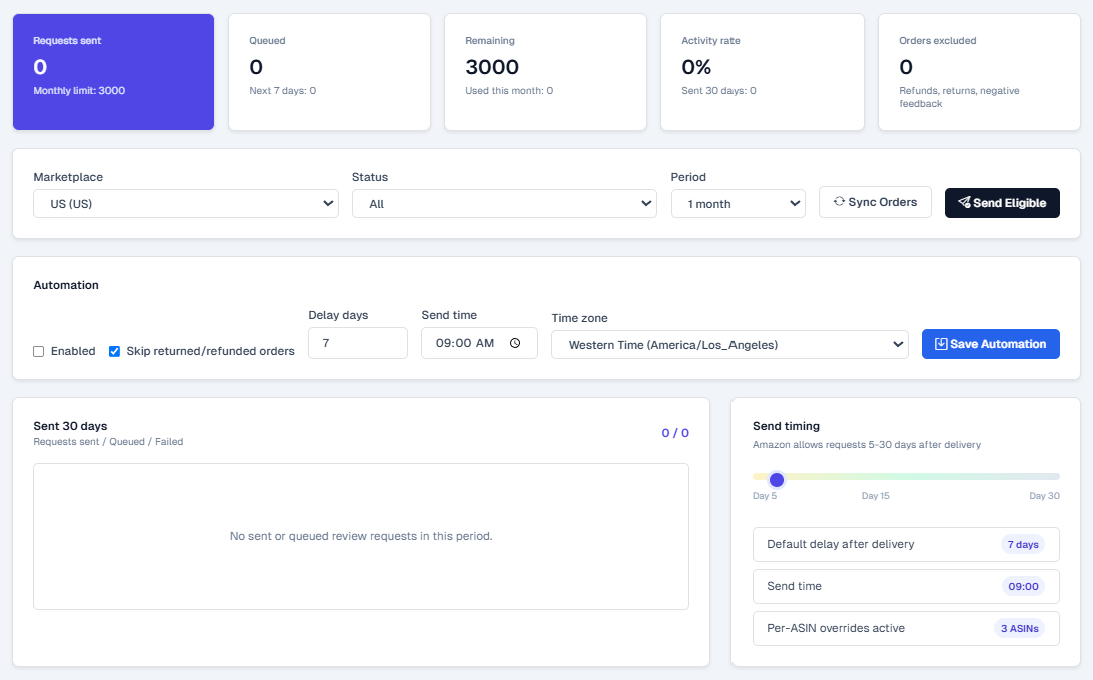
Check usage, skip risky orders, and schedule requests by delivery timing.
- See requests sent, queued requests, remaining monthly allowance, activity rate, and excluded orders in real time.
- Skip returned or refunded orders automatically before they reach the review request flow.
- Set default delay days after product delivery, send time, and the marketplace time zone.

ASIN-level settings
Give each ASIN its own delay days and send timing.
- Override the global delay by product when a specific ASIN needs a different review request cadence.
- Use global send timing where it fits, or configure product-level timing for exceptions.
- Review sent and queued counts, activity rate, status, and exportable ASIN-level activity.
Order-level sending
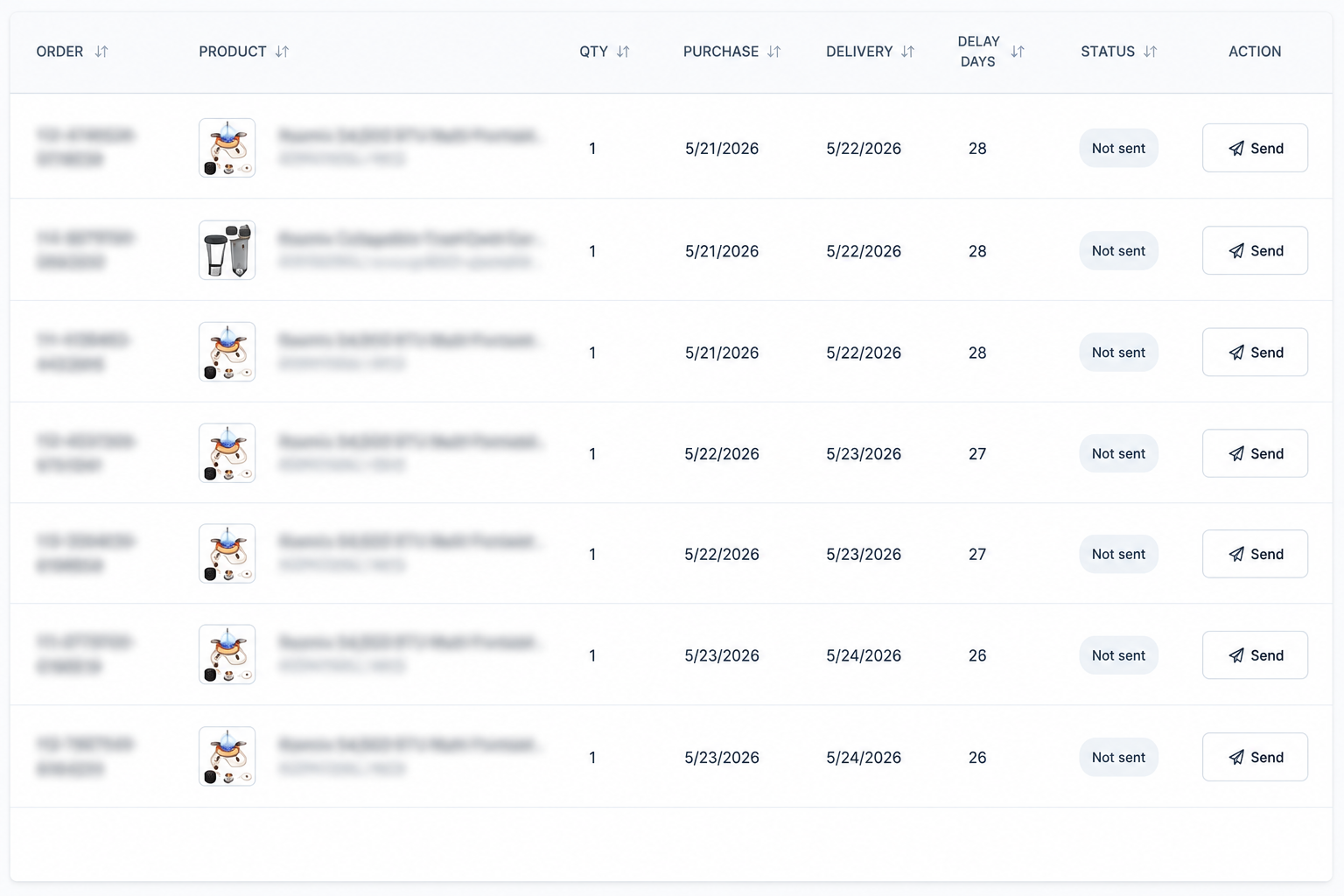
Check each order and send eligible review requests manually when needed.
- Review purchase date, delivery date, delay days, product, quantity, and current request status.
- Use the manual send action for individual eligible orders.
- Filter by marketplace, status, and period while keeping the order-level audit trail visible.
Review health
82
readiness score
Top booster: Easy setup
Top reducer: Packaging complaints
Topic signals
Positive topic share
24%
Negative topic share
11%
Return risk
Medium
AI suggestions
- Highlight strong positive topics in listing copy.
- Fix recurring complaint themes before scaling request volume.
- Send confidently when readiness is healthy.
Review Intelligence
Turn customer feedback into smarter review request decisions.
- Review health and readiness scores summarize whether an ASIN is ready for more review requests.
- Positive and negative topics show what buyers love, what hurts ratings, and where return risk is rising.
- AI suggestions highlight listing, product, trend, return-risk, and review-request actions before you send.