 SellerVisor
Keyword Ranking Tracker
Track keyword ranking movement by group, ASIN, and search term.
SellerVisor keeps ranking changes tied to the exact product groups and ASINs you are trying to grow.
Rank data refreshes daily. Reopening the page does not force another collection; seven-day research caching does not replace daily rank updates.
1
Market research
Add keywords with group, ASIN, and keyword context.
- Create a named group for a product launch, defense set, or seasonal push.
- Add one or more ASINs so every keyword stays attached to the products that matter.
- Paste keywords in bulk and start tracking them without building rows one by one.
2
Market research
Review the keyword listing with volume and rank signals.
- Sort tracked keywords by search volume, rank movement, bid signals, or latest snapshot.
- Compare organic, overall, and sponsored rank without leaving the tracker.
- Export the list when you need to share movement with teammates or clients.
3
Market research
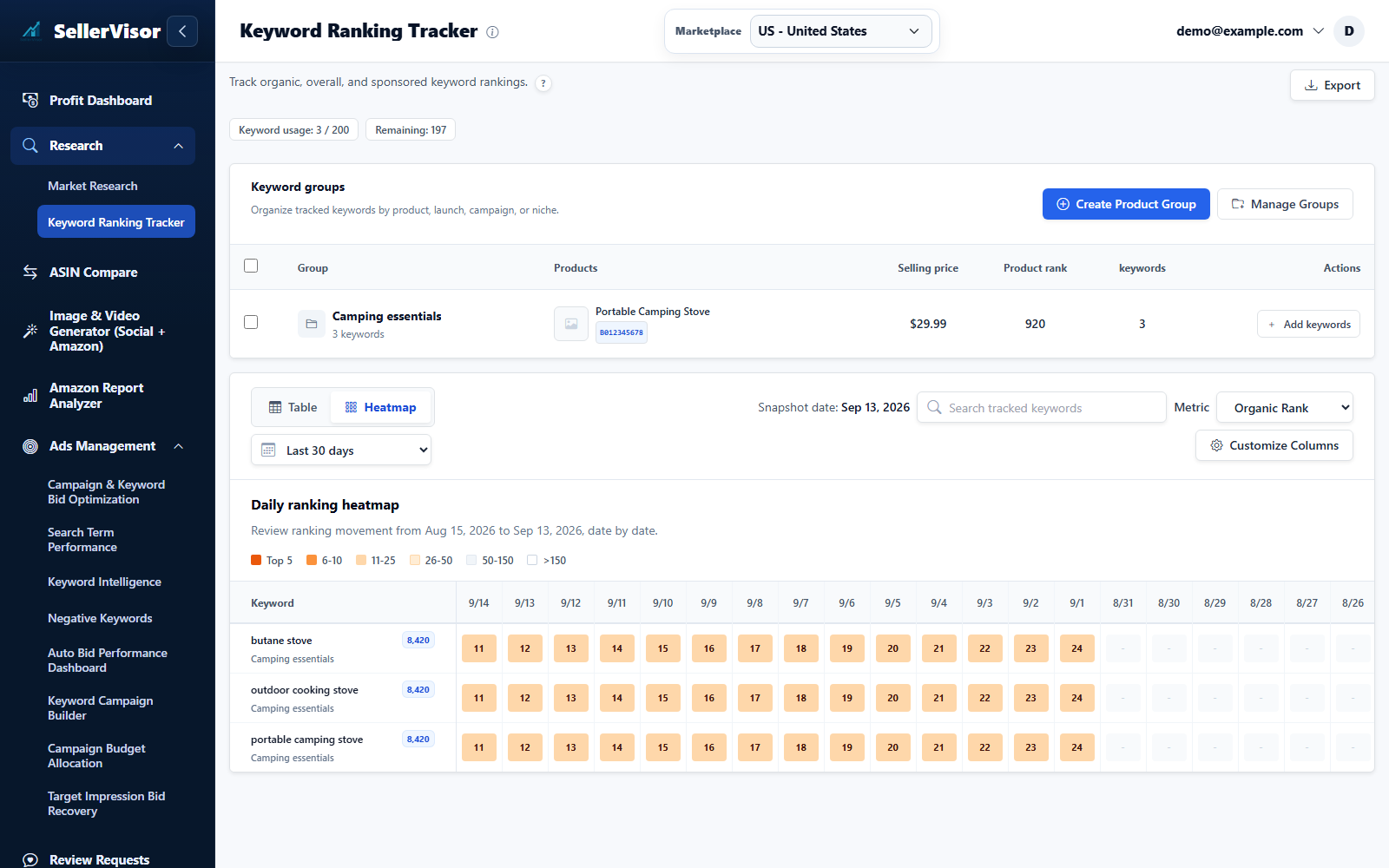
Use the heatmap to spot ranking movement at a glance.
- Each cell shows the product rank for a keyword on a specific day.
- Warmer cells highlight stronger ranking positions so gains and drops are easy to scan.
- Switch metrics to inspect organic, overall, or sponsored movement over time.
4
Market research
Review keyword rankings after login
- When enabled, the login overview shows your tracked keywords and ranking summary after sign-in according to your display frequency. Review running keywords, Top 10/Top 50 counts, and average position.
- Filter by product group and ASIN, choose 7/30/60/90 days, and switch organic, overall, or sponsored rank. Read the trend lines and daily rank cells together; a dash means no rank value is available.
- The modal’s Settings link opens Keyword Ranking Overview in the left menu. Turn the overview on or off, choose Every Login or Once a Day, and click Save. Daily rank tracking continues separately.
5
Market research
Review keyword rankings after login
- The modal’s Settings link opens Keyword Ranking Overview in the left menu. Turn the overview on or off, choose Every Login or Once a Day, and click Save. Daily rank tracking continues separately.
Screenshots are in English and may contain sample data. Available features depend on your plan, connections, and data.