When running Amazon ads, you may think like this.
"I'm continuously spending on ads, so why isn't the efficiency improving?"
Most sellers look only at keywords, bids, budgets, and negative keywords. Of course those are important. But there's one thing many surprisingly overlook.
It's the time when ad spend is used.
Even with the same ad spend, if it's used during times when customers actually buy a lot, it's more likely to convert to sales. Conversely, if the budget is exhausted during times when purchases rarely happen, ads may be weak during the times when sales could actually occur.
This is the PPC Dayparting strategy.
Simply put, it's a method of operating budget and bidding strategies differently by day of week and time of day.
1. You should not run ads the same way all day
When setting up Amazon ads for the first time, most people set a daily budget and run it as is.
For example, assume you set a daily budget of $100.
The problem is that this $100 is not used strategically throughout the day but is consumed as clicks occur.
But customers' actual purchasing patterns are not uniform.
Some products sell well on weekday mornings, some sell better on Friday evenings or weekends. Other products see orders pile up after lunch or during nighttime hours.
Therefore, ads should be run aligned with the times customers buy.
Especially in highly competitive seasons like Prime Day, it's more important to decide which time periods to concentrate budget on than simply increasing the budget.
2. The problem is that it's hard to see this at a glance in Seller Central
In Amazon Seller Central, it's inconvenient to immediately see "on which days and at what times my products sell the most."
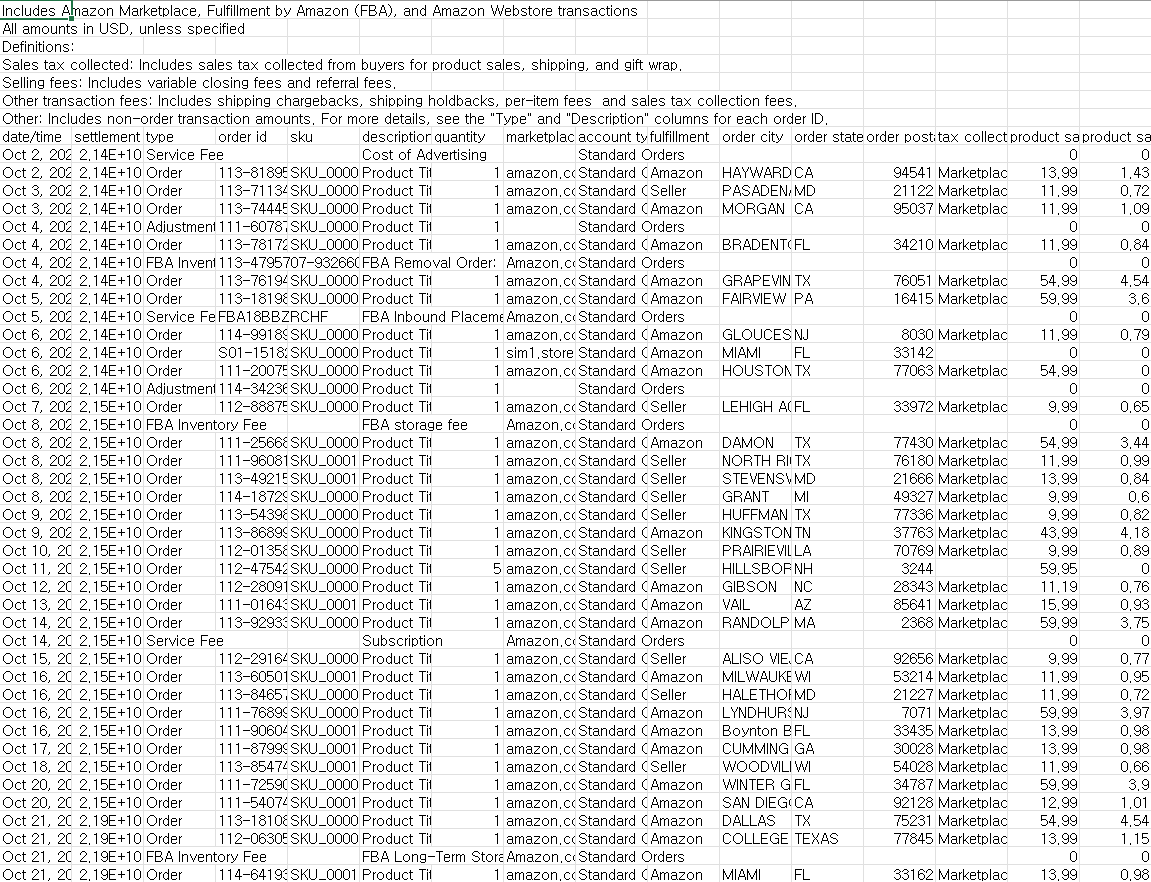
You can download reports from the payment report repository, but when you open the file it's in CSV format with many settlement items mixed in complexly.
Because order time, sales amount, fees, shipping, refunds, adjustment amounts, etc. are all included, it's difficult to extract information needed for ad strategy right away.
As a result, many sellers operate by intuition.
"It's Prime Day, so let's increase the budget a bit."
"Sales are good these days, so let's spend more on ads."
"Sales are good these days, so let's spend more on ads."
But if you increase the budget without data, you'll spend more not only during times that sell well but also during inefficient times.
3. First, request a report from the payment report repository
To use this strategy, first download the payment reports from Amazon Seller Central.
The flow is simple.
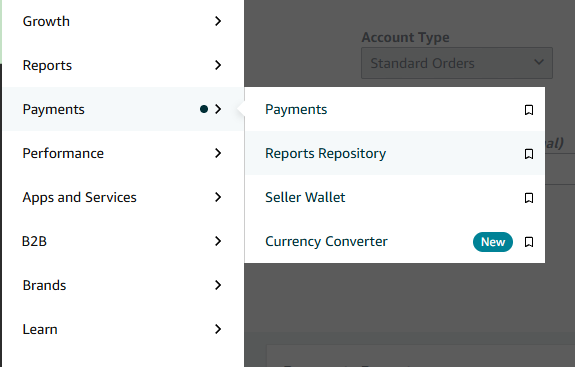
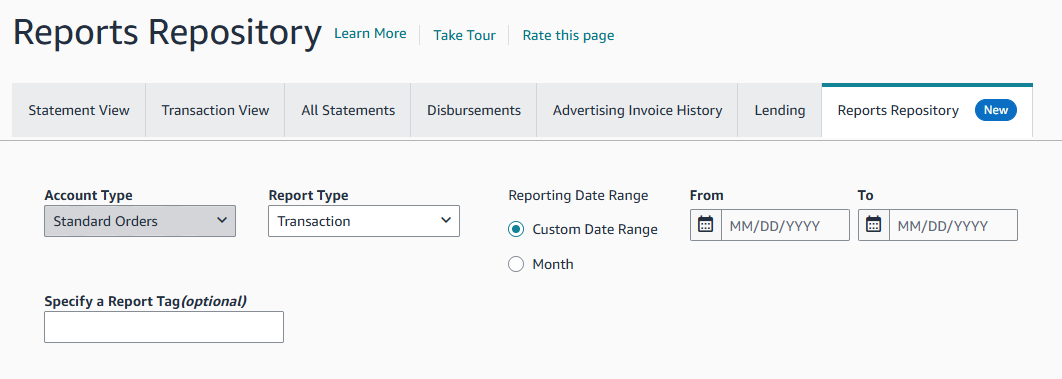
Log into Amazon Seller Central → Payments menu → Payment Report Repository → Select desired period → Request report → Download CSV file
If preparing for Prime Day, it's better to look at the last 60 or 90 days of data rather than just the recent 30 days.
If the product has seasonality, it's good to also refer to the same season's data from last year.
The important thing is not simply to look at total sales.
What we want to see is this.
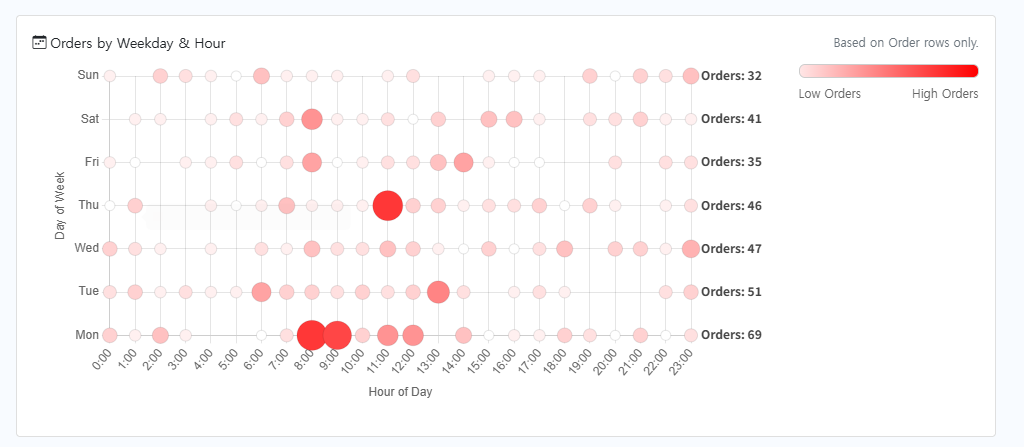
On which day of the week and at what time did orders occur the most?
4. Upload to SellerVisor Payment Dashboard to view as a heatmap
It takes a lot of time to organize CSV files directly.
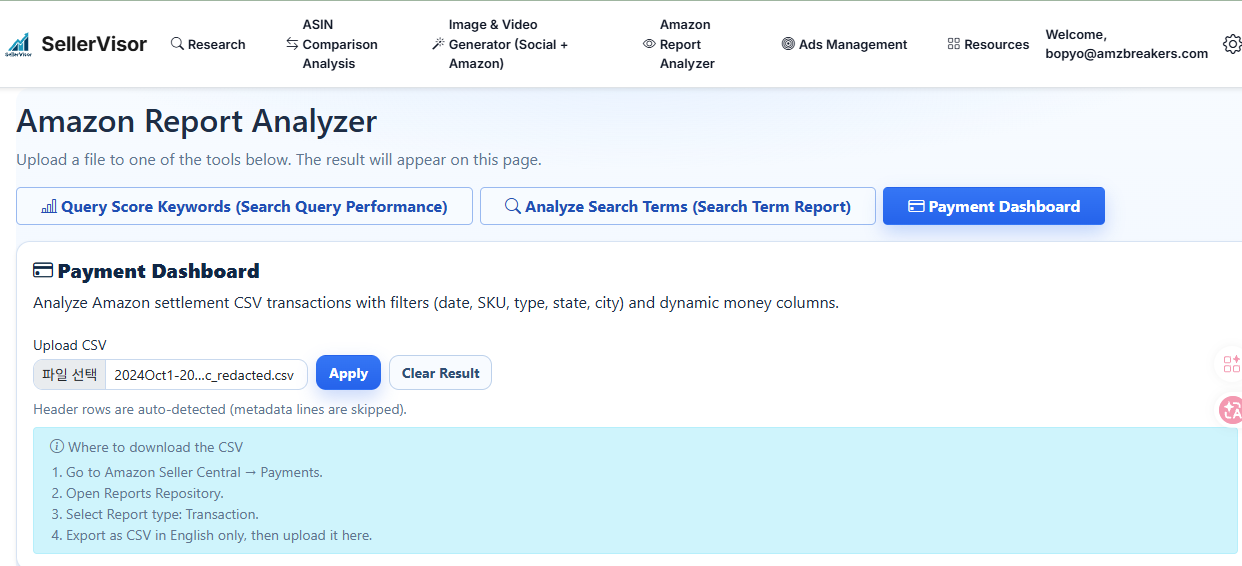
Therefore, SellerVisor provides the Amazon Report Analyzer > Payment Dashboard feature to make this process easy to view.
If you upload the payment report CSV downloaded from Amazon Seller Central to SellerVisor, you can check the day-of-week and time-of-day sales patterns without having to organize complex data yourself.
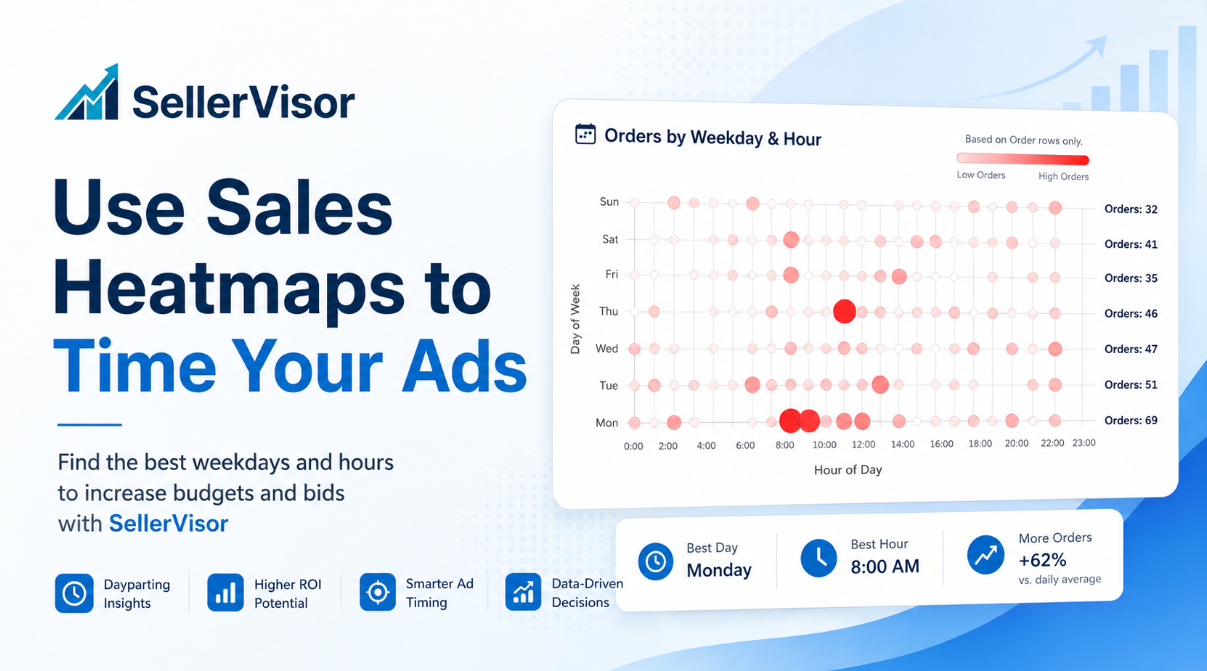
It's especially intuitive when viewed as a heatmap.
For example, if a specific day and time are shown darker, it means sales are concentrated in that period.
Now sellers can set ad strategies based on actual sales data rather than intuition.

5. Reflect heatmap data in ad campaigns
Once you've found the periods where sales are concentrated on the heatmap, the next step is to reflect that in ad operations.
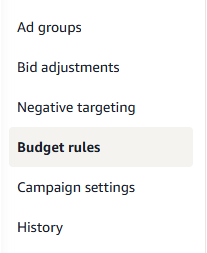
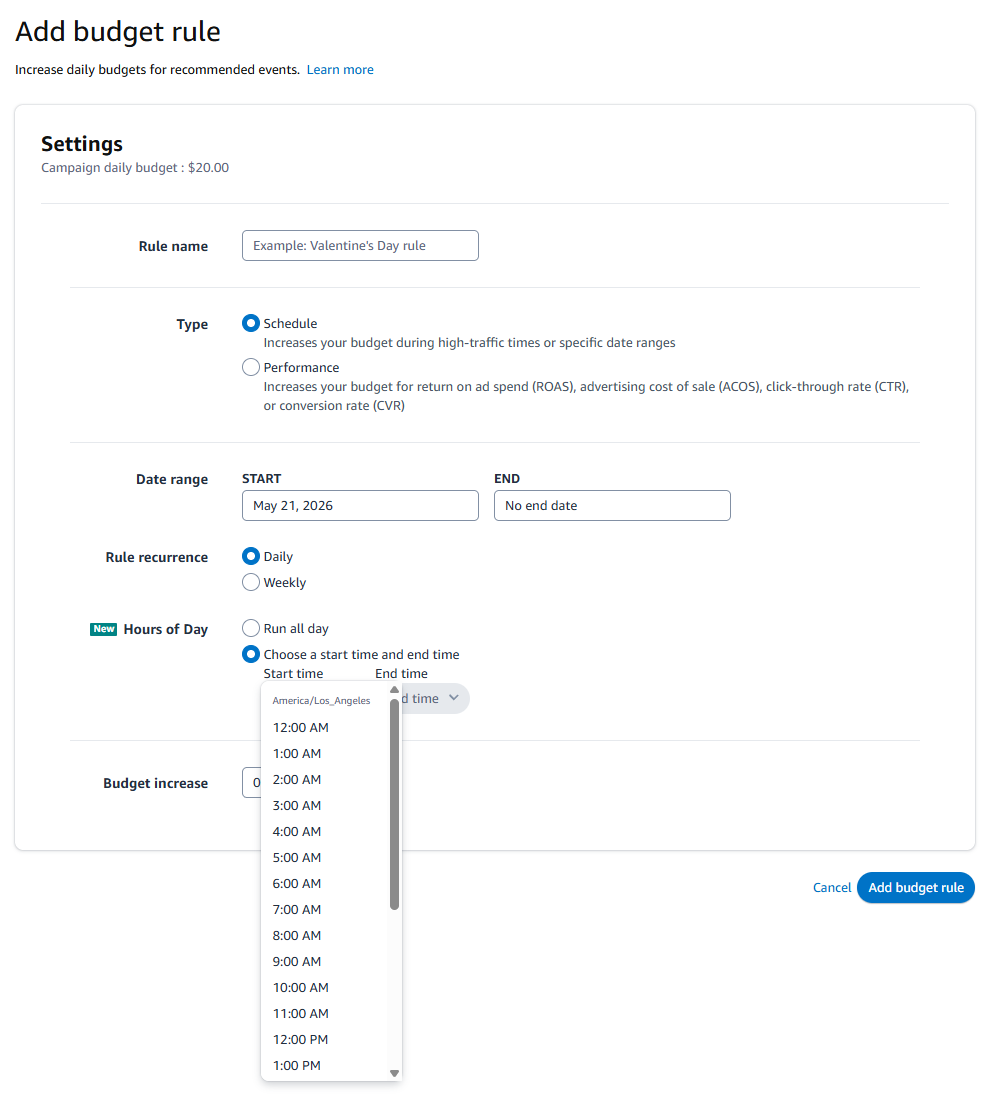
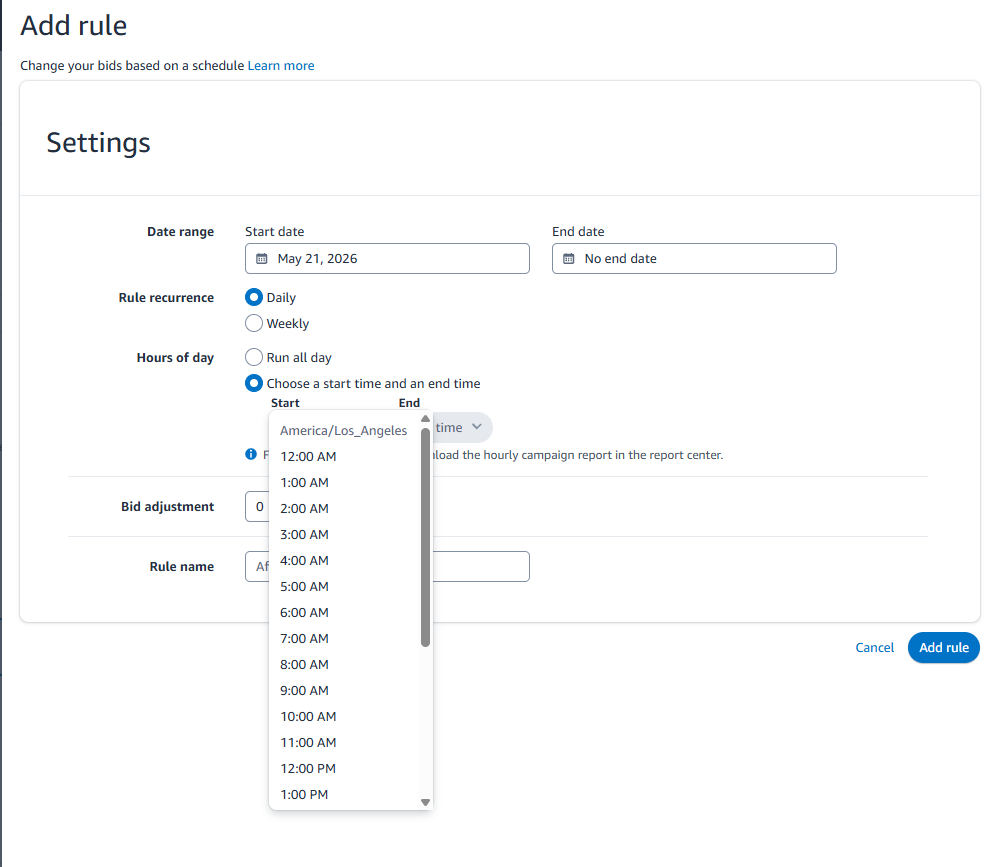
In the Seller Central advertising campaign dashboard, there is a menu to add RULEs to BUDGET and a way to add RULEs to bidding values. Bidding values can be added in campaign settings and budgets can be added in Budget rules, so please note this.
So how should you reflect it?
For example, assume the data showed this pattern.
- Strong sales Tuesday 10 AM–12 PM
- Strong sales Thursday 6 PM–9 PM
- Strong sales Saturday 1 PM–4 PM
Then you can increase campaign budgets so that there is not a shortage of ad budget during those time periods.
The key is not simply to spend more on ads.
It's preparing budgets and bids so ads don't turn off during time periods when sales occur well.
In Amazon ad campaigns, you can use budget rules and bidding settings to adjust ad operations for specific periods, specific time slots, and specific events.
Before Prime Day, especially check the following.
- Is there enough budget for the time periods with strong sales?
- Is the core campaign exhausting its budget in the morning?
- Are bids set too low during time periods with high conversion rates?
- Are you forcefully increasing budgets even for campaigns with high ACOS?
Be more aggressive during high-performing periods and more conservative during weak-performing periods.
6. Conclusion: Ad efficiency is not only a keyword issue
Many sellers think the reason Amazon ad efficiency is poor is solely a keyword problem.
Of course keywords are important.
Bids are important too.
Negative keywords are also important.
Bids are important too.
Negative keywords are also important.
But look at one more thing.
Time.
If you run ads without knowing when your product actually sells, ad spend can keep leaking away.
By using SellerVisor's Amazon Report Analyzer > Payment Dashboard, you can view day-of-week and time-of-day sales patterns as a heatmap without manually organizing complex payment report CSV files.
And based on that data, you can prepare ad budgets and bidding strategies more precisely before Prime Day.
Now you need to change the question.
Not "How much should I increase the ad budget?" but
"When do my customers buy the most?"
You need to be able to answer this question to spend ad money more intelligently.