Key Capabilities
-
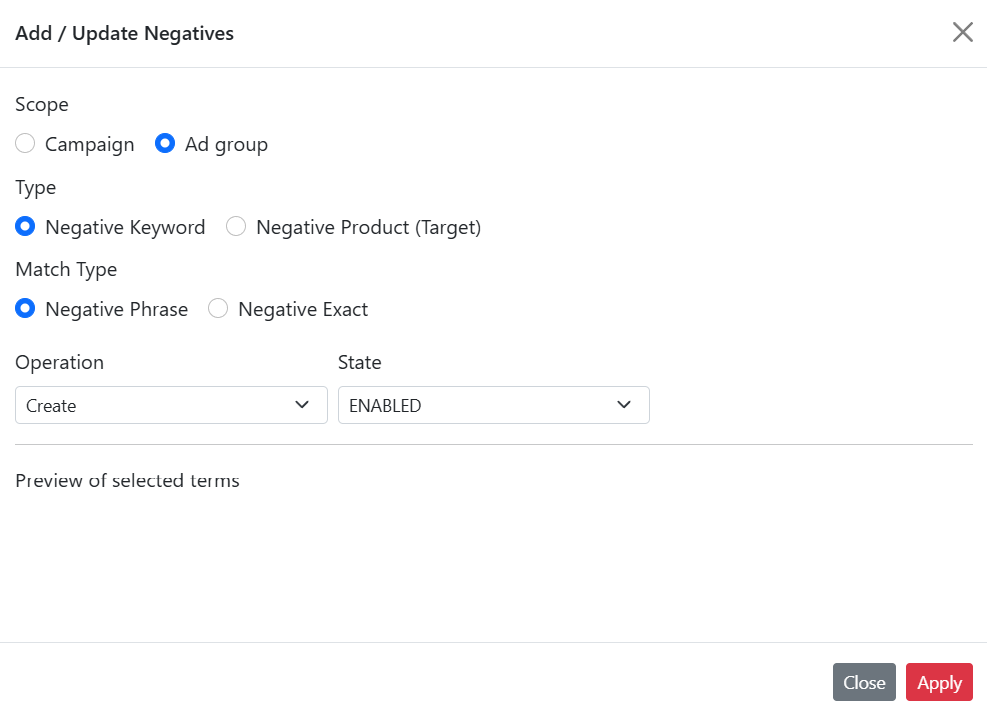
Campaign / Ad Group Level Control
Apply negative keywords at either the campaign or ad group level.-
Campaign-level negatives block unwanted search terms across all ad groups.
-
Ad group-level negatives give you fine-grained control for specific ad sets.
-
-
Phrase and Exact Match Support
Choose between phrase or exact match types when adding negative keywords.-
Phrase match blocks any search containing the phrase.
-
Exact match blocks only that exact search term.
-
-
Product- or Keyword-Level Selection
Add exclusions based on either product ASINs (to block specific items) or keywords (to refine your keyword targeting). -
Create & Update Actions
-
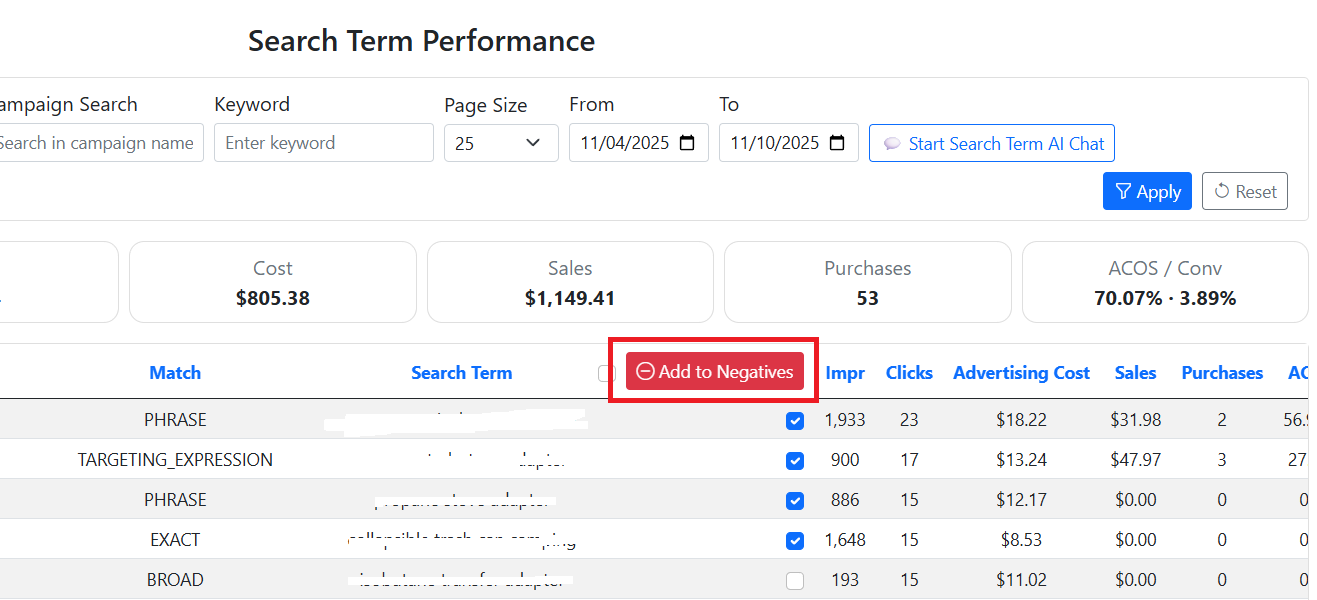
Create → Used to add new negative keywords directly from search term insights.
This helps you quickly stop irrelevant searches that waste ad budget. -
Update → Lets you change the status of existing negative keywords — for example, marking them as Archived (to temporarily disable) or Enabled (to re-activate).
-
-
Centralized Review Page
After creation or updates, you can easily review, edit, or delete these entries anytime on the Negative Keywords page.
This provides a full audit trail and keeps your targeting strategy organized.