1. Campaign Keyword & Automation (Bidding Update Coming Soon)
-
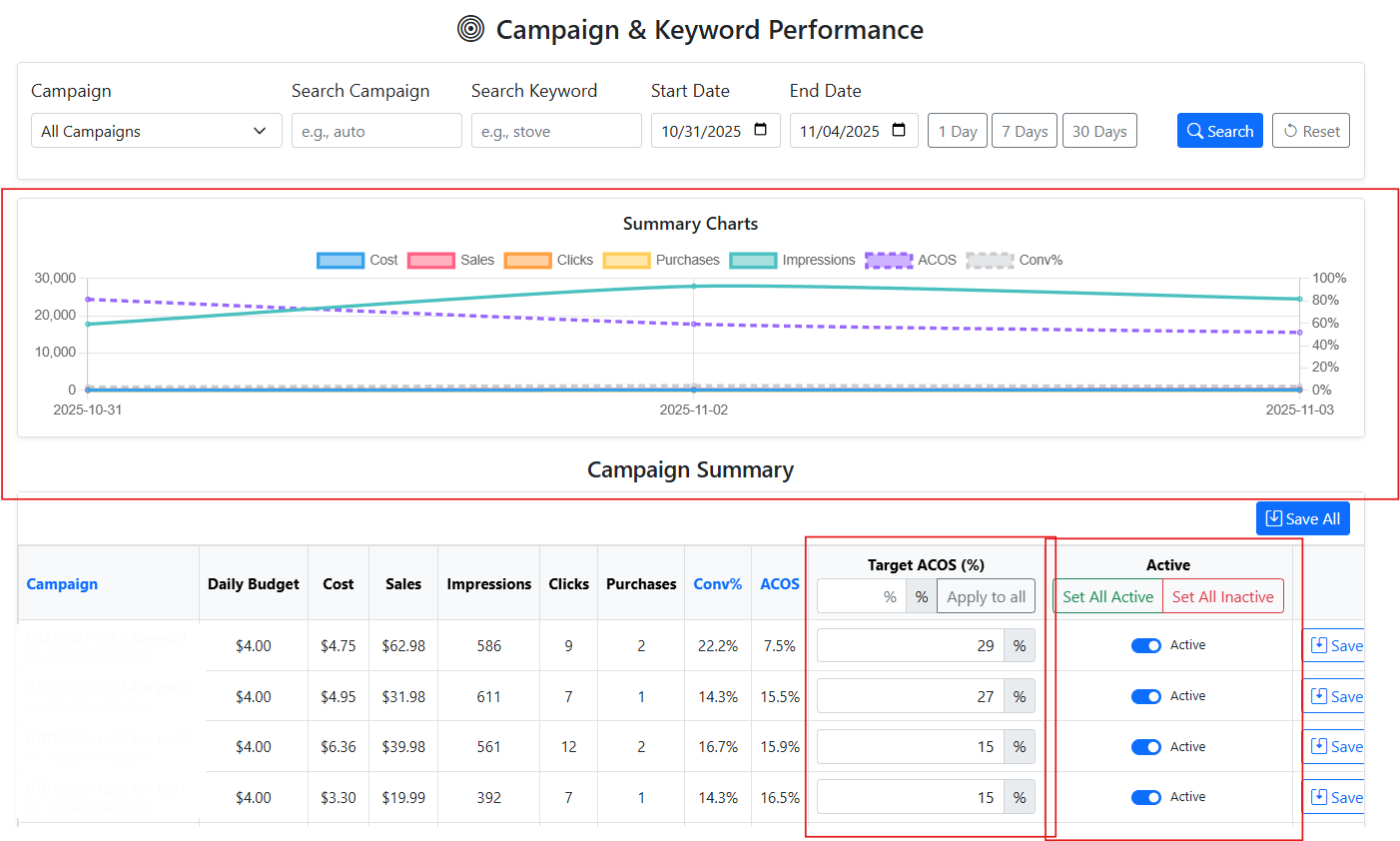
You can now set a target ACOS for each campaign to prepare for upcoming automated bidding.
-
Daily ad performance charts make it easy to track ACOS, ROAS, spend, clicks, and sales trends.
-
For each campaign, you can:
-
Enable or disable automation mode — this currently monitors campaigns and prepares them for automatic adjustments.
-
Set target ACOS, which will be used for automatic bid adjustments in a future update.
-
2. Search Term Performance Insights
-
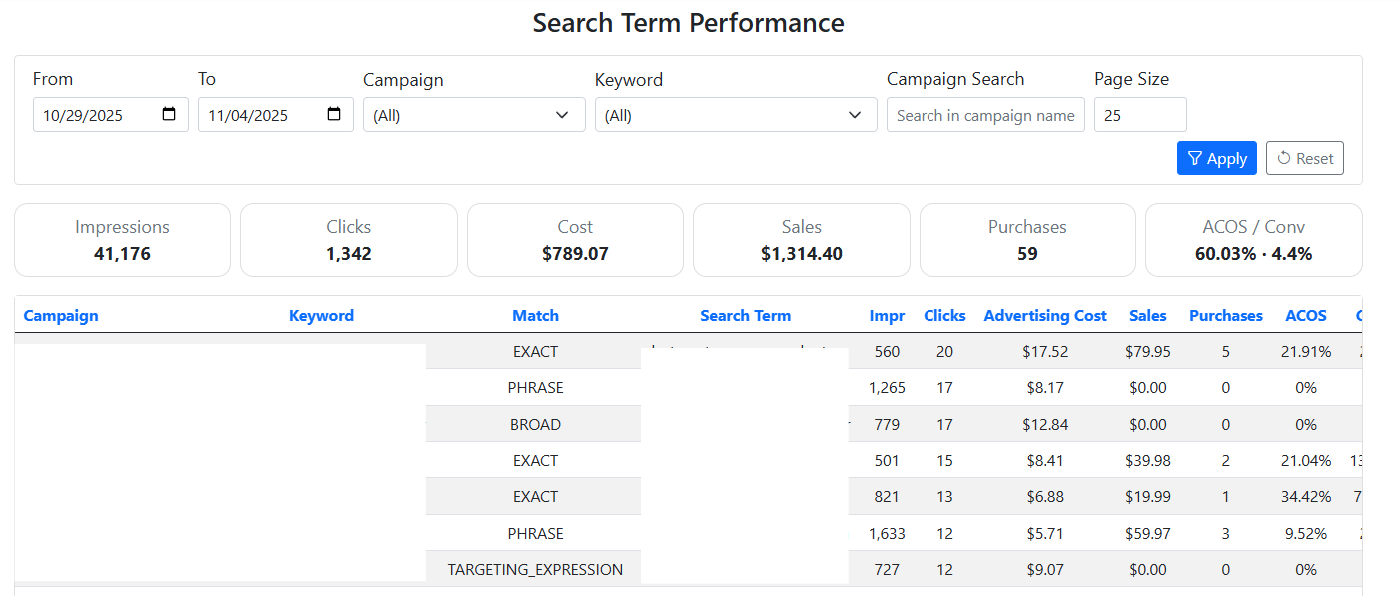
View detailed search term metrics filtered by date range.
-
Analyze impressions, clicks, orders, sales, spend, conversion rate, ACOS, and more.
-
A summary helps you quickly identify:
-
High-performing search terms worth increasing bids or adding as keywords
-
Low-performing or wasteful search terms that may need to be negated
-
3. Ads Automation Performance Overview
-
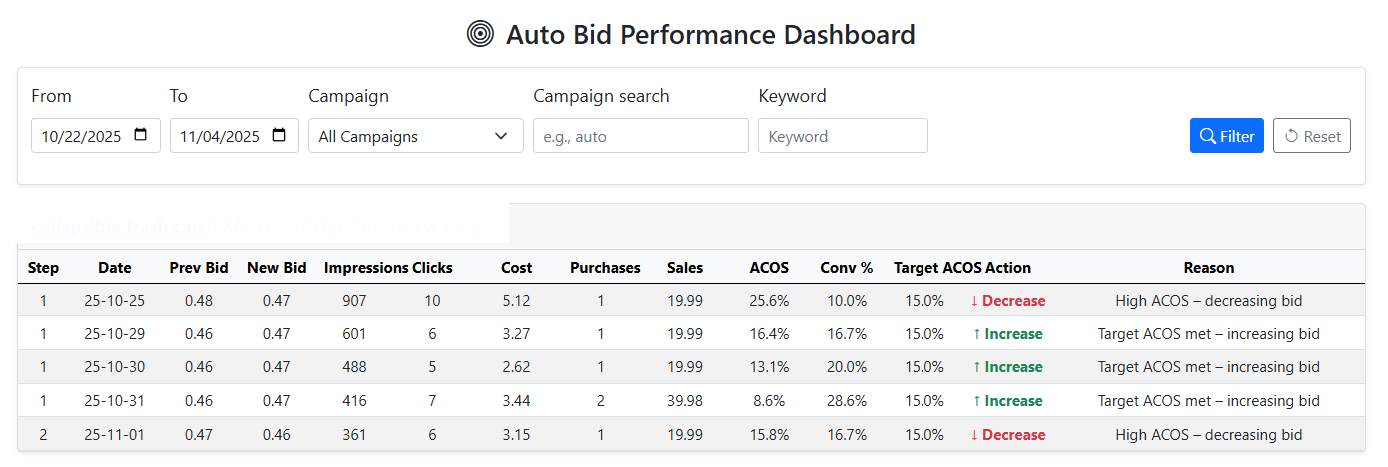
A dedicated dashboard shows how your campaigns perform under automation mode.
-
You can check:
-
ACOS trends compared to your target
-
Whether campaigns are over or under target thresholds
-
https://www.sellervisor.com/Blog/Details/sellervisors-ads-management-beta-feature-tutorial