I'll be honest.
Over the past few weeks I burned through a huge amount of credits testing AI video generation tools. And most of the outputs were unusable.
Product labels were smudged, tablet pills were pea-sized in one frame and coin-sized in the next. Brand names changed randomly, and the product didn't look consistent throughout the video. Even when a decent result appeared, it was luck, not skill.
I'm sure I'm not the only one who experienced this.
So I asked a fundamental question. Why does this keep happening? And is there a real solution?
After weeks of experiments I found a method. And this approach completely changed my perspective on AI product videos. Today I'm sharing that workflow step by step.
Why this technique matters
Let's start with the fundamental problem of AI video generation.
If you try to create product videos with only text prompts, the AI imagines the product from scratch for every frame. There are no visual reference points. So the product changes slightly frame to frame. Label fonts shift, colors subtly change, and proportions break down.
Here's the key insight.
You must not make the AI imagine the product. You must show it.
What if, before generating the video, you first create each scene as a still image? Instead of the AI reinterpreting every frame on its own, the video would be built from predetermined images.
That's the core of the GPT Image 2 + SellerVisor workflow.
And there are very practical reasons for this approach.
AI video generation consumes a lot of credits. If you don't like the result and regenerate again and again, credits disappear fast. If you finalize storyboard images beforehand, you reduce the number of video generation attempts. That dramatically increases the chance of getting the desired output on the first or second try. This is both a quality issue and a cost management issue.
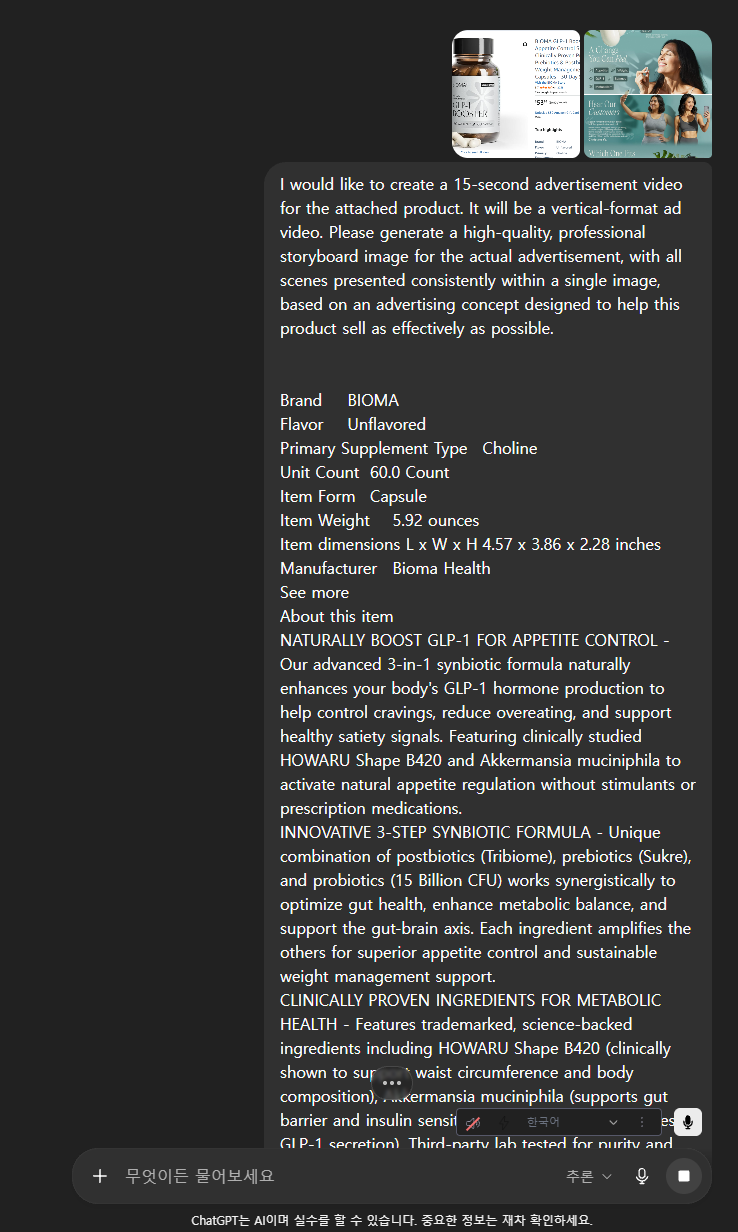
Step 1. Create storyboard images in GPT Image 2 mode
ChatGPT's Image 2 mode has been making headlines. The quality is so good now that it's confidently usable. Until recently I used Google's NanoBanana, but now GPT's IMAGE 2 mode produces much higher-quality images.
The task here is simple: create still images of each scene you want to turn into a video.
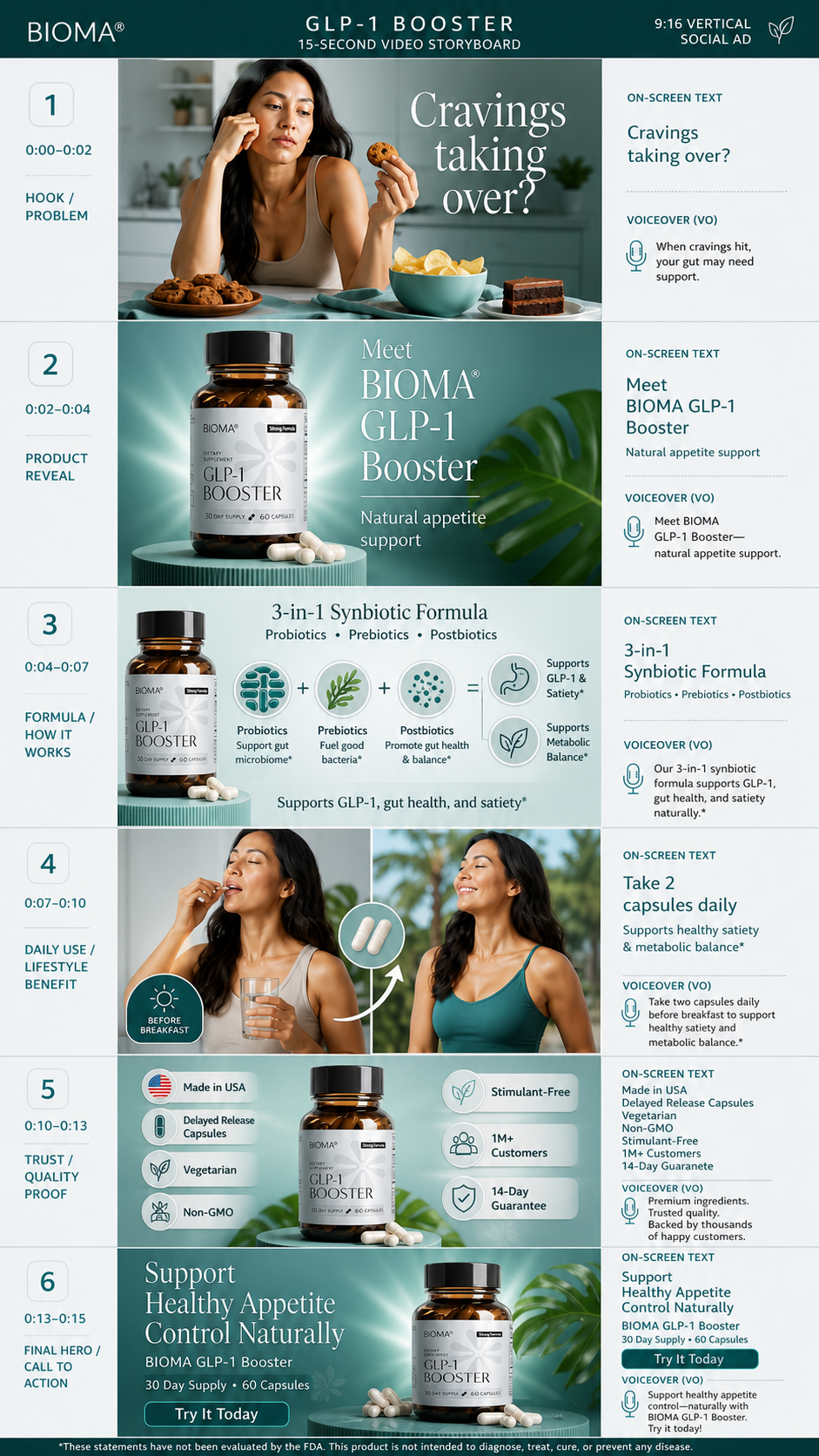
For a 15-second ad you typically have six scenes. For example:
Scene 1. Hook / Problem — Opening showing the target customer's pain point
Scene 2. Product Reveal — Clean studio-style hero shot
Scene 3. Key ingredients or how it works — Visualize the product's differentiator
Scene 4. How to use — Real lifestyle scene
Scene 5. Trust elements — Certifications, numbers, customer reviews, etc.
Scene 6. Final hero shot + CTA
Actual prompt used
I would like to create a 15-second advertisement video for the attached product. It will be a vertical-format ad video. Please generate a high-quality, professional storyboard image for the actual advertisement, with all scenes presented consistently within a single image, based on an advertising concept designed to help this product sell as effectively as possible.
When entering prompts for each scene into GPT Image 2, follow two rules without fail.
First, specify product specs in detail. Include container color, label text, size, material — as detailed as possible. For example, "white ceramic-style round container, label reads Tidalove Fluoride Toothpaste Tablets Cool Mint, approximately 8cm tall."
Second, specify camera angles and lighting. If you set the shooting direction in advance, like "frontal hero shot, soft natural light, cream-colored background," the scenes will blend much more naturally when combined into a video.
If you don't like the generated image, edit it right away. Finalizing images before moving to video is crucial. The cost to remake a single image is a fraction of the cost to remake the entire video.
Once all scene images are complete, that's your storyboard.
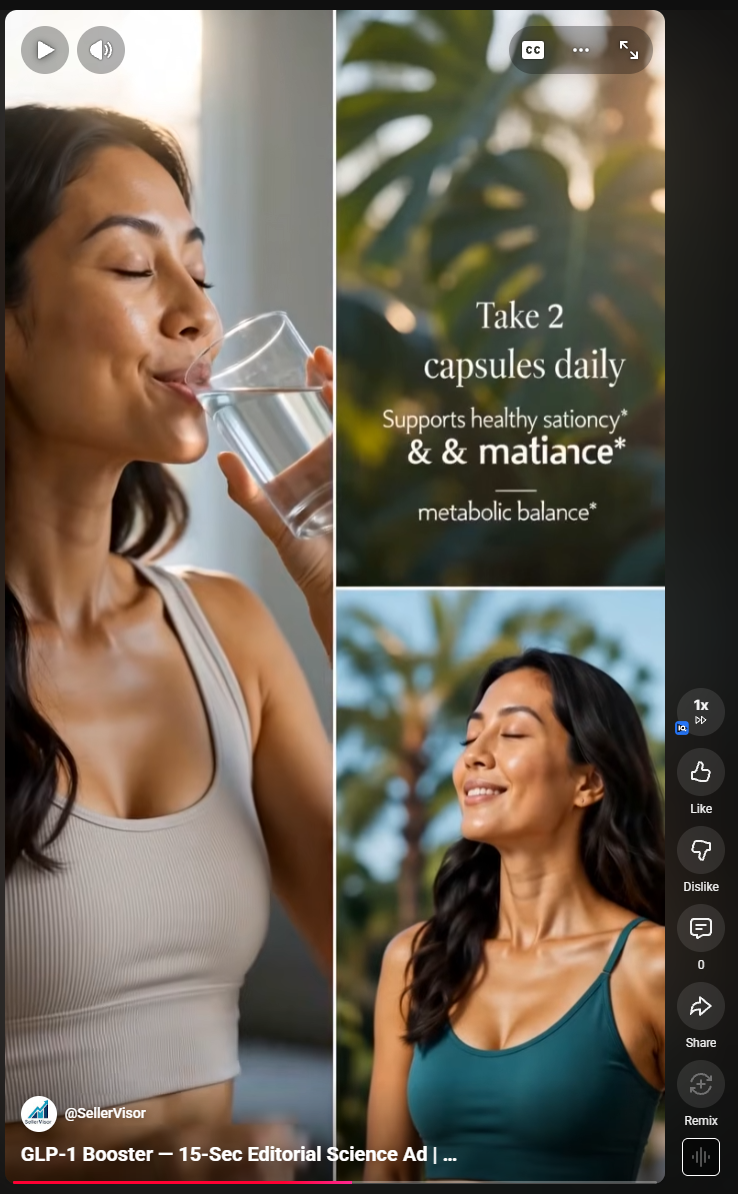
(Link to watch the video)
https://youtube.com/shorts/JO1b9Um2Z54?si=Kg0_FvMWEaHt2OAF
Step 2. Create the video in SellerVisor based on the storyboard
Now move to SellerVisor's video creation feature.
Here the difference between typical AI video generation and this workflow becomes clear.
The usual method is to input only text prompts and generate the video. The AI imagines everything from scratch.
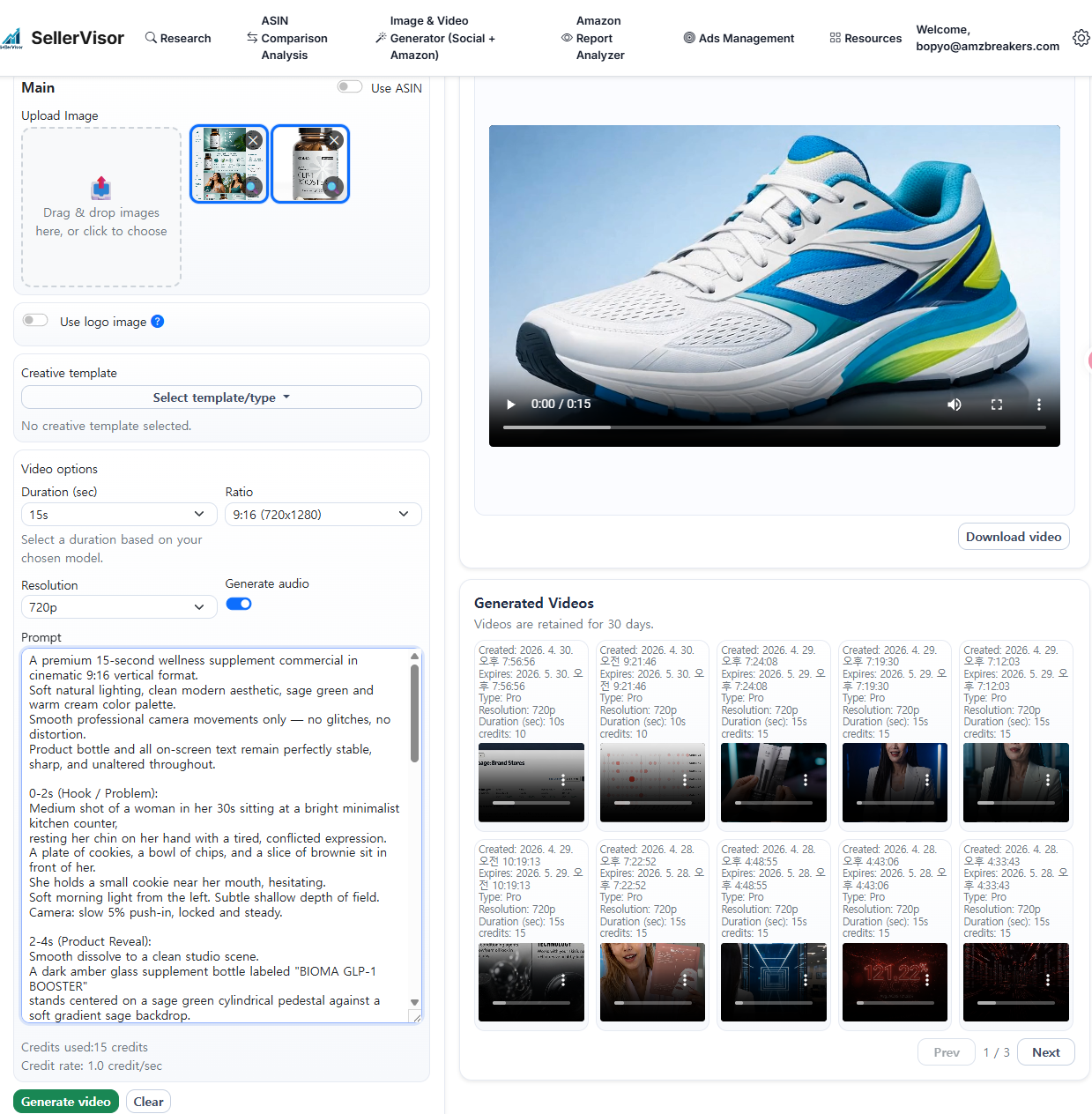
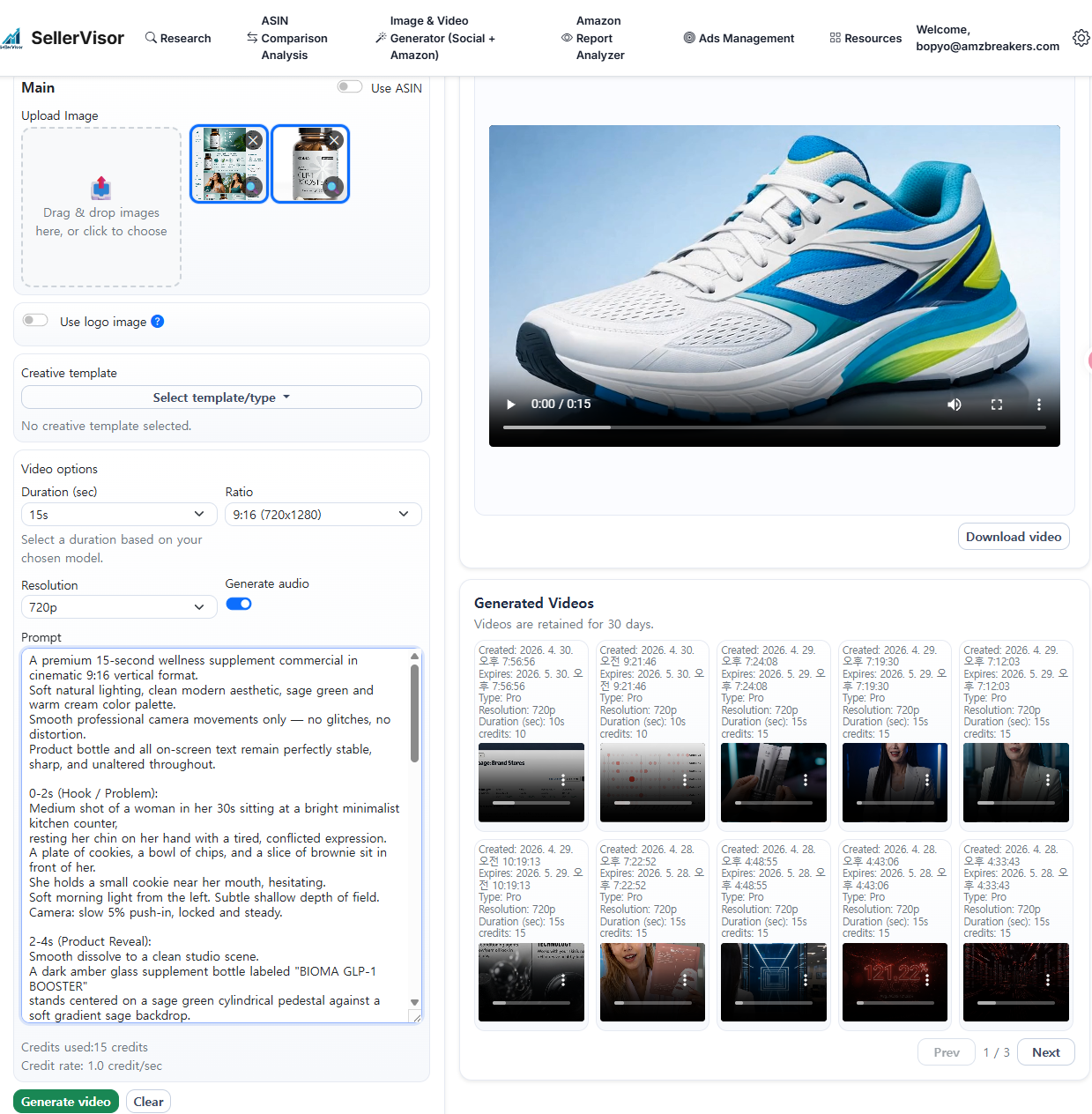
This method is different. Attach the storyboard images created in step 1. Also upload product reference images. Then write a high-quality prompt that reflects the storyboard as closely as possible. I’m sharing the actual prompt I used below. Please see the content below.
Step 3. Prompt disclosure
I'm sharing the prompt structure I used in my tests. You can modify it for your product and use it right away.
A premium 15-second wellness supplement commercial in cinematic 9:16 vertical format.
Soft natural lighting, clean modern aesthetic, sage green and warm cream color palette.
Smooth professional camera movements only — no glitches, no distortion.
Product bottle and all on-screen text remain perfectly stable, sharp, and unaltered throughout.
0-2s (Hook / Problem):
Medium shot of a woman in her 30s sitting at a bright minimalist kitchen counter,
resting her chin on her hand with a tired, conflicted expression.
A plate of cookies, a bowl of chips, and a slice of brownie sit in front of her.
She holds a small cookie near her mouth, hesitating.
Soft morning light from the left. Subtle shallow depth of field.
Camera: slow 5% push-in, locked and steady.
2-4s (Product Reveal):
Smooth dissolve to a clean studio scene.
A dark amber glass supplement bottle labeled "BIOMA GLP-1 BOOSTER"
stands centered on a sage green cylindrical pedestal against a soft gradient sage backdrop.
A single monstera leaf is visible behind it. Two cream-colored capsules rest beside the base.
Soft rim light from behind, gentle key light from front-left.
Camera: slow 360° orbit at 30% speed around the bottle, then settles to a frontal hero angle.
The bottle, label text, and capsule shapes stay completely stable — no morphing, no warping.
4-7s (Formula / How It Works):
The bottle remains anchored on the left third of the frame, perfectly still.
On the right side, three soft circular icons gently fade in one by one in sequence:
first a probiotic icon, then a prebiotic leaf icon, then a postbiotic dot pattern icon.
Tiny floating particles of light drift slowly upward between the icons.
Camera: completely locked off, no movement. Bottle and label remain crystal sharp.
7-10s (Daily Use / Lifestyle):
Cut to a split-screen lifestyle moment.
Left half: the same woman, now smiling and refreshed, taking two cream capsules with a glass of water in soft morning kitchen light.
Right half: the same woman outdoors, eyes closed, breathing deeply against a soft-focus tropical green background, looking calm and energized.
Camera: gentle 3% push-in on both halves. Natural skin tones, warm golden hour lighting.
10-13s (Trust / Quality Proof):
Return to the studio product shot — bottle centered on the sage pedestal, completely stable.
Small minimalist trust badges fade in softly around the bottle in a balanced layout:
Made in USA, Vegetarian, Non-GMO, Stimulant-Free, 1M+ Customers, 14-Day Guarantee.
Camera: extremely slow 2% push-in. Bottle and all text remain razor sharp and unchanged.
13-15s (Final Hero / CTA):
Final hero shot. The bottle stands centered on the pedestal, surrounded by a few scattered cream capsules and a soft monstera leaf shadow.
Gentle volumetric light beams from the upper right.
Subtle floating dust particles catch the light.
Camera: ultra-slow pull-back revealing the full composition, ending on a perfectly composed beauty shot.
The bottle, label, and brand name stay completely intact and legible the entire time.
Overall mood: clean, premium, trustworthy, modern wellness.
Reference quality: high-end skincare and supplement TV commercials (Olay, Ritual, Seed).
Strict rules: no glitch effects, no morphing, no text distortion, no product transformation,
no extreme camera moves. Bottle label "BIOMA GLP-1 BOOSTER" must remain readable in every frame.
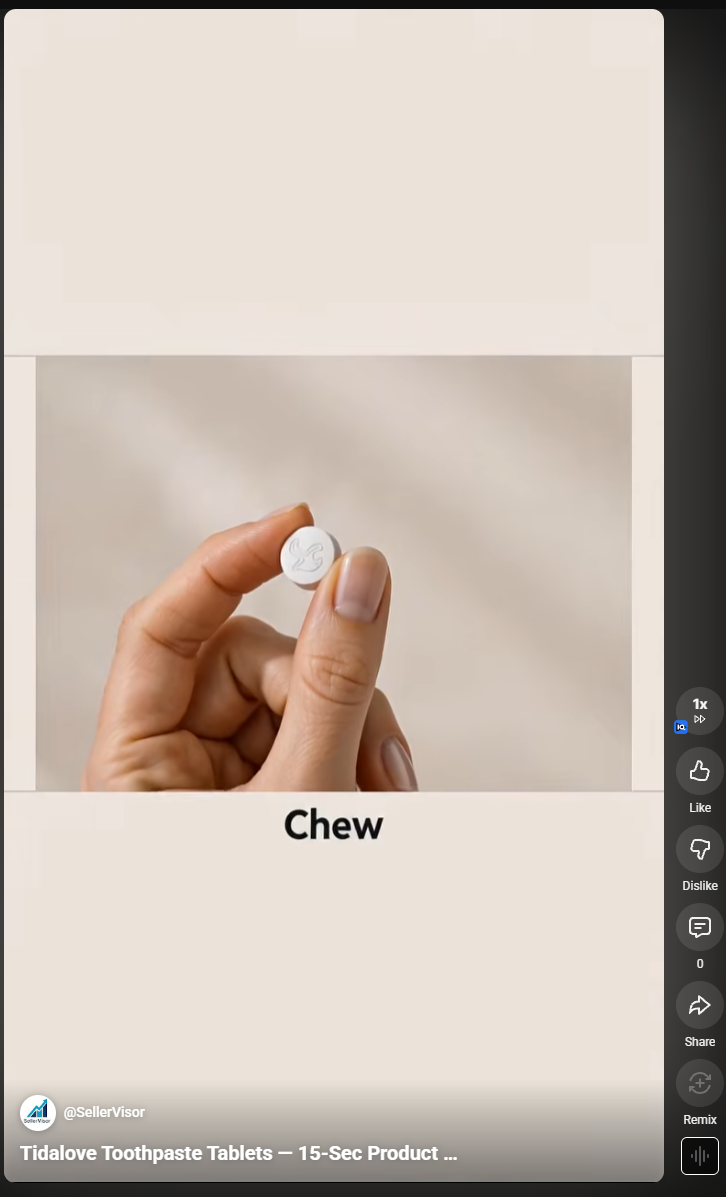
Watch the video
https://youtube.com/shorts/cQVBoZynCjk?si=MM8PmRBMx2m-LMMa
In closing
While testing this workflow I made ad videos for two brands: GLP-1 Booster and Tidalove Toothpaste Tablets. By finalizing storyboard images first and then creating the videos, product transformations were noticeably reduced and the scenes turned out the way I wanted.
Creating AI videos from text prompts alone is like rolling dice. Creating storyboard images first and then connecting them to video is like drawing blueprints and building a house.
Amazon sellers, credits are precious. And your time is even more precious.
Start with this method.
Bopyo
SellerVisor Co-Founder
Create your first storyboard now in SellerVisor GPT Image 2 mode.
https://sellervisor.com/?utm_source=blog&utm_medium=post&utm_campaign=storyboard_workflow&utm_content=cta_bottom