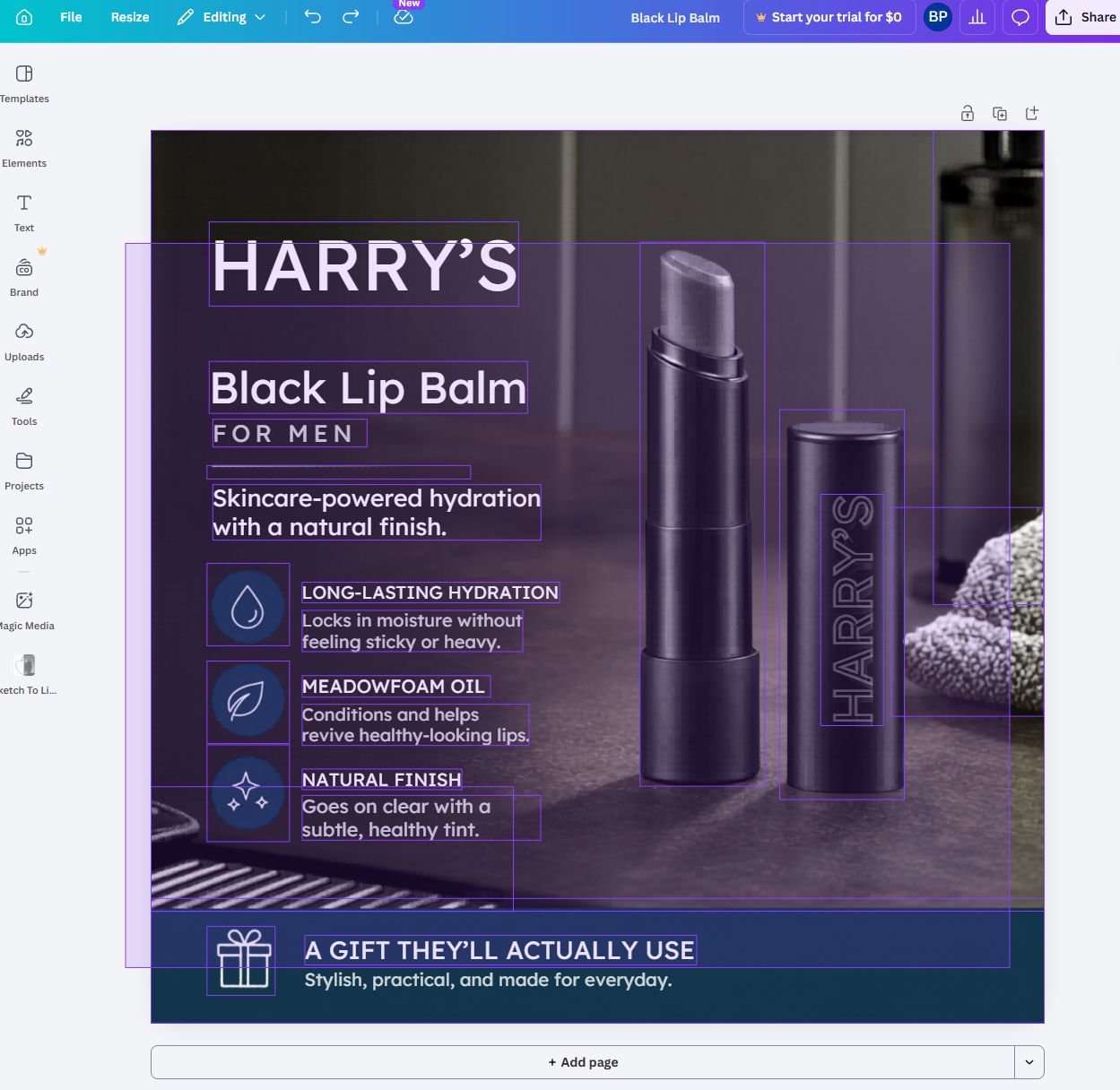
Everyone said "AI images cannot be edited." SellerVisor and Canva Magic Layers changed that common belief.
If you're an Amazon seller, you've probably hit this wall at least once. You generated a great product image with AI but realized it couldn't be edited. We know that frustration well. So we created a solution.
The fatal limitation of AI images
Over the past two years, AI image generation technology has grown explosively. But for Amazon sellers, AI images have always been a "half solution." The reason is simple: they couldn't be edited.
There are no layers. Elements generated by AI are merged into a single flat file. You can't change just the background or move only the product.
Designer costs are inevitable. Because editing wasn't possible, you had to hire freelance designers. $50–$200 per image, up to $10,000 for 50 SKUs.
Speed is also slow. From requesting a designer to completion averages 5–7 days. That's a critical delay in Amazon's fast market.
Even if you want to change a single background color, you have to start from scratch, and image variations for A/B testing were out of the question.
But now things have changed. The combination of just two tools solves all these problems.
2-step workflow: create, then edit
Combine SellerVisor and Canva to handle AI image generation and professional editing in one flow. No Photoshop, no designer needed.
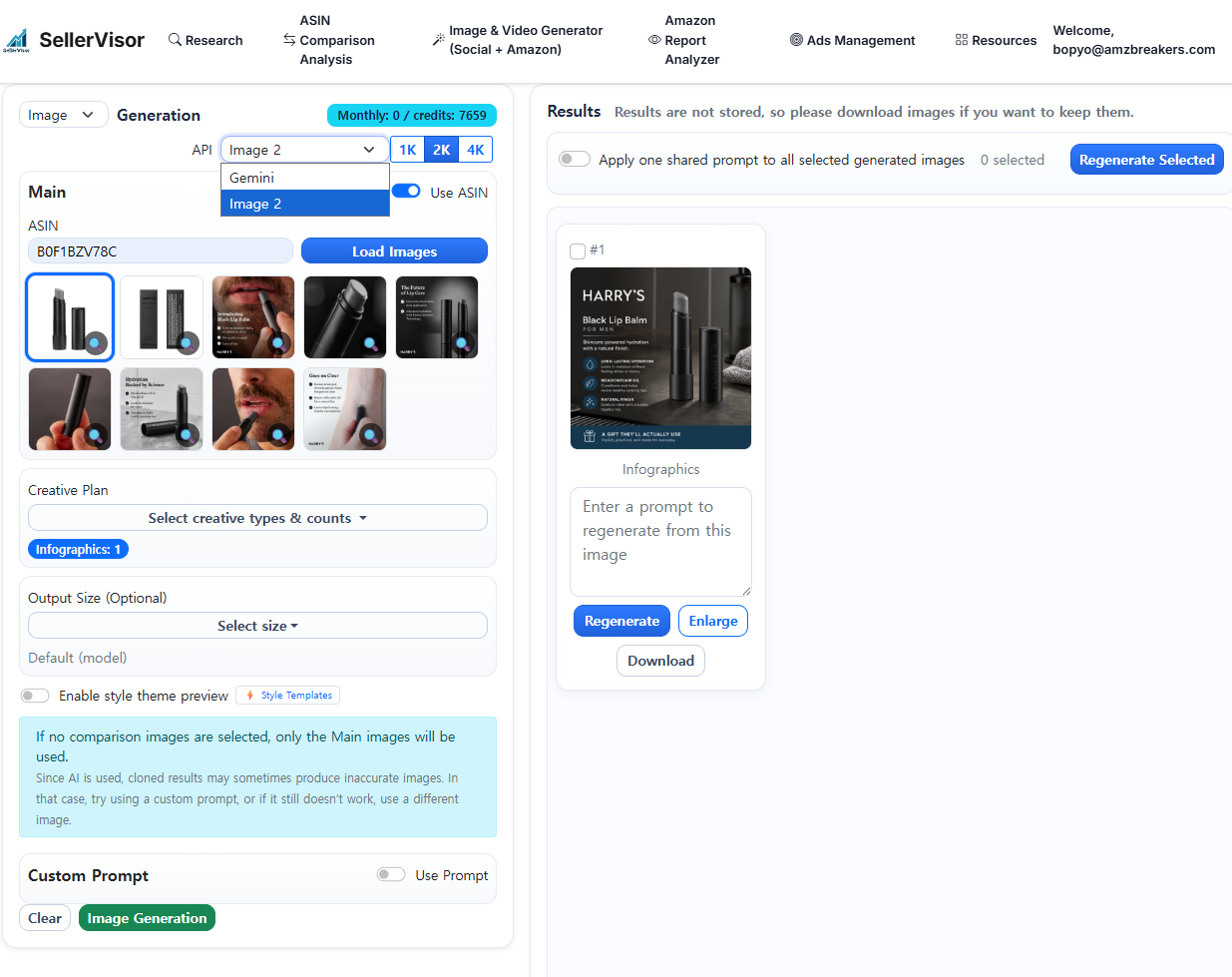
Step 1 — SellerVisor · GPT Image 2 mode Generate Amazon-optimized product images
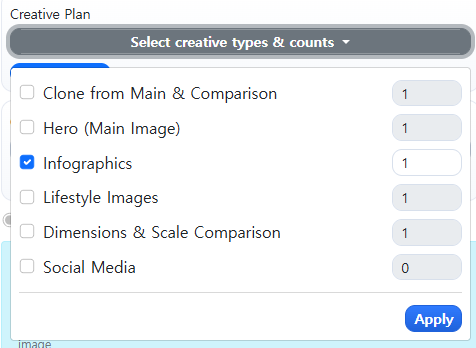
Go to SellerVisor and select GPT Image 2 mode. Enter the ASIN, choose the image template style you want to generate, and click the generate button. You'll get studio-quality images optimized for Amazon guidelines.
- Hero Images
- Infographics Images
- Lifestyle Images
- Dimension & Scale Comparison
- Social Media

Step 2 — Canva · Magic Layers Full layer scan → fully editable images
Drag the generated image into Canva. Click Magic Layers and Canva will scan the entire image and separate all elements into independent, editable layers. Like Photoshop, but much easier.
- Move product position
- Edit text
Start right now
Generate your first Amazon-optimized image with SellerVisor GPT Image 2 mode. No designer, no Photoshop needed.
👉 https://www.sellervisor.com/?utm_source=blog&utm_medium=content&utm_campaign=ai_image_editing_2026